 WhoCaller
Caller ID & spam blocking
How do I block spam calls automatically?
In More › Caller ID and spam protection, turn on Block very high risk calls and pick the categories to block, like scam or telemarketing.
Where to find it
More›Protection›Caller ID and spam protection›Block very high risk calls
Steps
- Tap More, then Caller ID and spam protection.
- Turn on Block very high risk calls.
- Under Block these categories, tick the kinds of calls to reject.
- Blocked calls never ring. See them in Block list › History.
← How do I turn on caller ID and spam protection?How do I block a phone number? →
Caller ID & spam blocking
More guides like this
 0:30
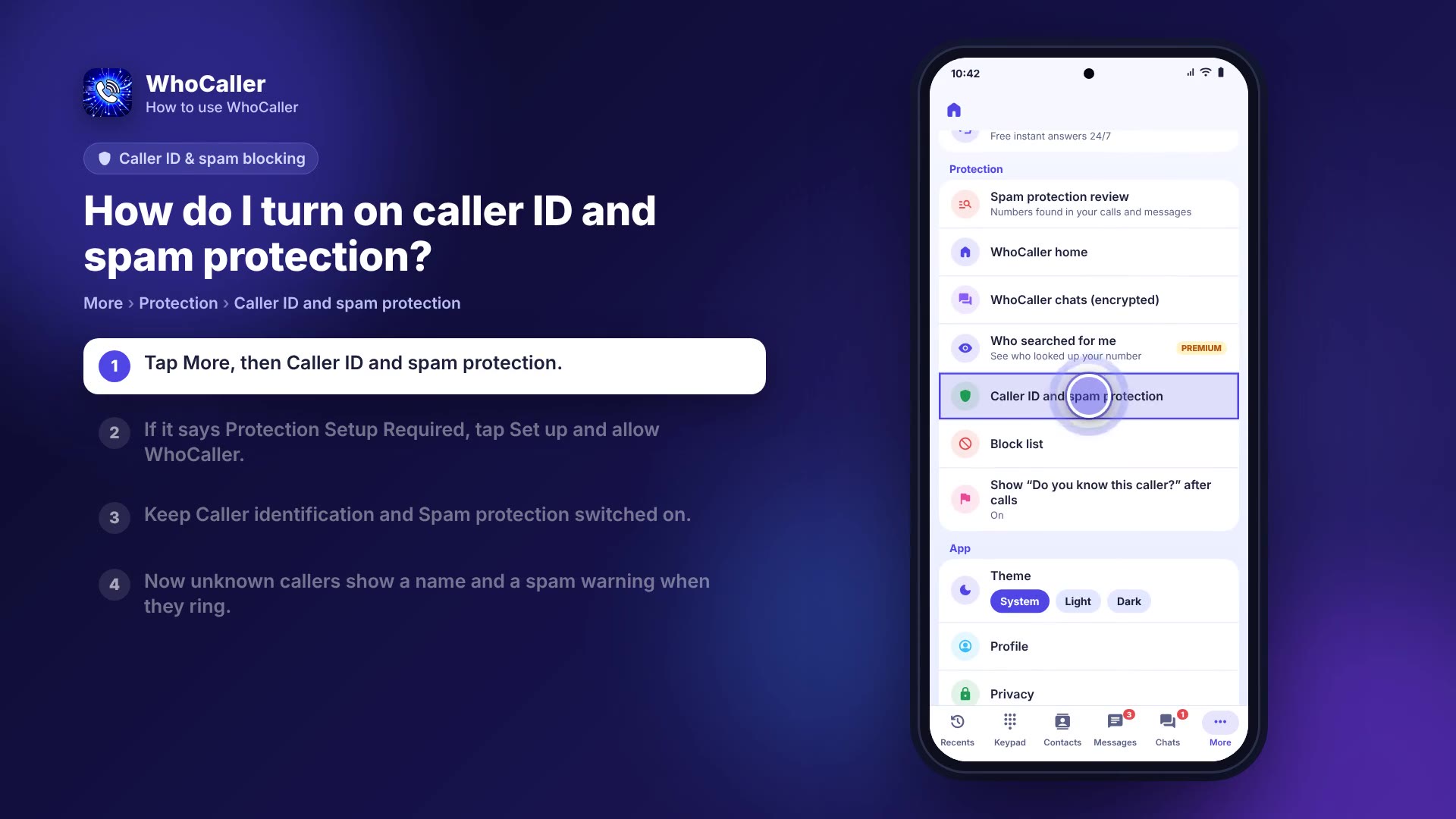
How do I turn on caller ID and spam protection?
Open More › Caller ID and spam protection, tap Set up and allow call screening. Unknown numbers then show a name and spam warning.
See the steps →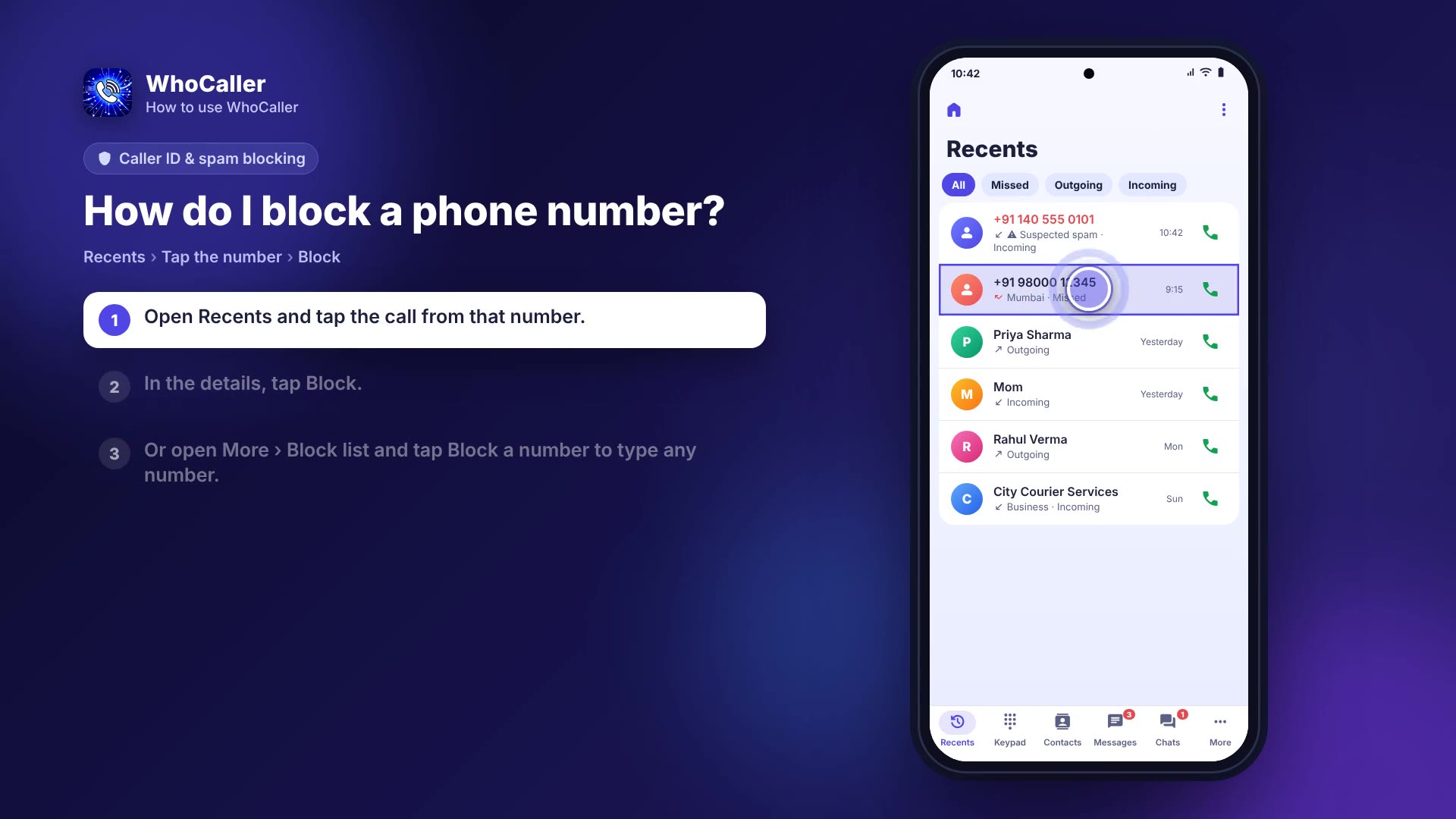 0:24
How do I block a phone number?
In Recents, tap the number and then Block. You can also add any number in More › Block list › Block a number.
See the steps →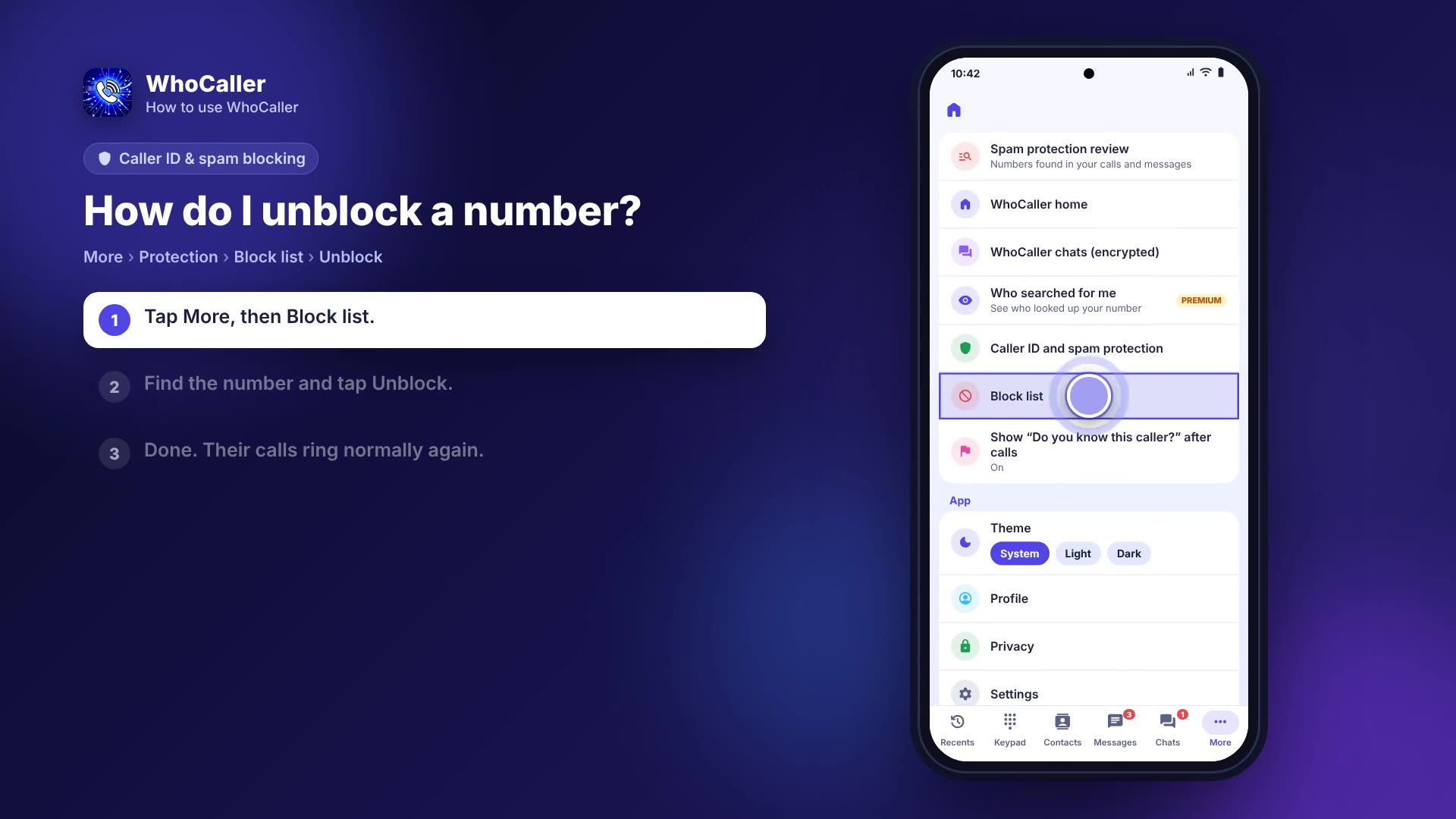 0:23
How do I unblock a number?
Open More › Block list and tap Unblock next to the number.
See the steps →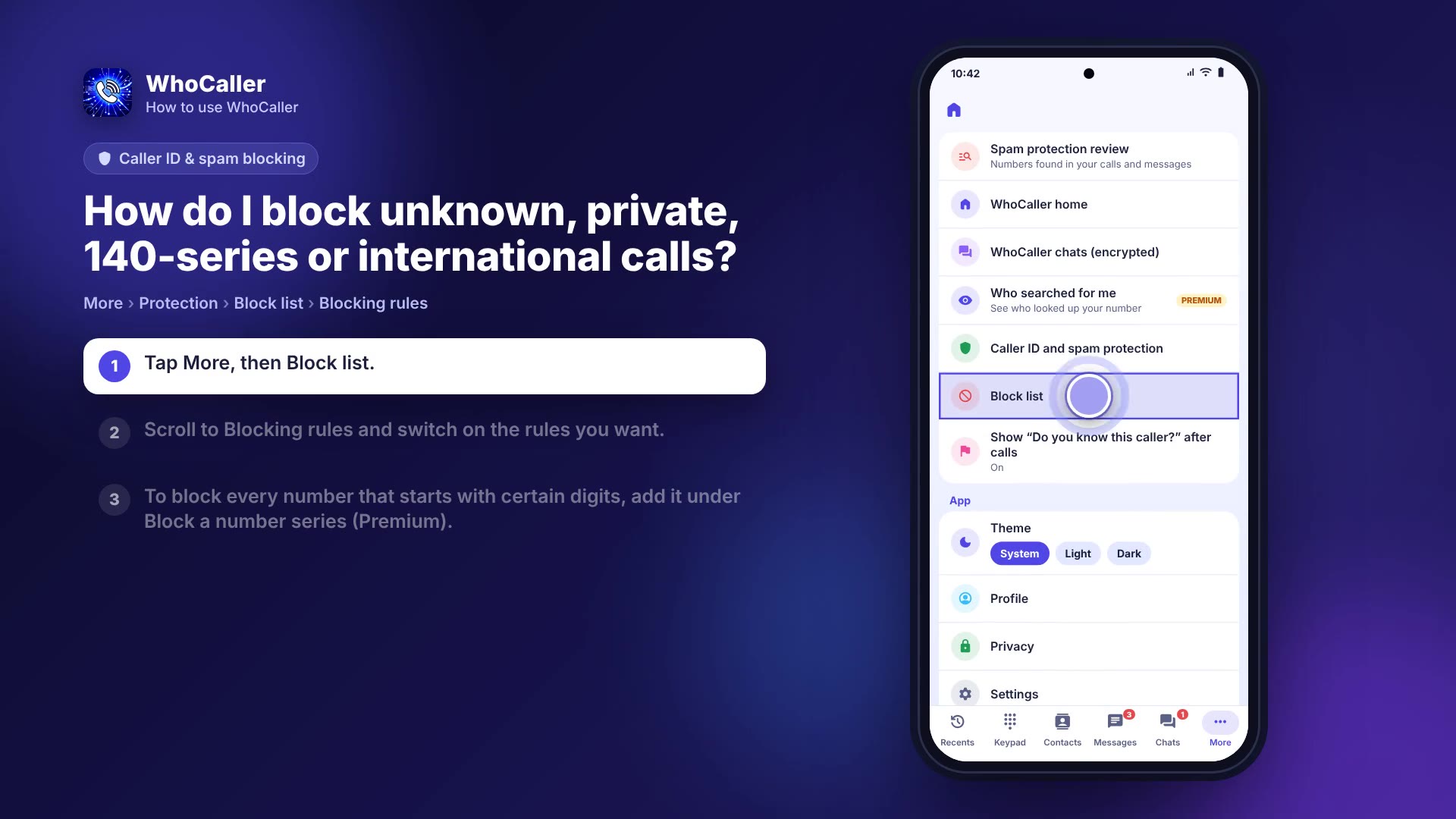 0:26
How do I block unknown, private, 140-series or international calls?
Open More › Block list and use Blocking rules. International calls and number series need Premium.
See the steps →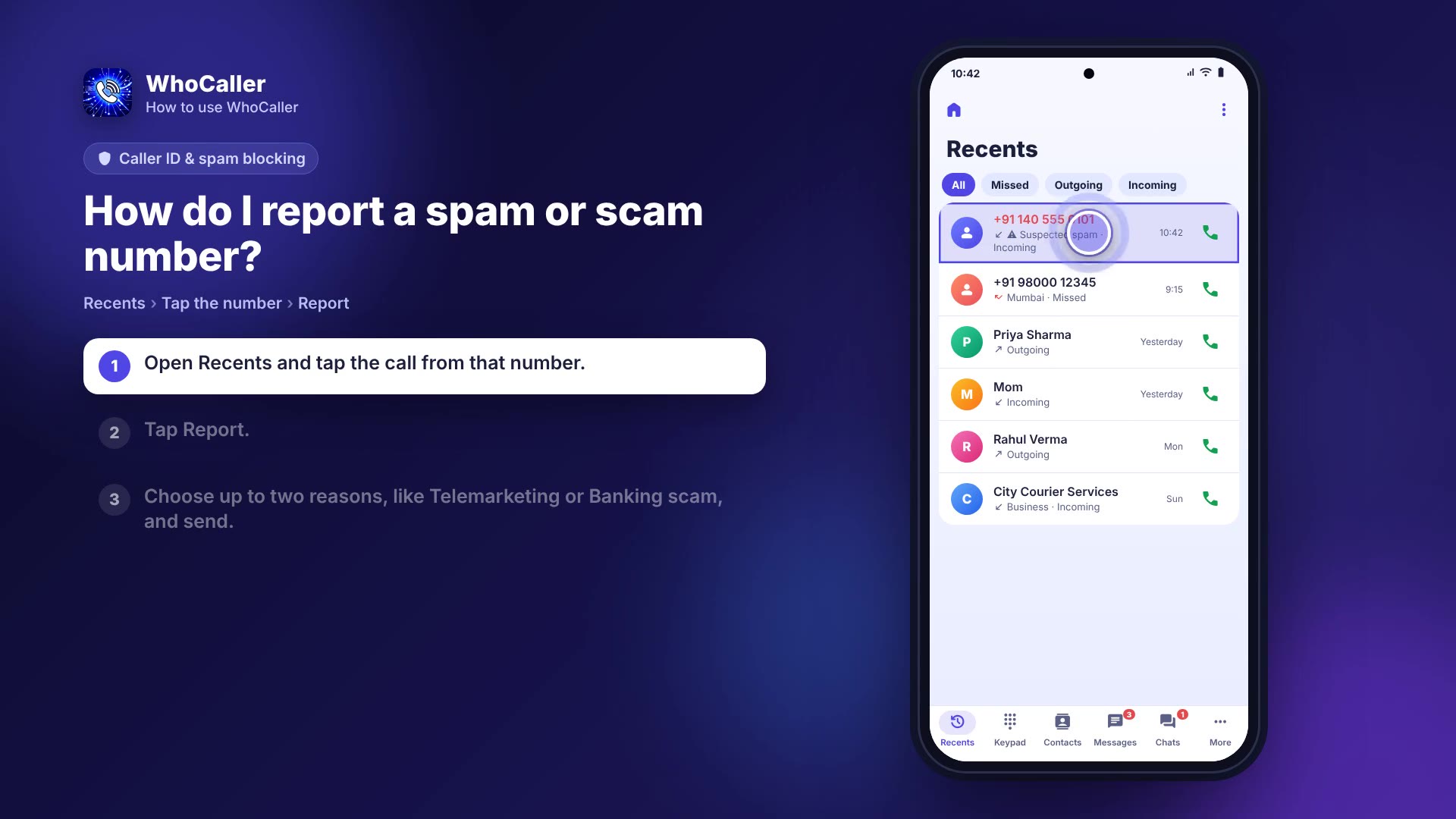 0:25
How do I report a spam or scam number?
In Recents, tap the number, tap Report and choose up to two reasons. Your report helps warn other people.
See the steps →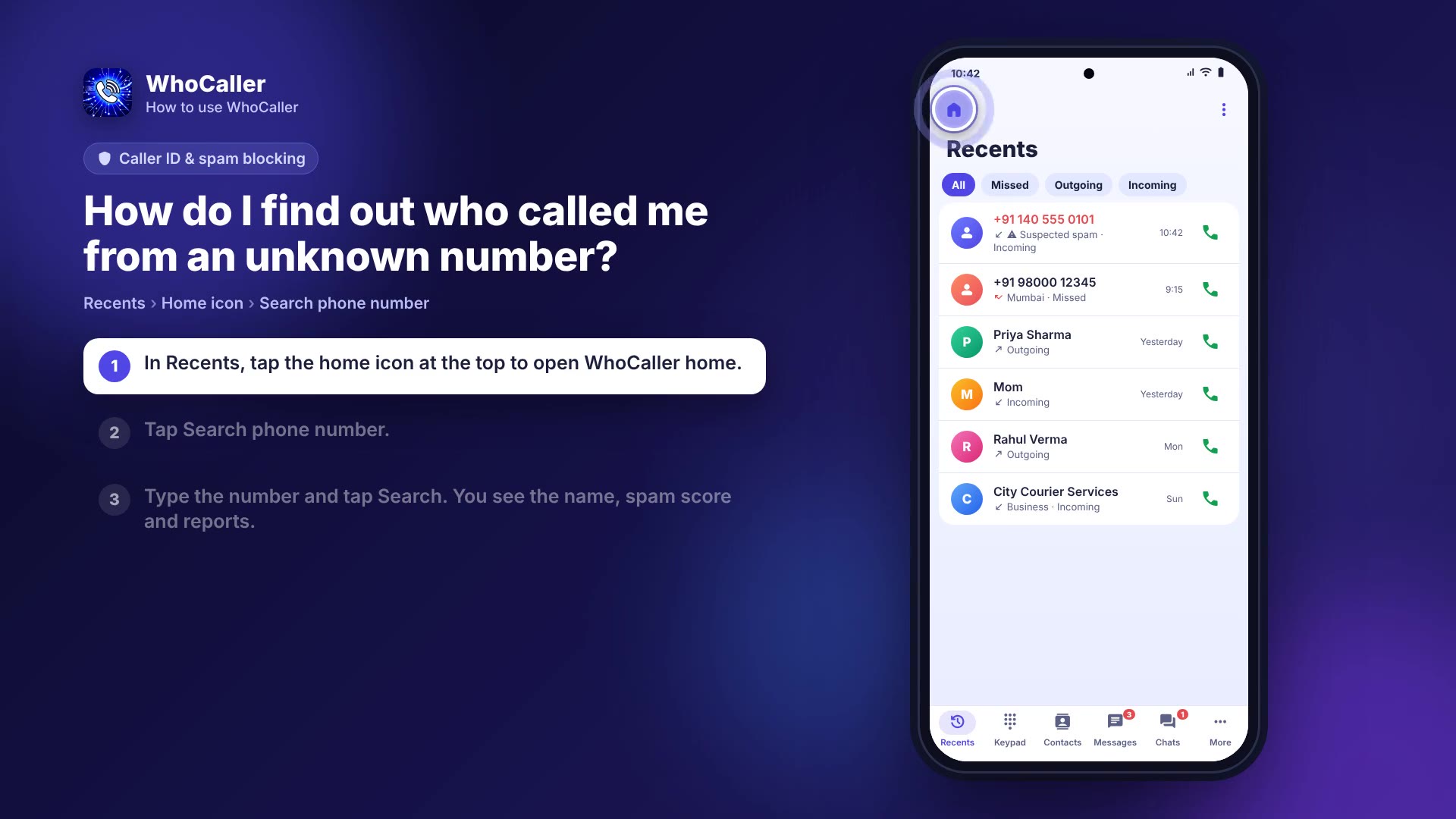 0:25
How do I find out who called me from an unknown number?
Open WhoCaller home, tap Search phone number, type the number and tap Search. On the keypad you can also tap Look up in WhoCaller.
See the steps →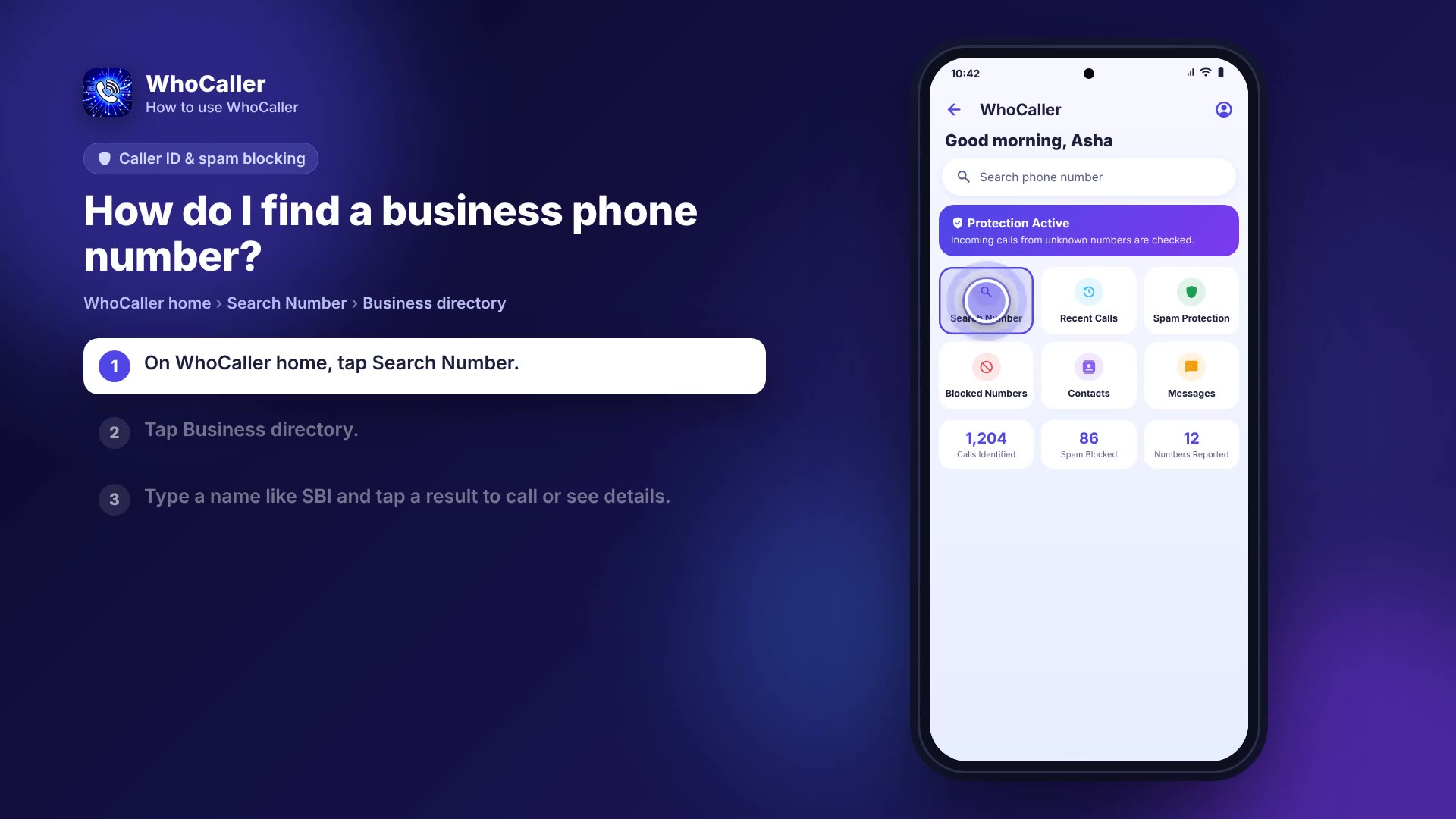 0:24
How do I find a business phone number?
Open WhoCaller home › Search Number › Business directory, and search by name, short name (like SBI) or category.
See the steps →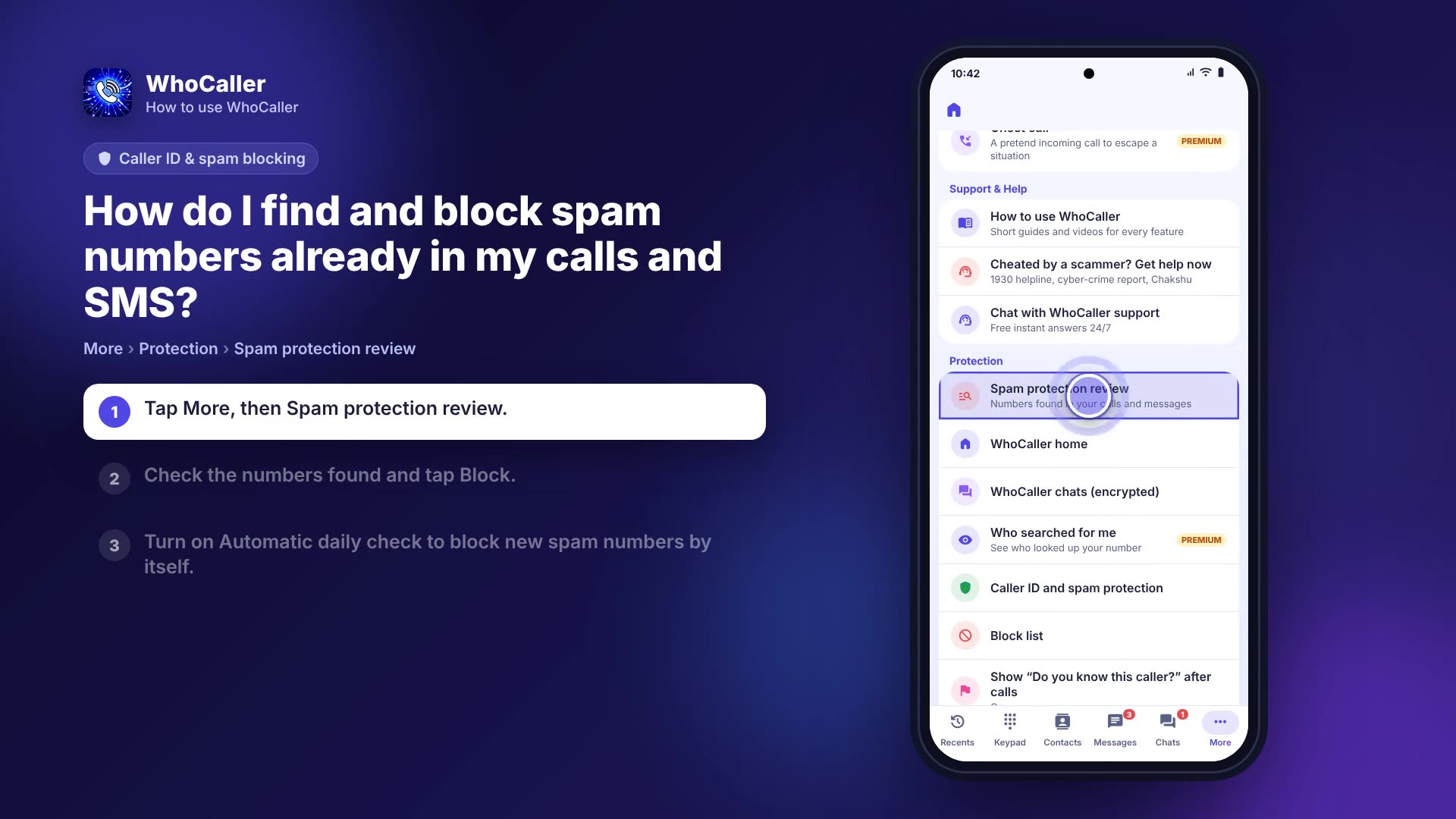 0:24
How do I find and block spam numbers already in my calls and SMS?
Open More › Spam protection review. WhoCaller lists reported numbers from your calls and messages so you can block them in one tap.
See the steps →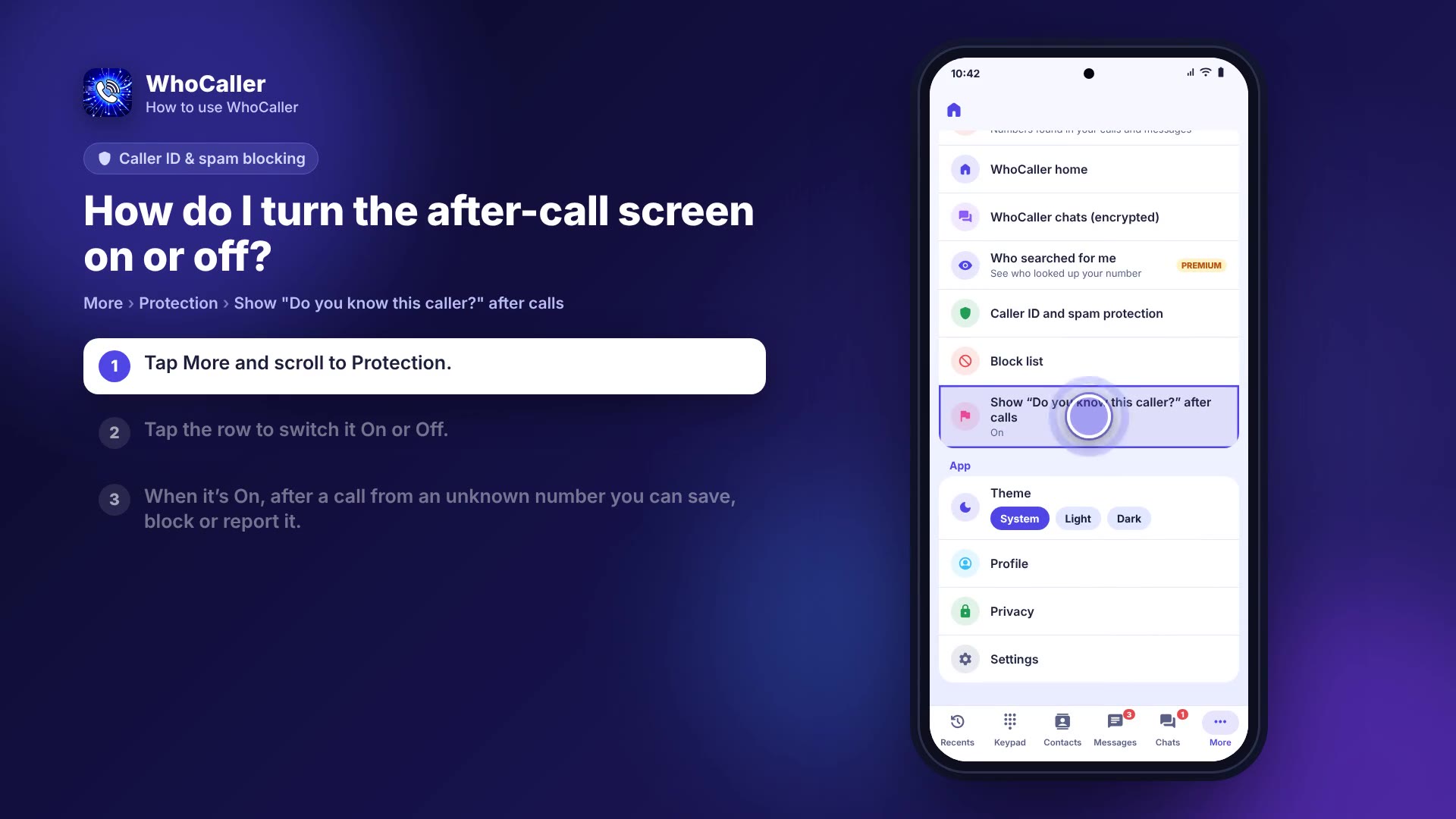 0:24
How do I turn the after-call screen on or off?
In More › Protection, tap Show "Do you know this caller?" after calls. It asks about an unknown number at most once a day.
See the steps →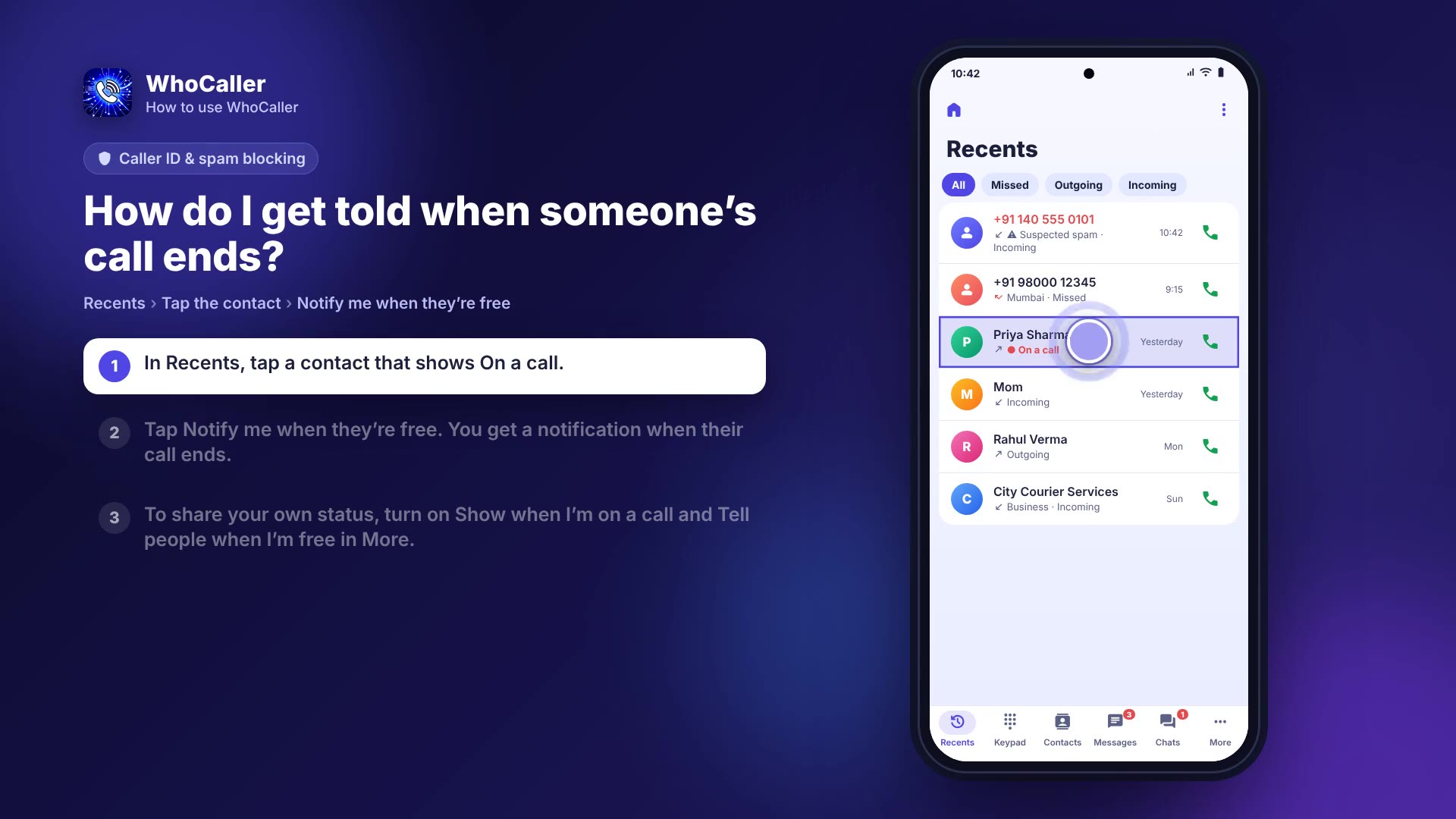 0:27
How do I get told when someone’s call ends?
If a contact shows On a call now, tap them and tap Notify me when they’re free. To share your own status, turn on Show when I’m on a call in More.
See the steps →Get WhoCaller free
Free on Google Play. Android 8.0 or newer.