 WhoCaller
How to use WhoCaller
Every feature as a simple question, with where to find it, short steps and a video. The same guides are in the app: More › Support & Help › How to use WhoCaller.
Getting started
 0:29
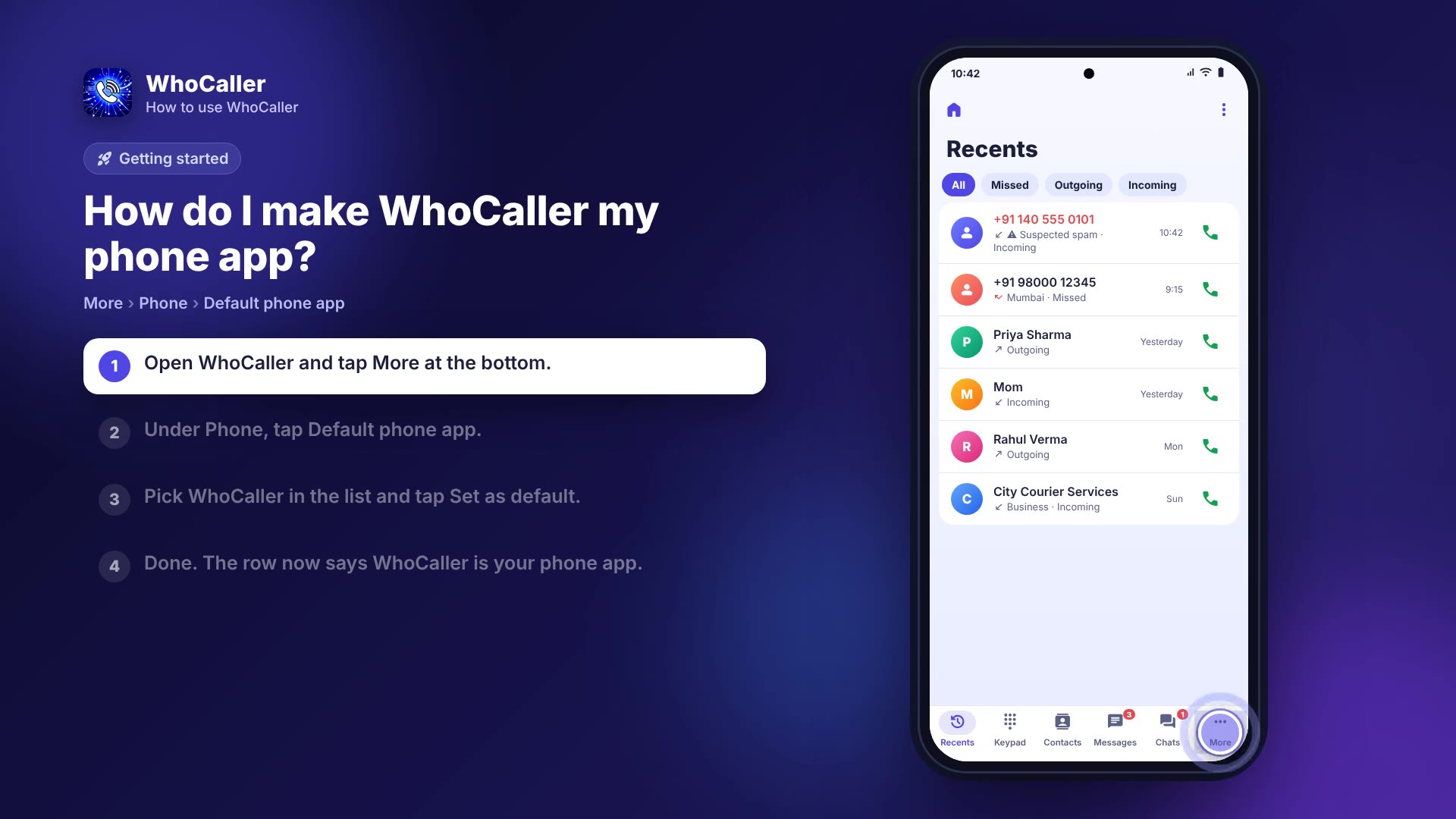
How do I make WhoCaller my phone app?
Open More, tap Default phone app and pick WhoCaller. Then caller names show before the phone rings and spam calls can be rejected.
See the steps →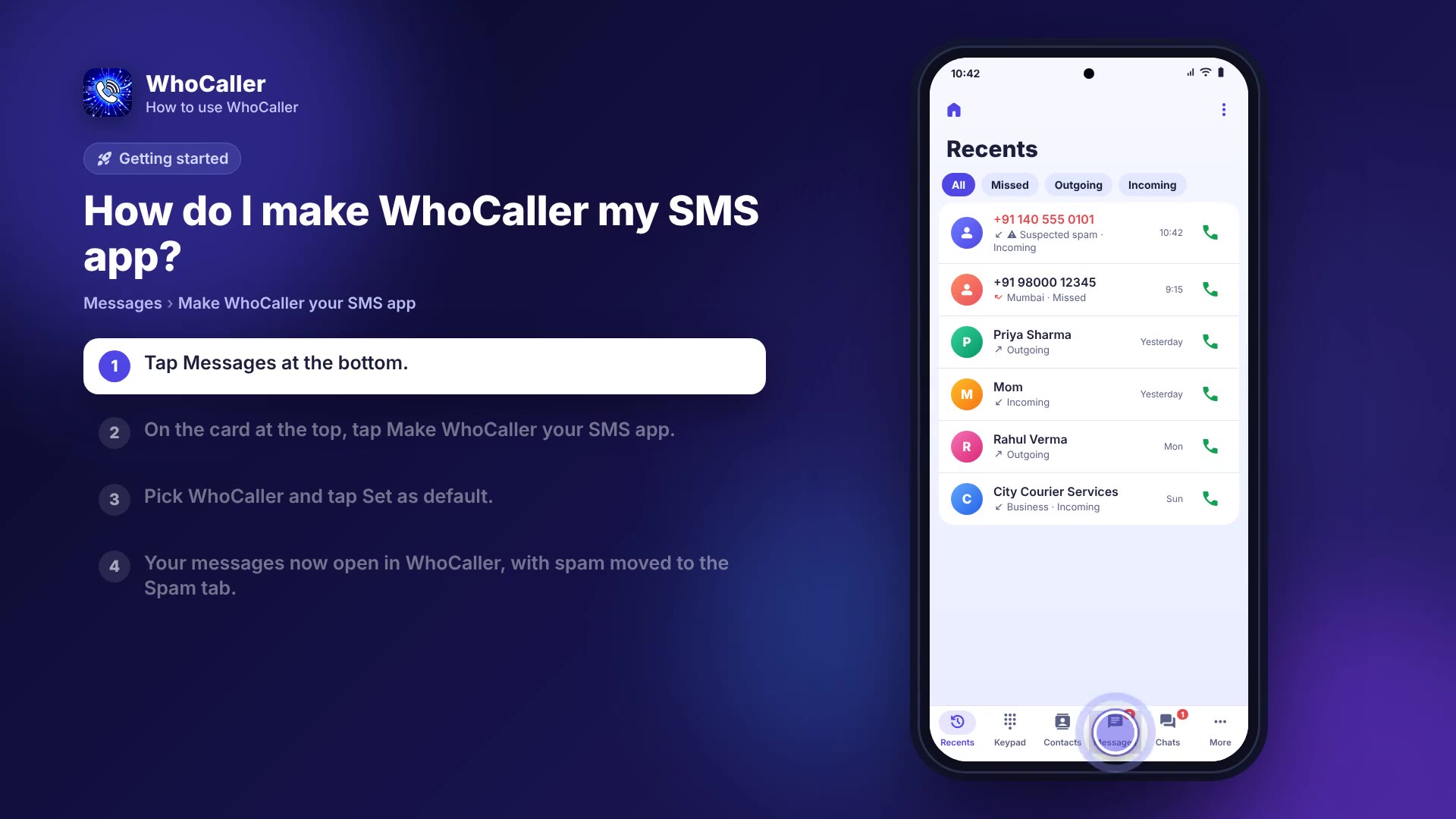 0:30
How do I make WhoCaller my SMS app?
Open the Messages tab and tap Make WhoCaller your SMS app. You get scam warnings on suspicious texts and a Spam folder.
See the steps →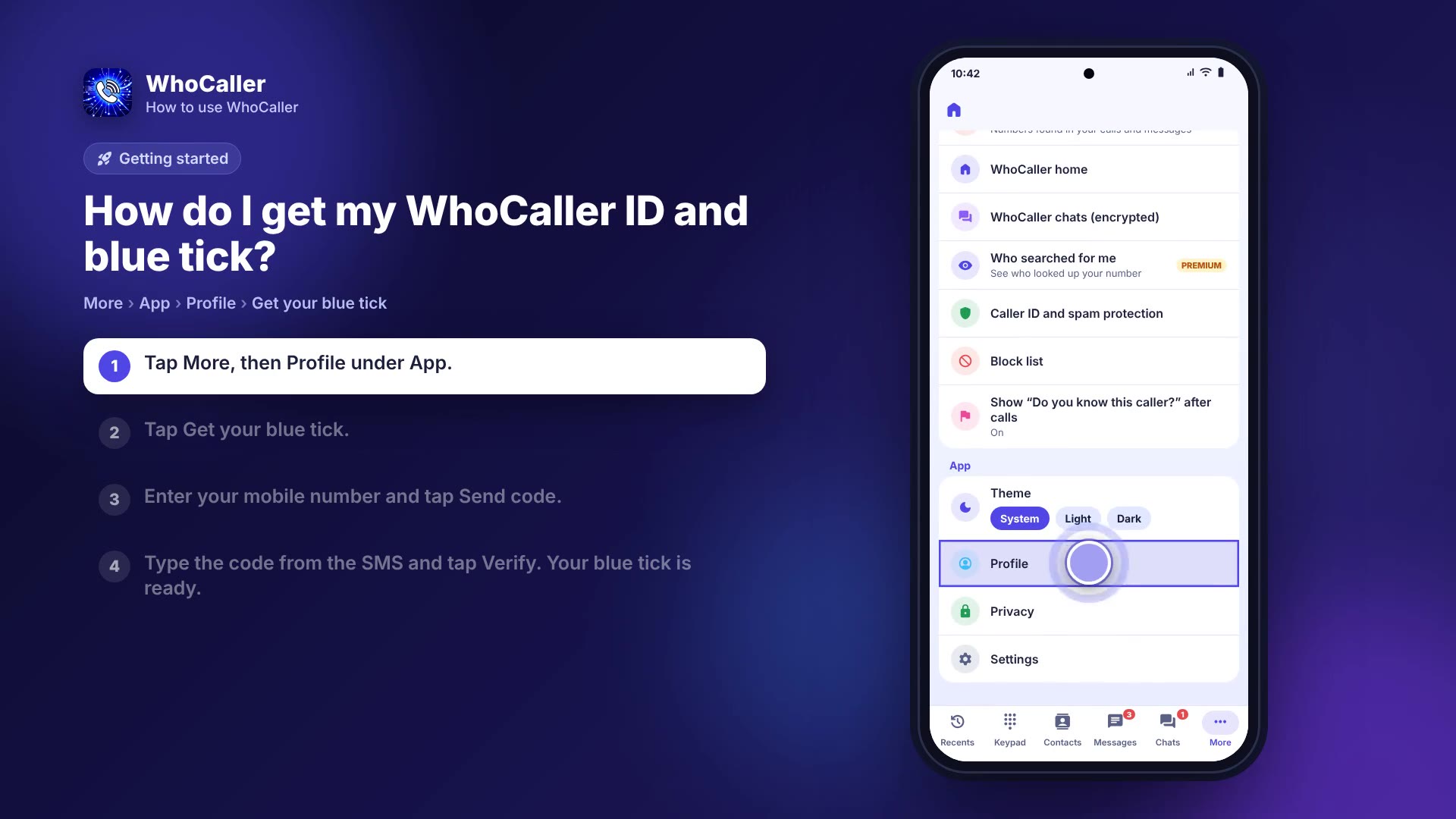 0:30
How do I get my WhoCaller ID and blue tick?
Open More › Profile, tap Get your blue tick and verify your mobile number with the SMS code. People you call then see your verified name.
See the steps →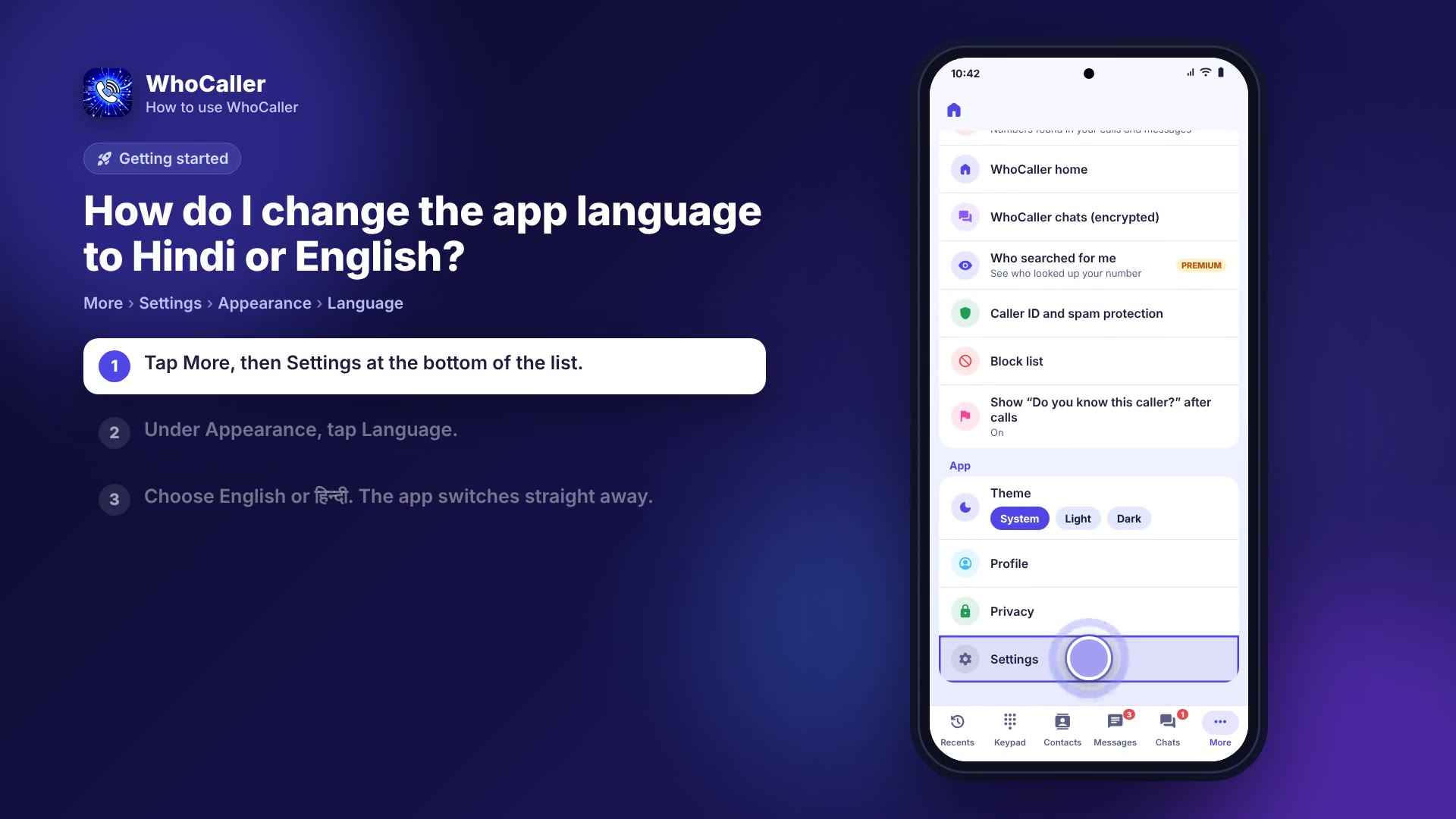 0:24
How do I change the app language to Hindi or English?
Open More › Settings › Language and choose English or हिन्दी. WhoCaller uses English until you pick another language.
See the steps →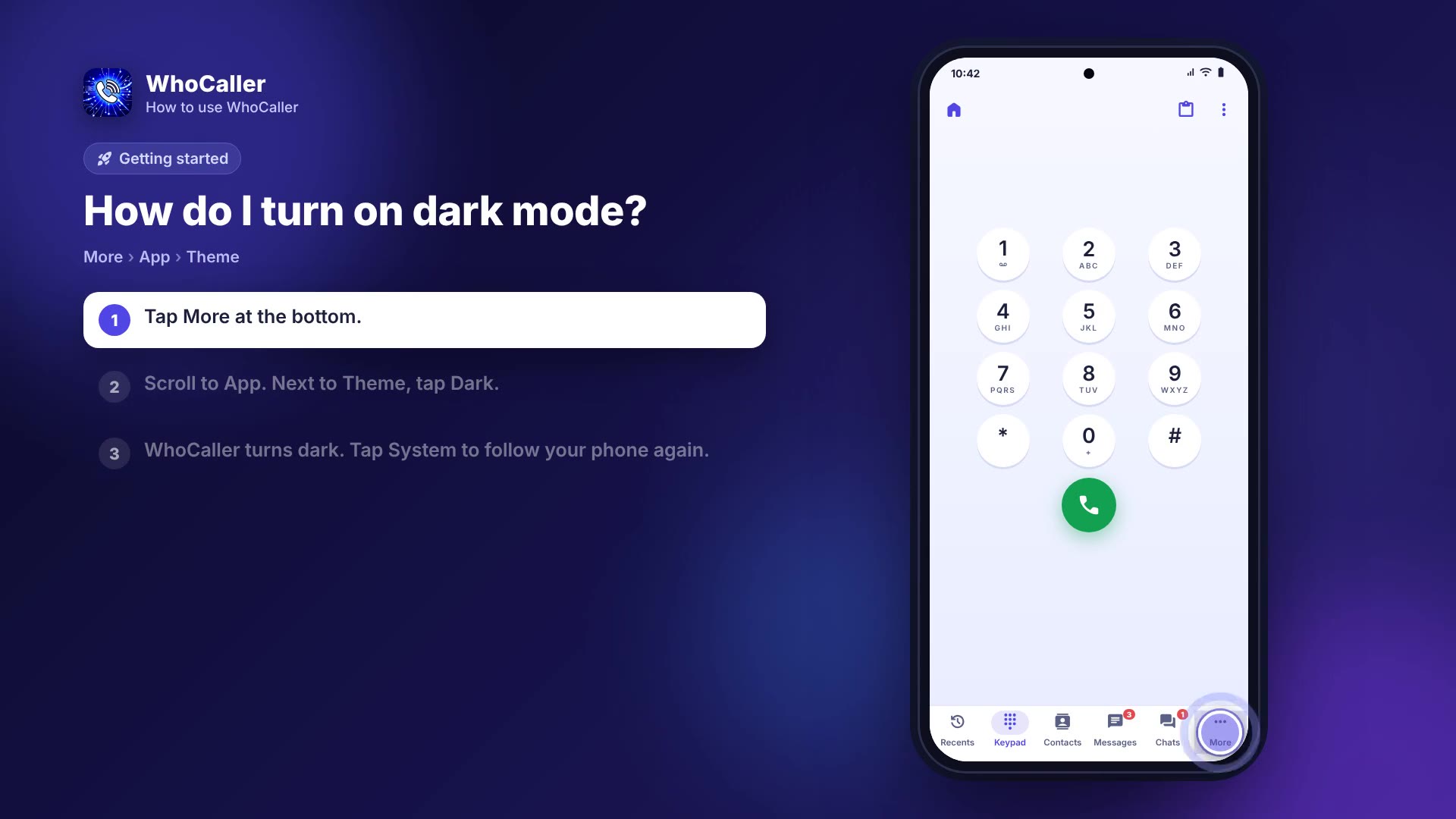 0:24
How do I turn on dark mode?
Open More and, under App › Theme, tap Dark. Pick System to follow your phone’s setting.
See the steps →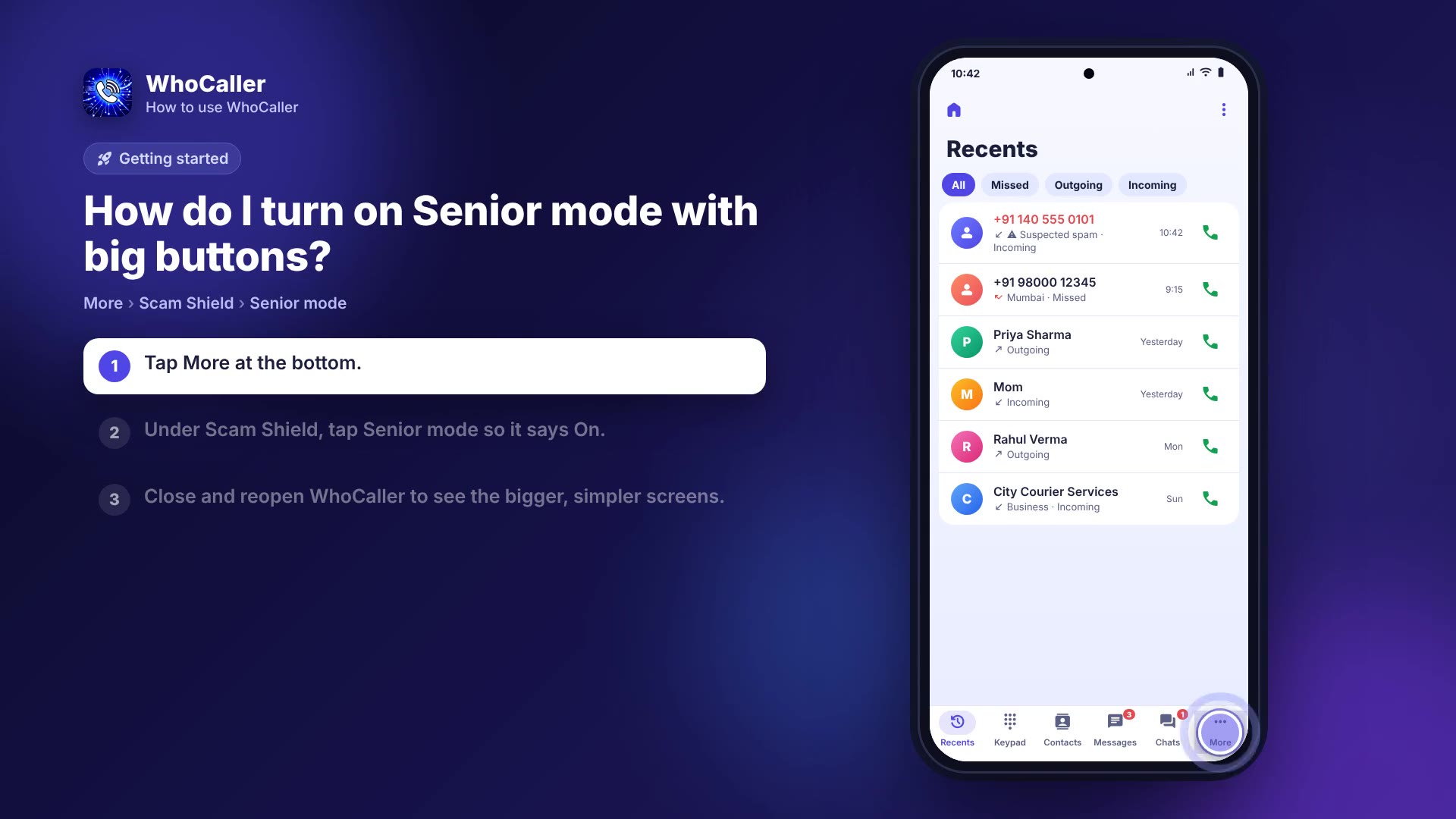 0:24
How do I turn on Senior mode with big buttons?
Open More › Scam Shield and tap Senior mode, then reopen WhoCaller. Buttons and text get bigger and screens get simpler.
See the steps →Caller ID & spam blocking
 0:30
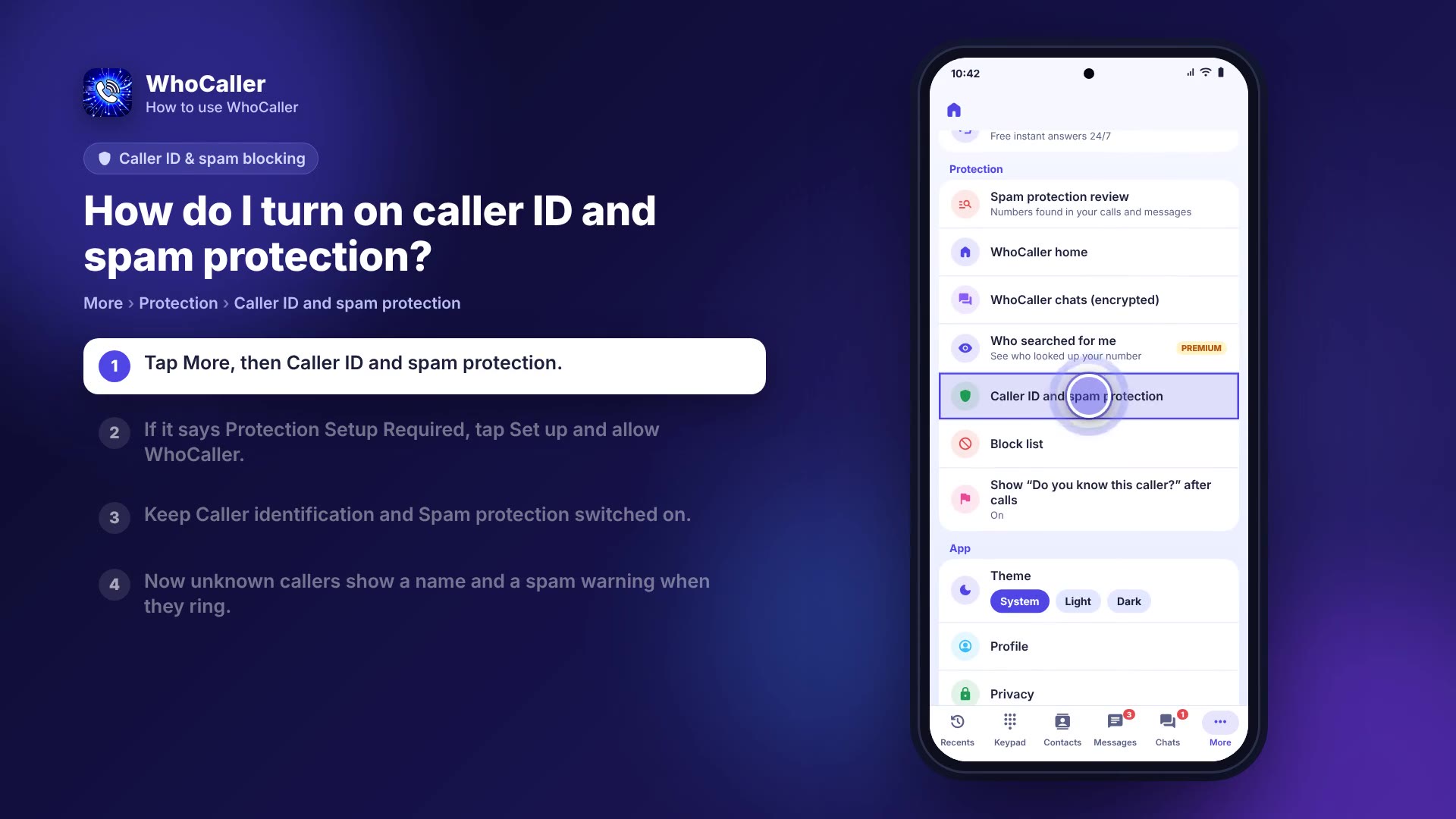
How do I turn on caller ID and spam protection?
Open More › Caller ID and spam protection, tap Set up and allow call screening. Unknown numbers then show a name and spam warning.
See the steps →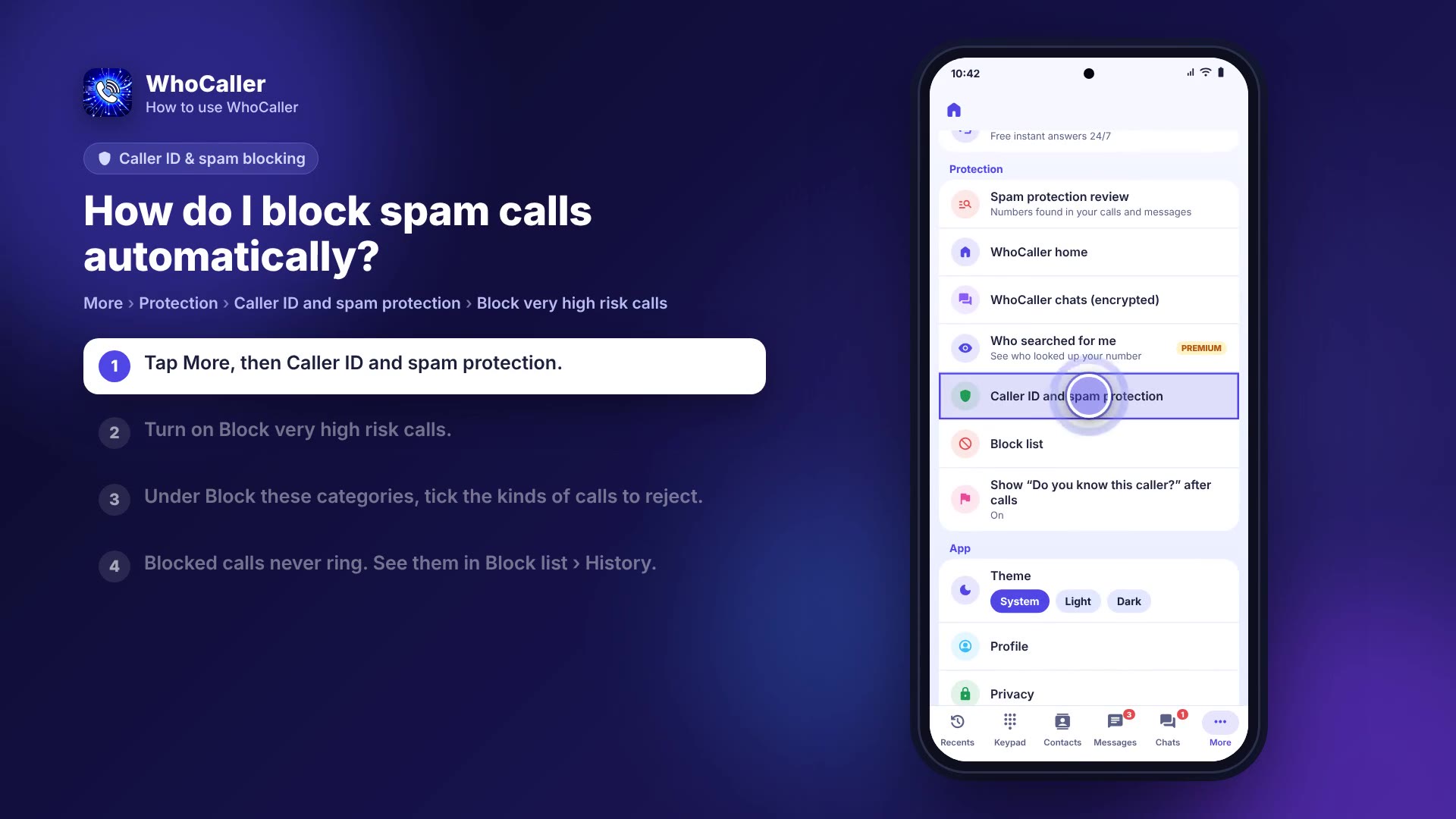 0:30
How do I block spam calls automatically?
In More › Caller ID and spam protection, turn on Block very high risk calls and pick the categories to block, like scam or telemarketing.
See the steps →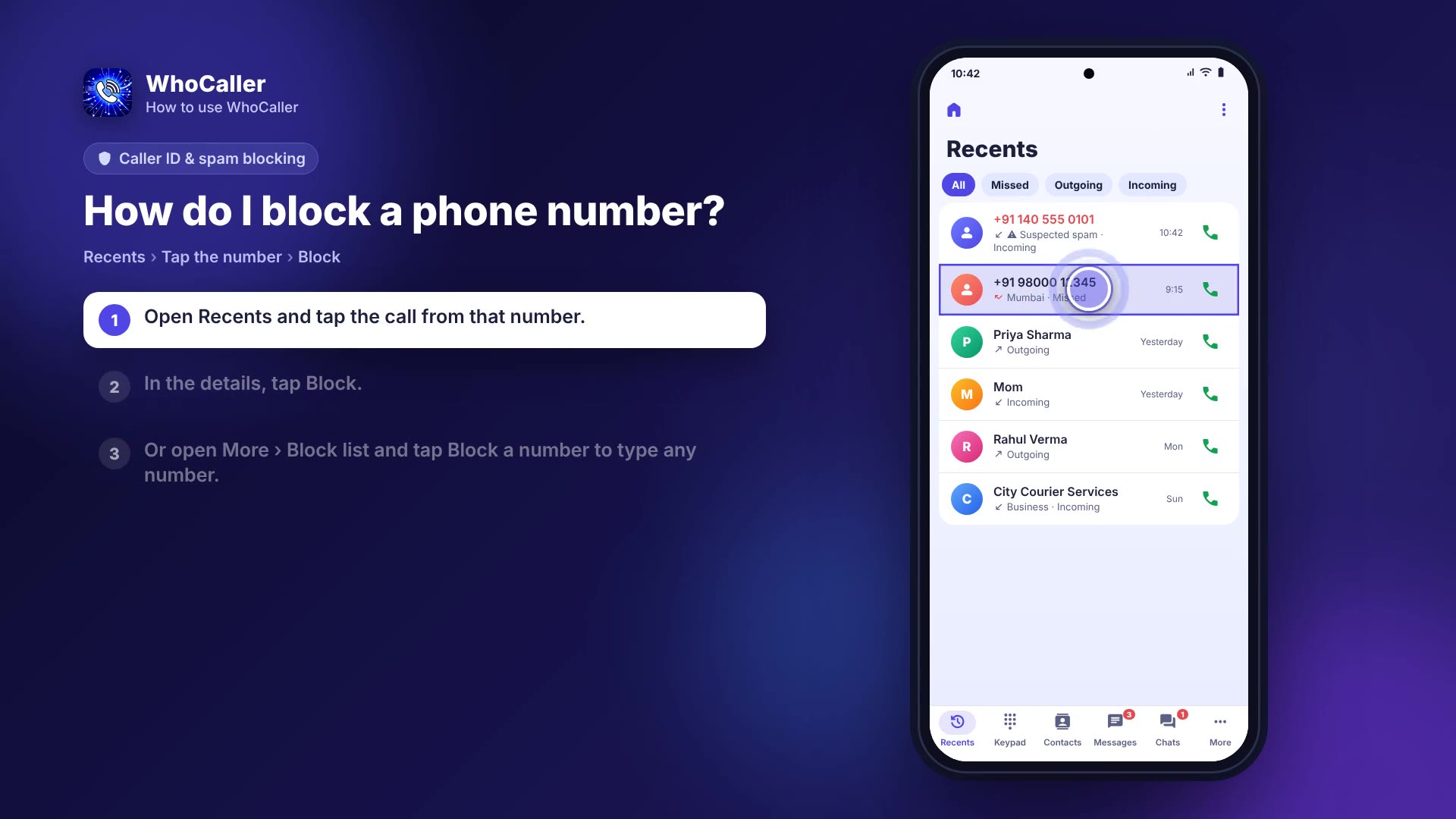 0:24
How do I block a phone number?
In Recents, tap the number and then Block. You can also add any number in More › Block list › Block a number.
See the steps →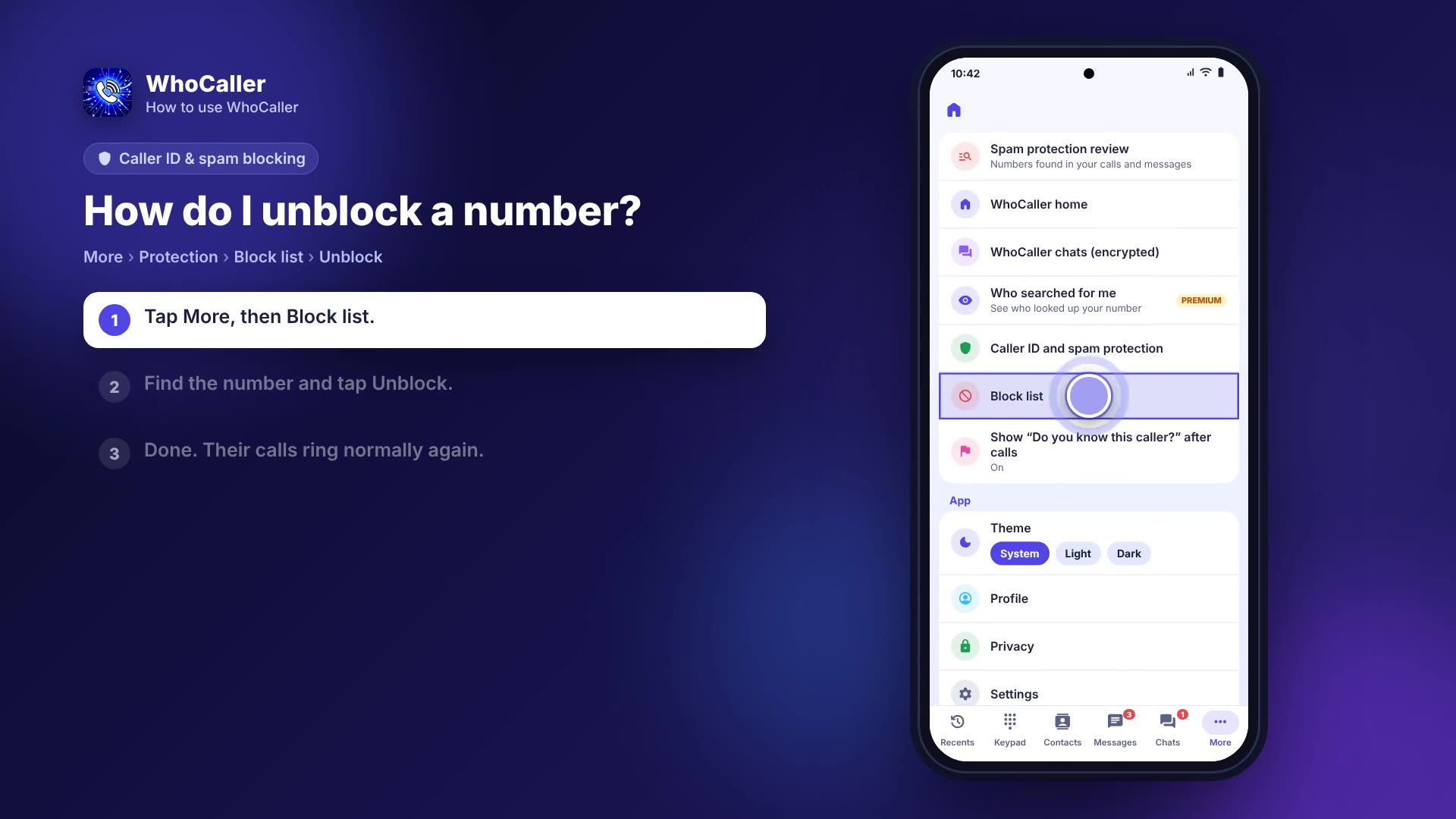 0:23
How do I unblock a number?
Open More › Block list and tap Unblock next to the number.
See the steps →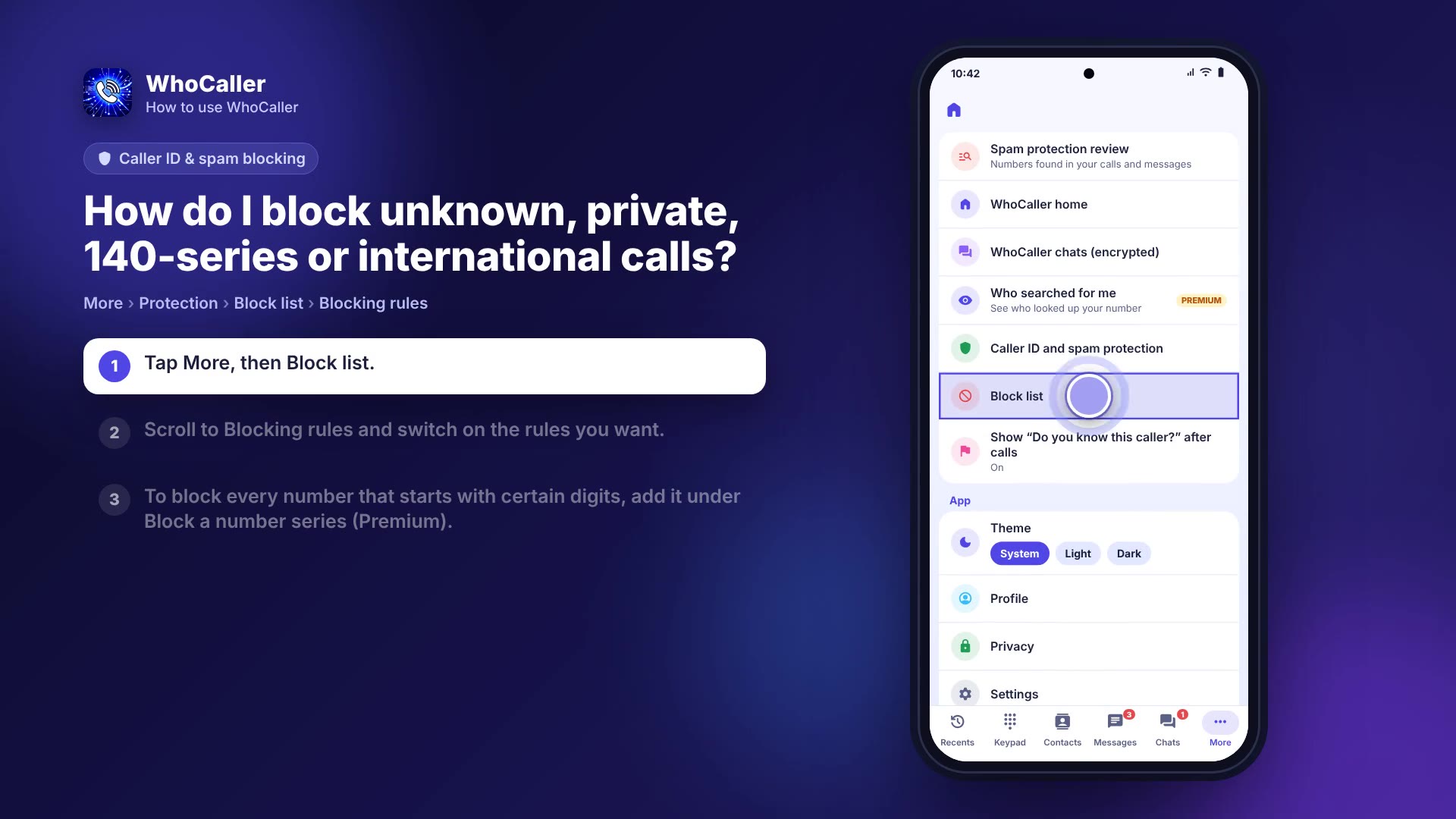 0:26
How do I block unknown, private, 140-series or international calls?
Open More › Block list and use Blocking rules. International calls and number series need Premium.
See the steps →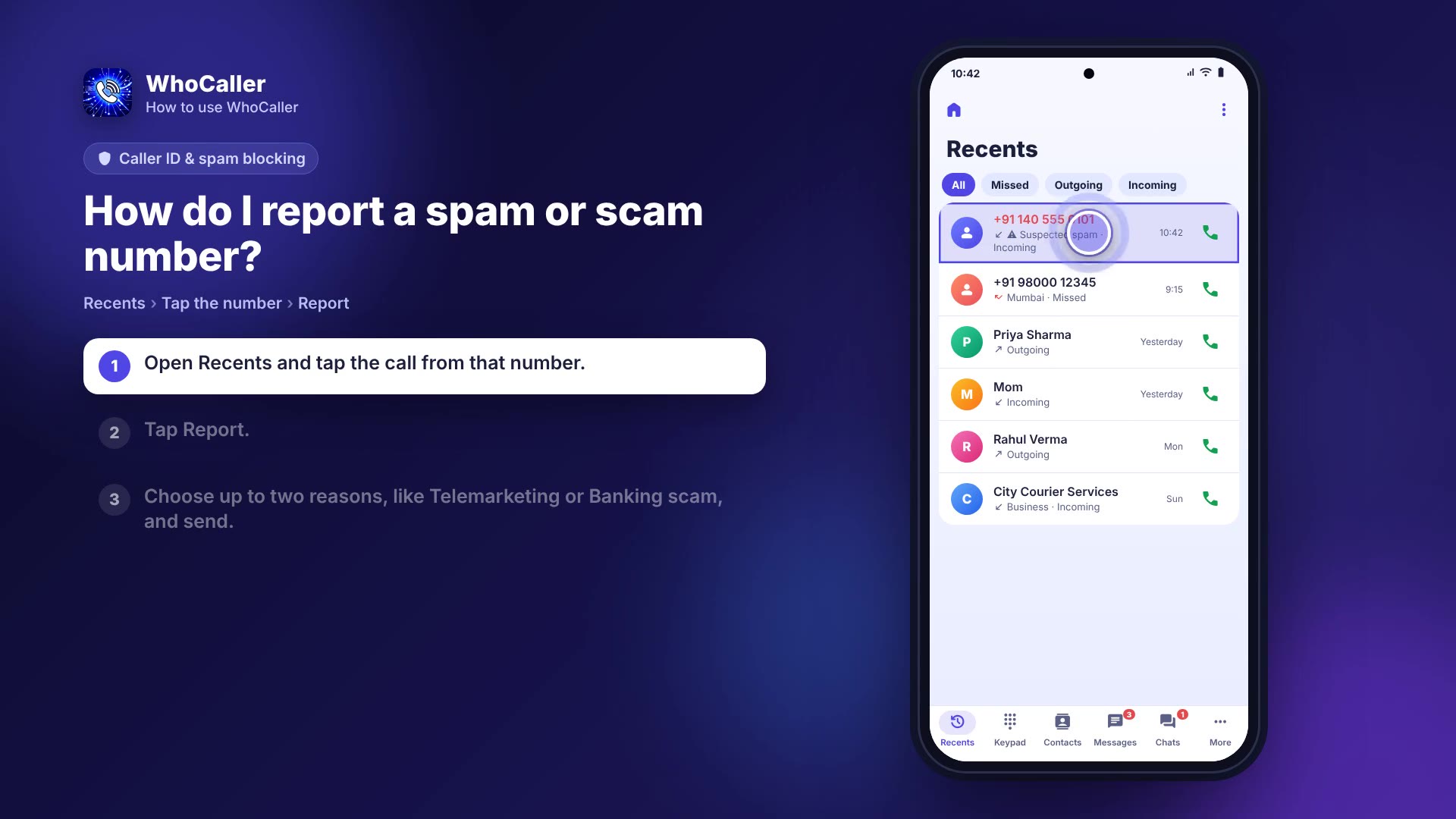 0:25
How do I report a spam or scam number?
In Recents, tap the number, tap Report and choose up to two reasons. Your report helps warn other people.
See the steps →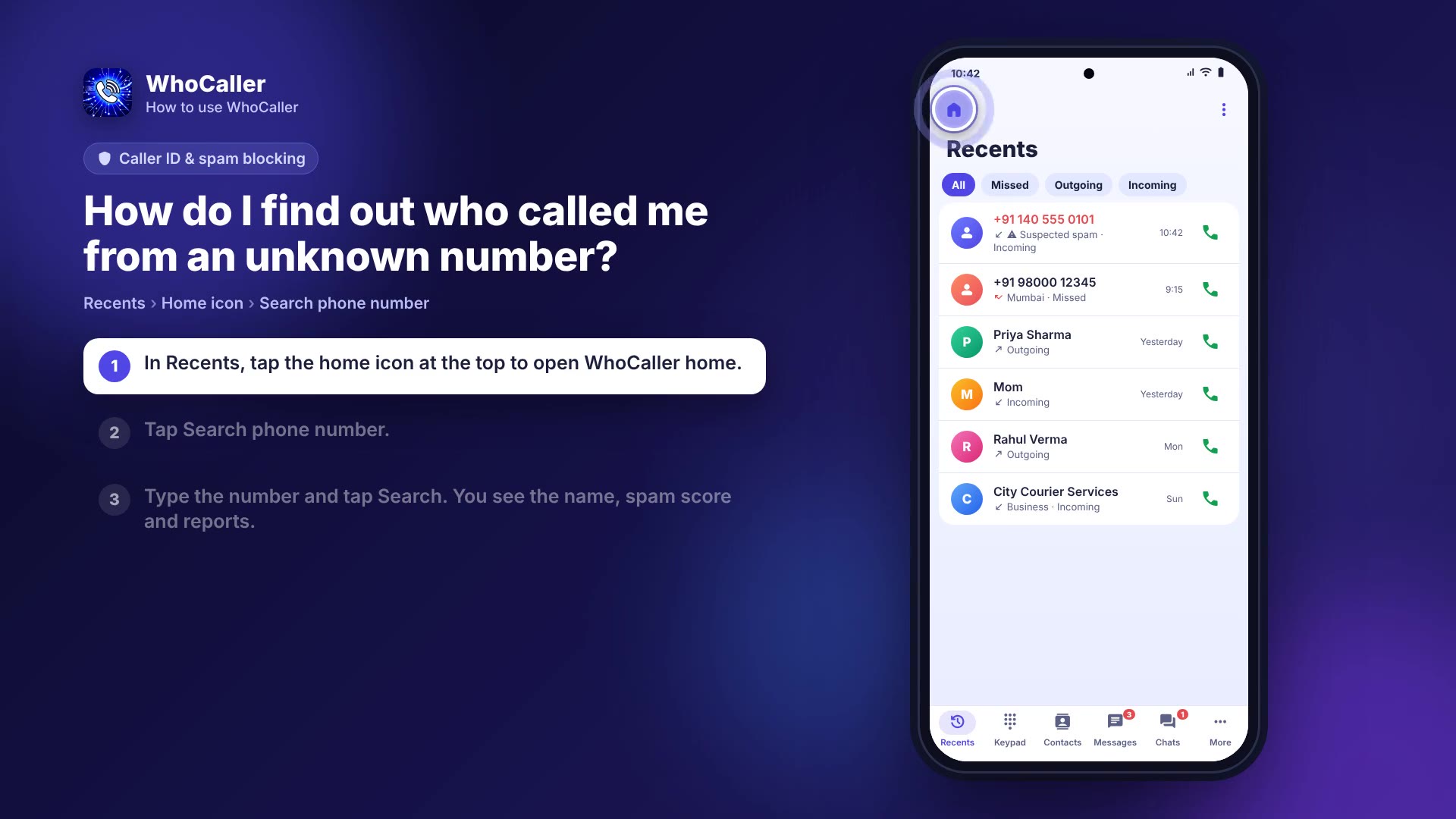 0:25
How do I find out who called me from an unknown number?
Open WhoCaller home, tap Search phone number, type the number and tap Search. On the keypad you can also tap Look up in WhoCaller.
See the steps →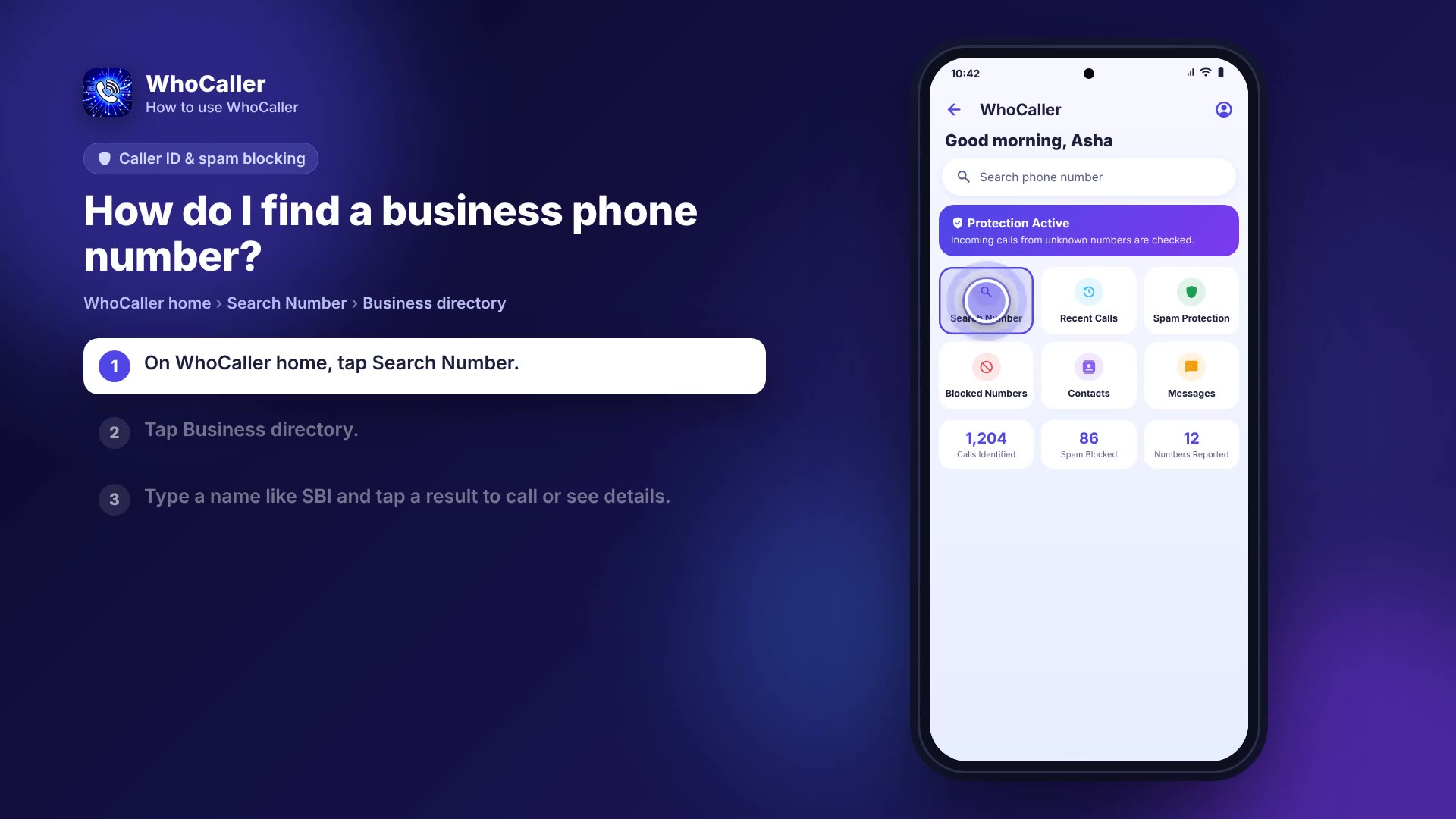 0:24
How do I find a business phone number?
Open WhoCaller home › Search Number › Business directory, and search by name, short name (like SBI) or category.
See the steps →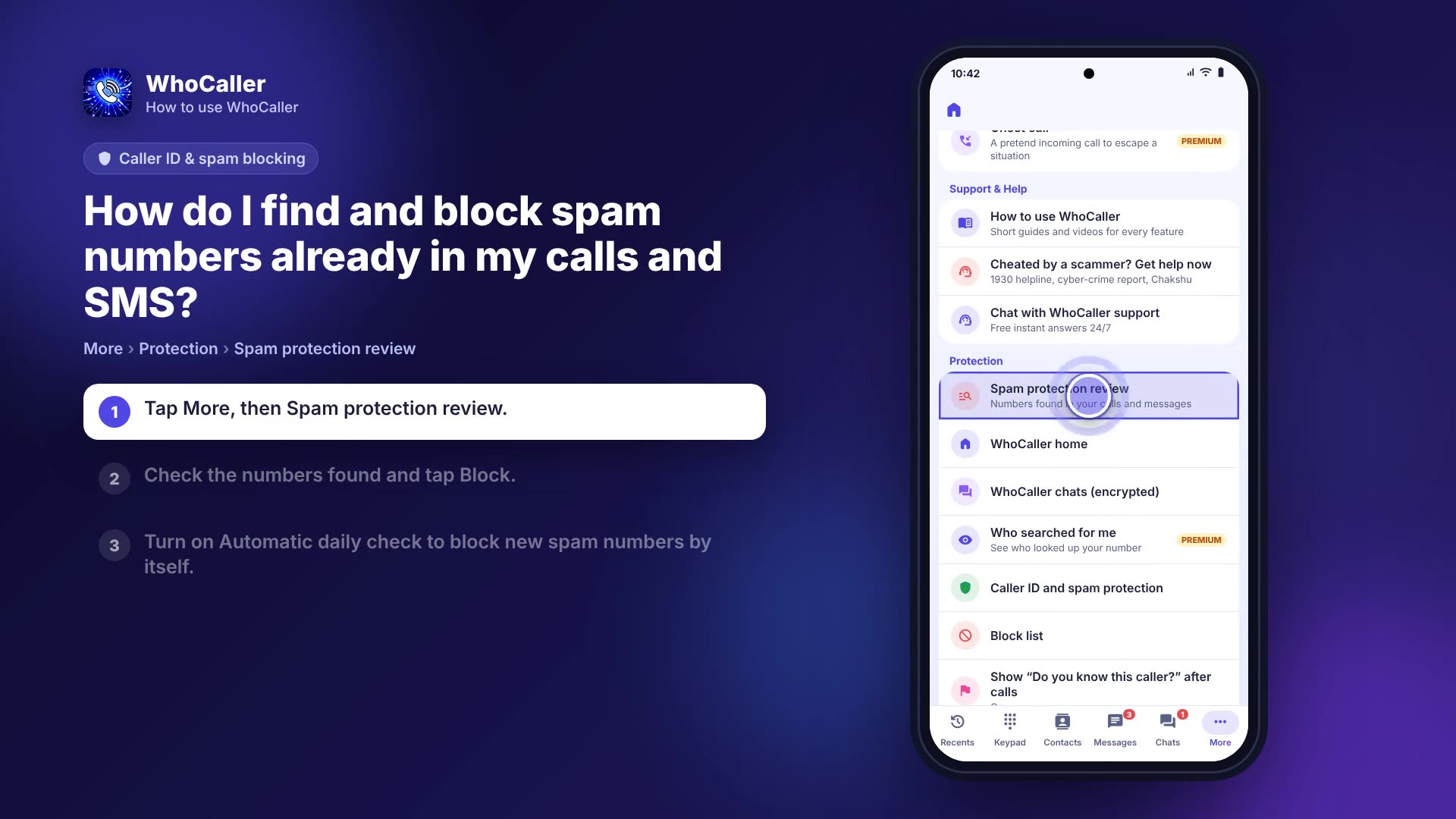 0:24
How do I find and block spam numbers already in my calls and SMS?
Open More › Spam protection review. WhoCaller lists reported numbers from your calls and messages so you can block them in one tap.
See the steps →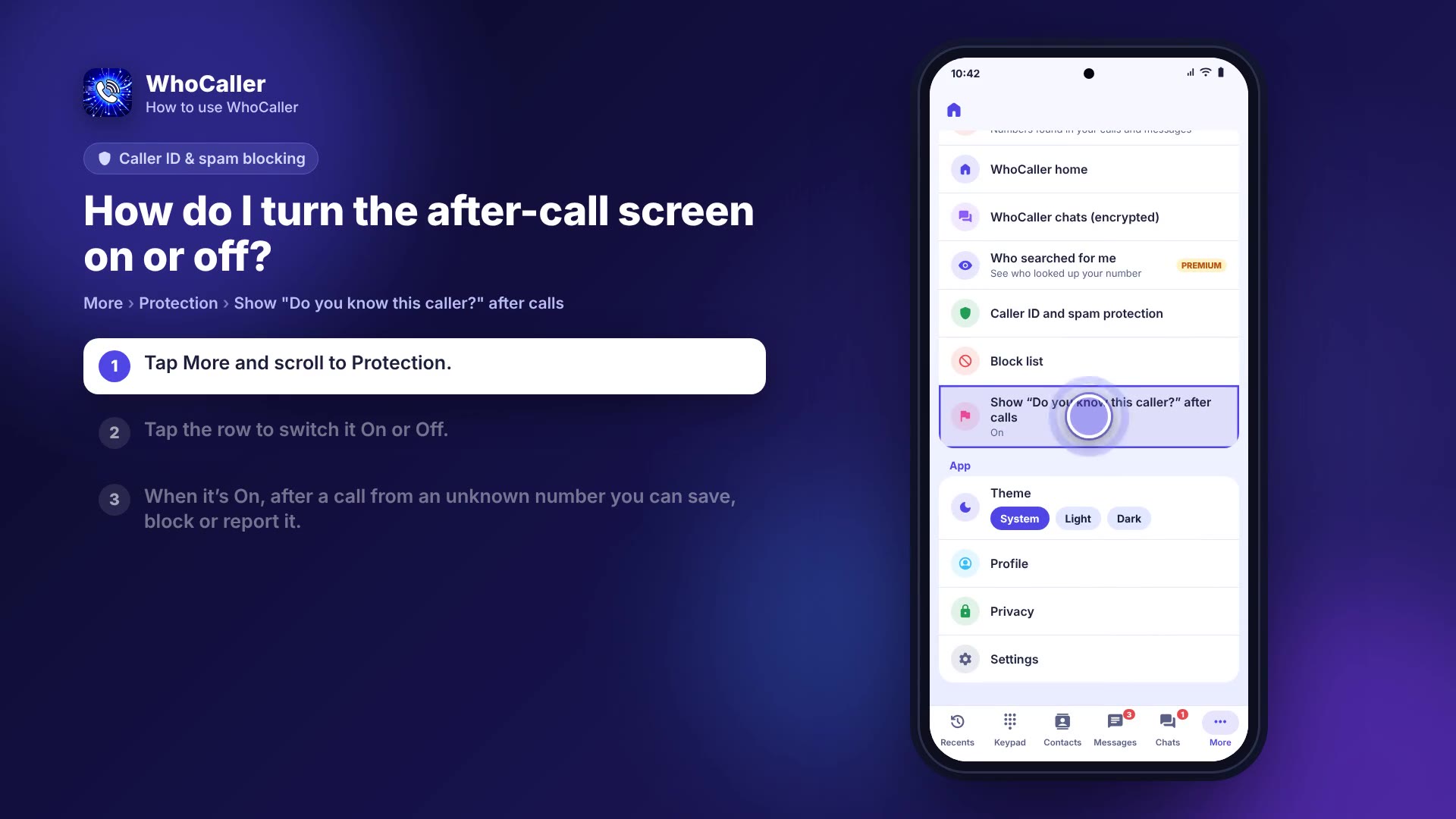 0:24
How do I turn the after-call screen on or off?
In More › Protection, tap Show "Do you know this caller?" after calls. It asks about an unknown number at most once a day.
See the steps →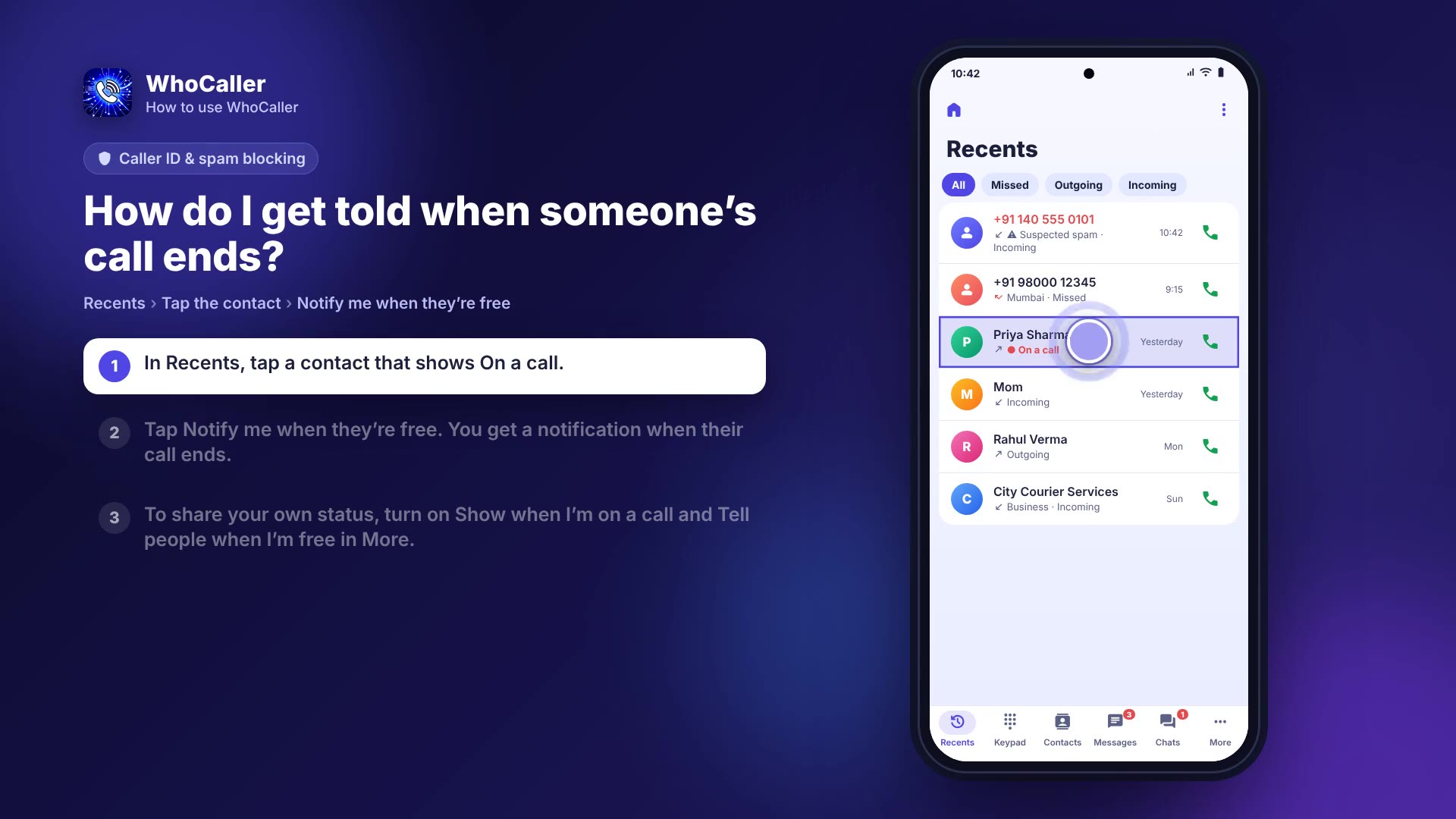 0:27
How do I get told when someone’s call ends?
If a contact shows On a call now, tap them and tap Notify me when they’re free. To share your own status, turn on Show when I’m on a call in More.
See the steps →Calls & dialer
 0:24
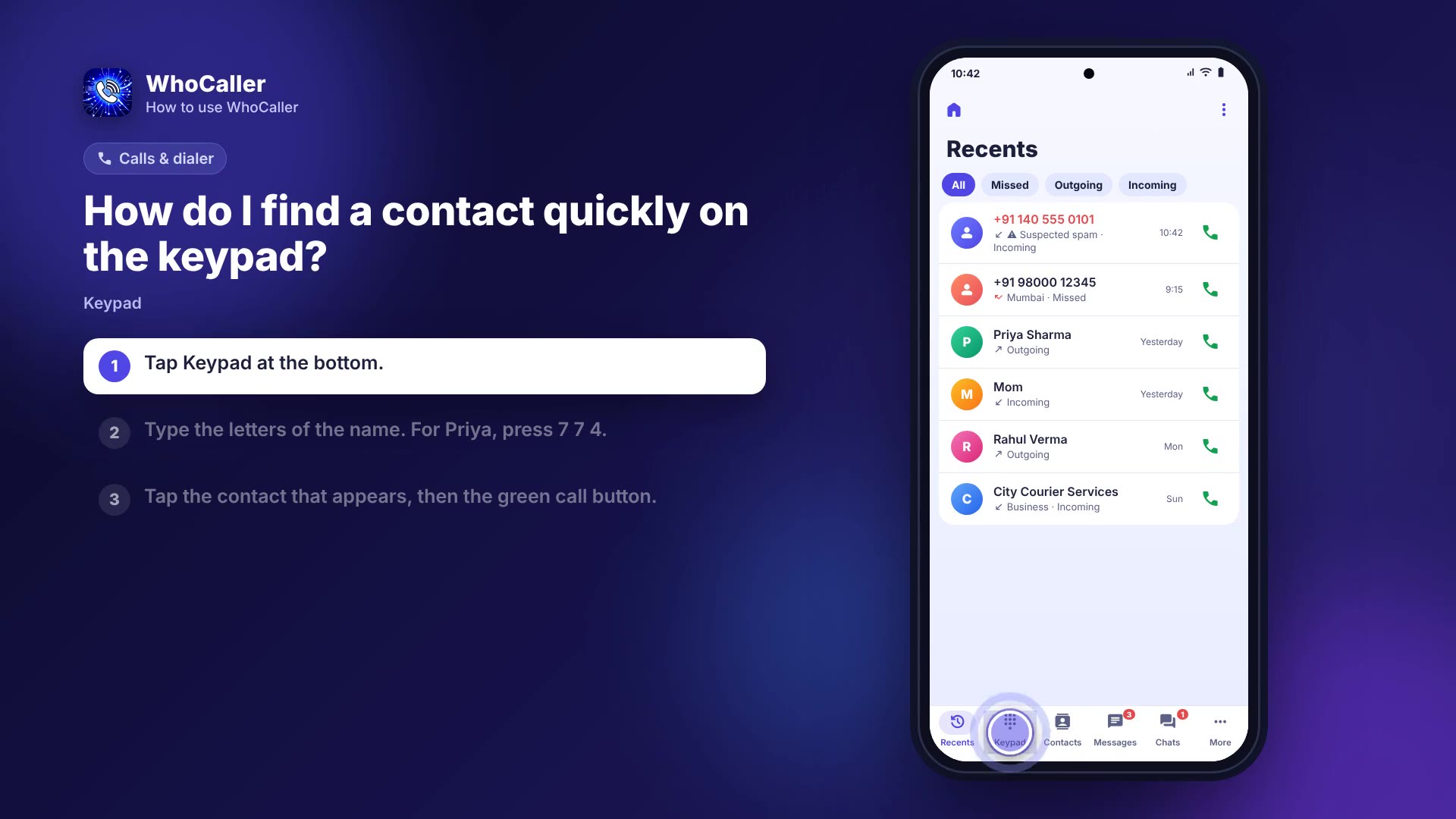
How do I find a contact quickly on the keypad?
On the Keypad, type the letters of a name (2 = ABC) or any part of the number. Matching contacts appear at the top; tap one to call.
See the steps →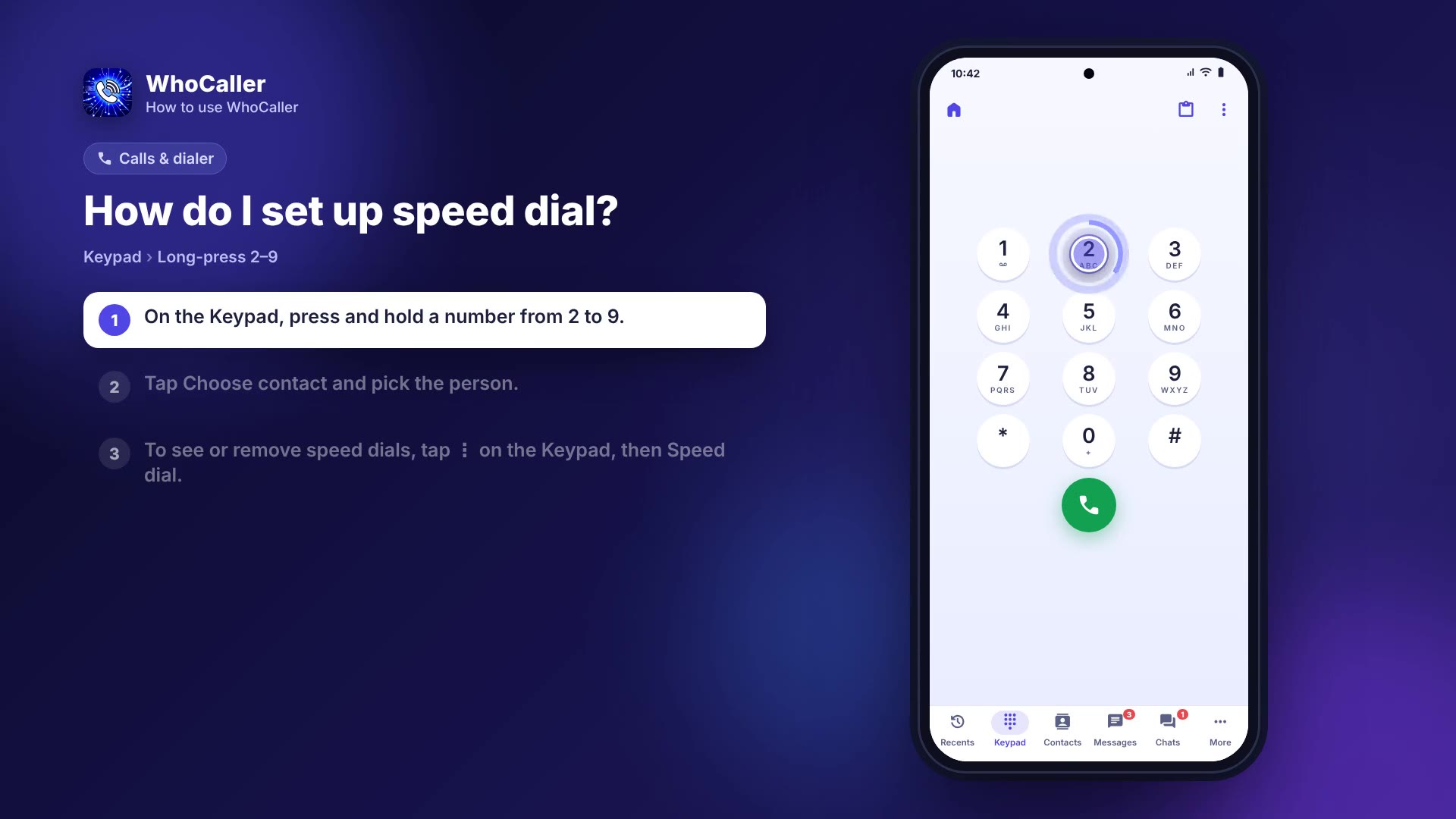 0:25
How do I set up speed dial?
On the Keypad, long-press a number from 2 to 9 and choose a contact. Next time, long-press that number to call them.
See the steps →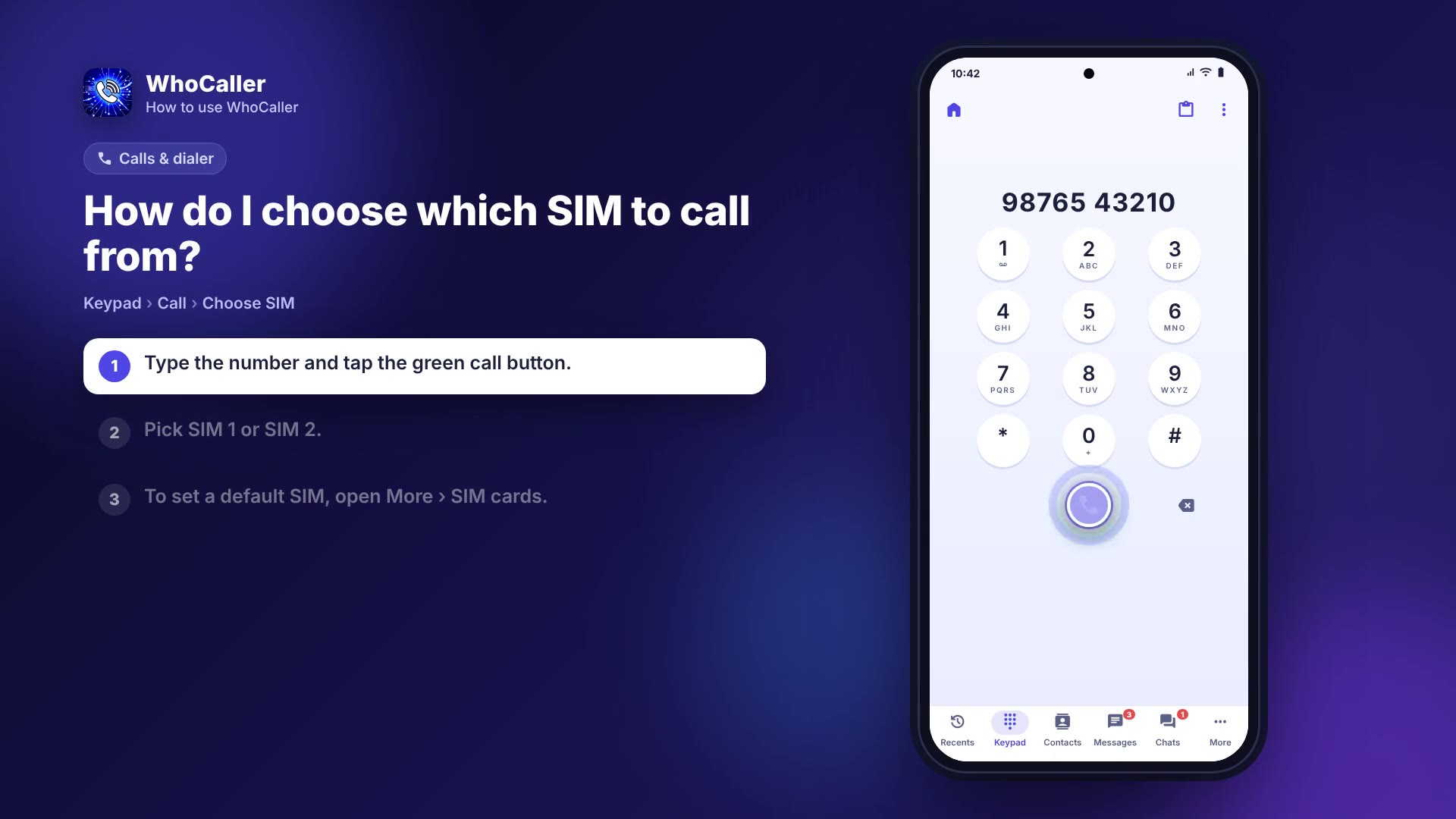 0:24
How do I choose which SIM to call from?
With two SIMs, WhoCaller asks which SIM to use when you call. To change the default, open More › SIM cards.
See the steps →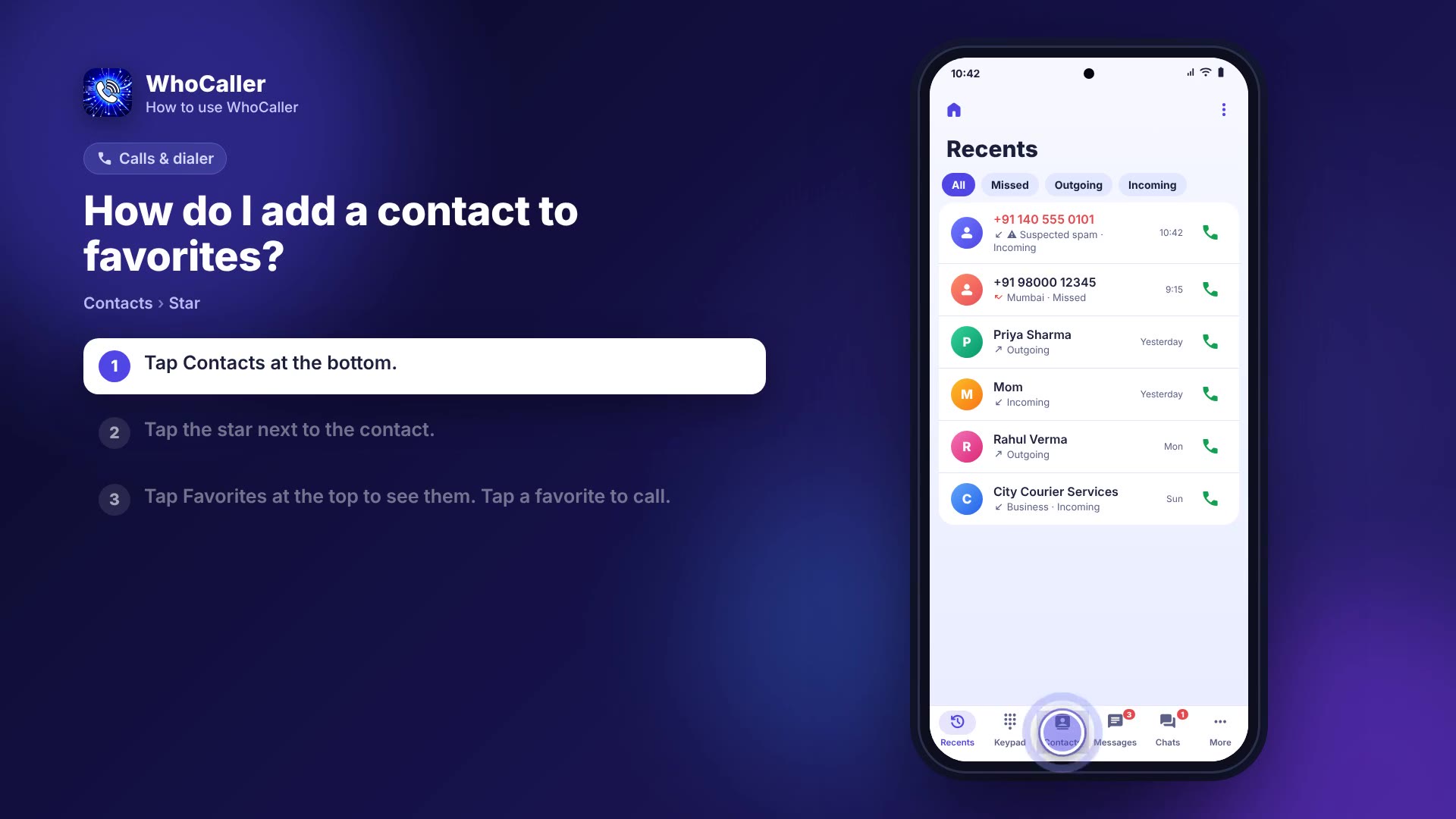 0:24
How do I add a contact to favorites?
In the Contacts tab, tap the star next to a contact. Your favorites are in Contacts › Favorites for one-touch calling.
See the steps →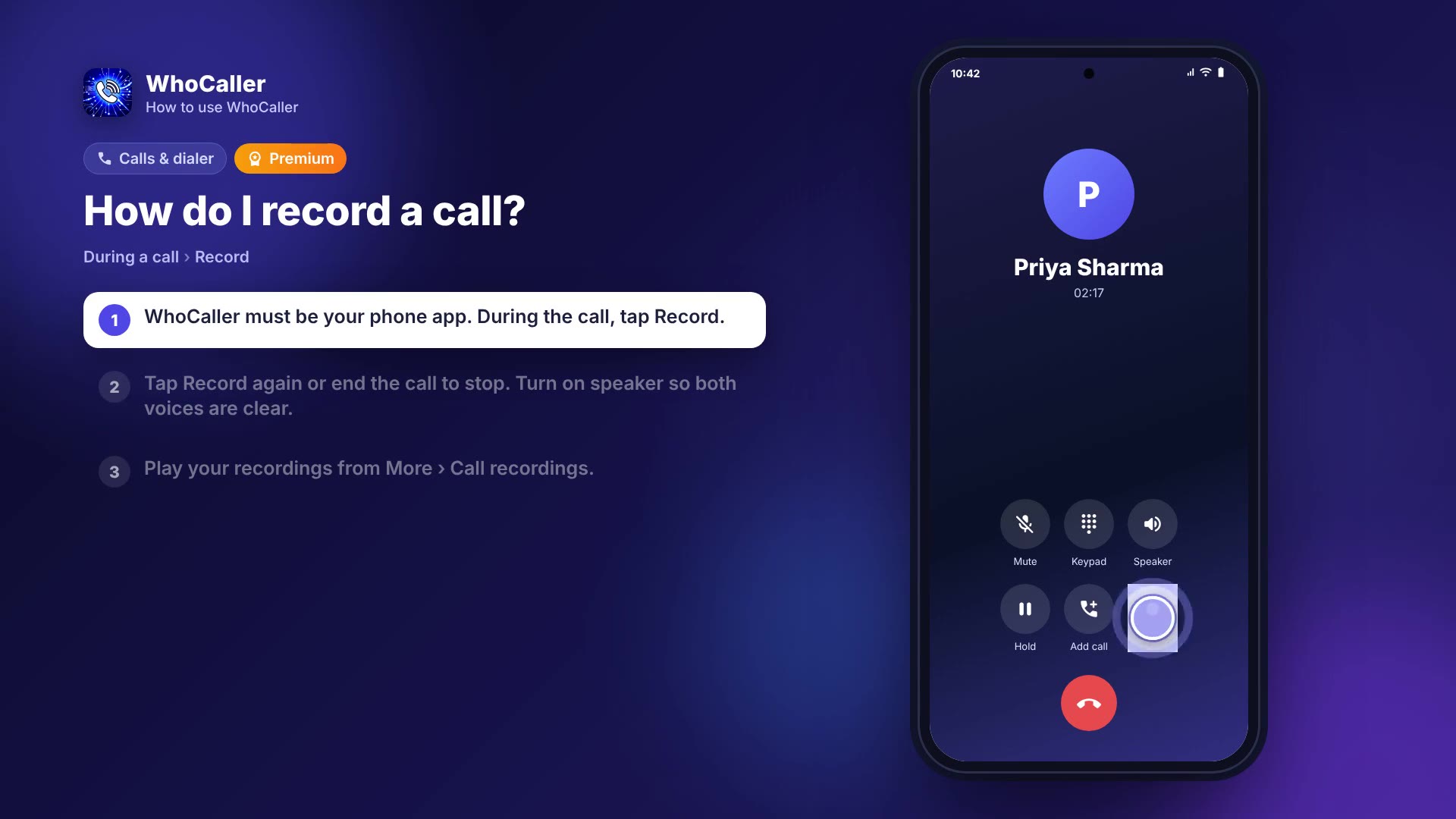 0:26
How do I record a call? Premium
During a call tap Record (Premium). Recordings stay only on your phone; play them from More › Call recordings.
See the steps →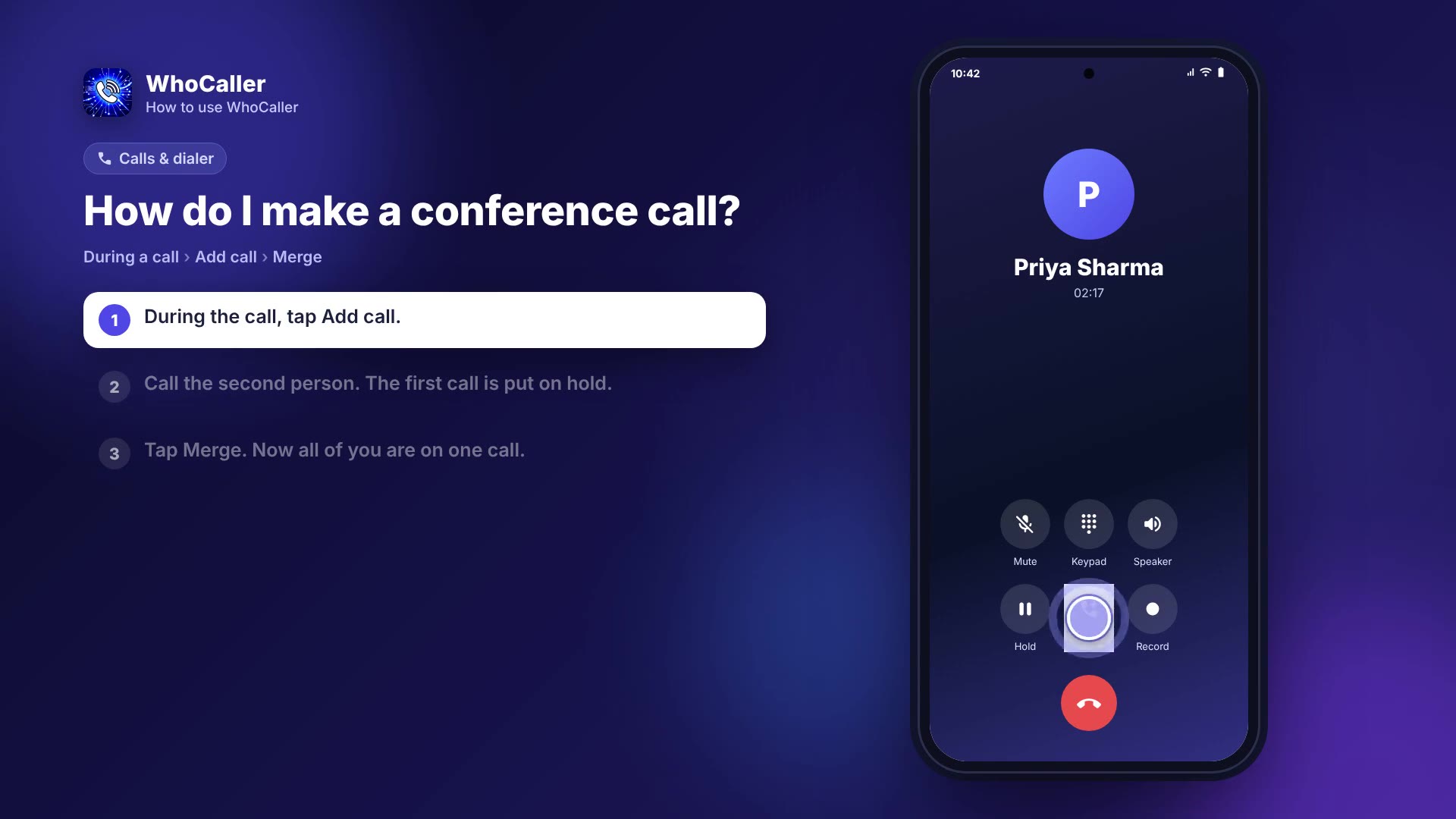 0:24
How do I make a conference call?
During a call tap Add call, call the second person, then tap Merge to talk to both together.
See the steps →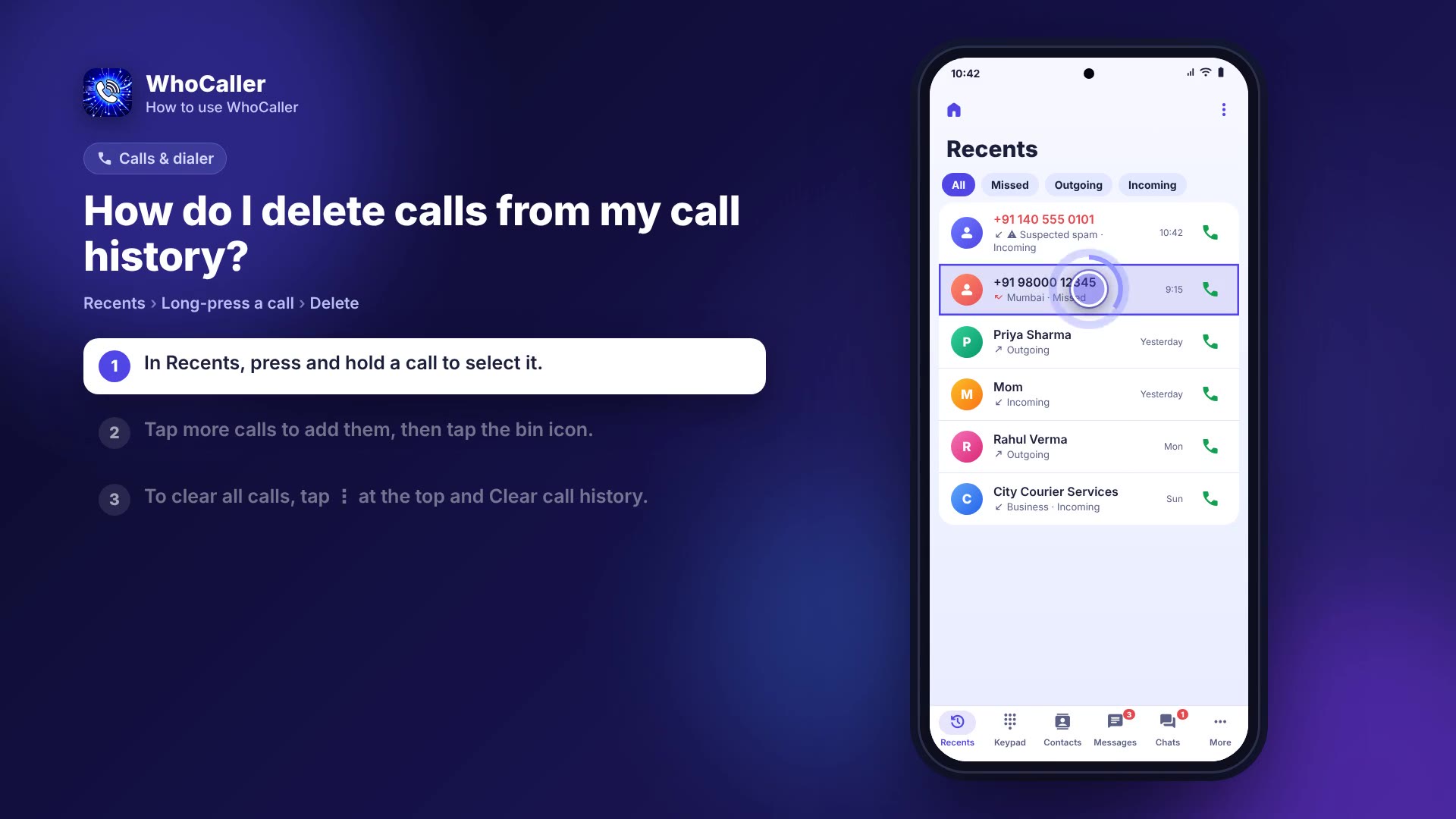 0:25
How do I delete calls from my call history?
In Recents, long-press a call to select it and tap Delete. To clear everything, tap ⋮ › Clear call history.
See the steps →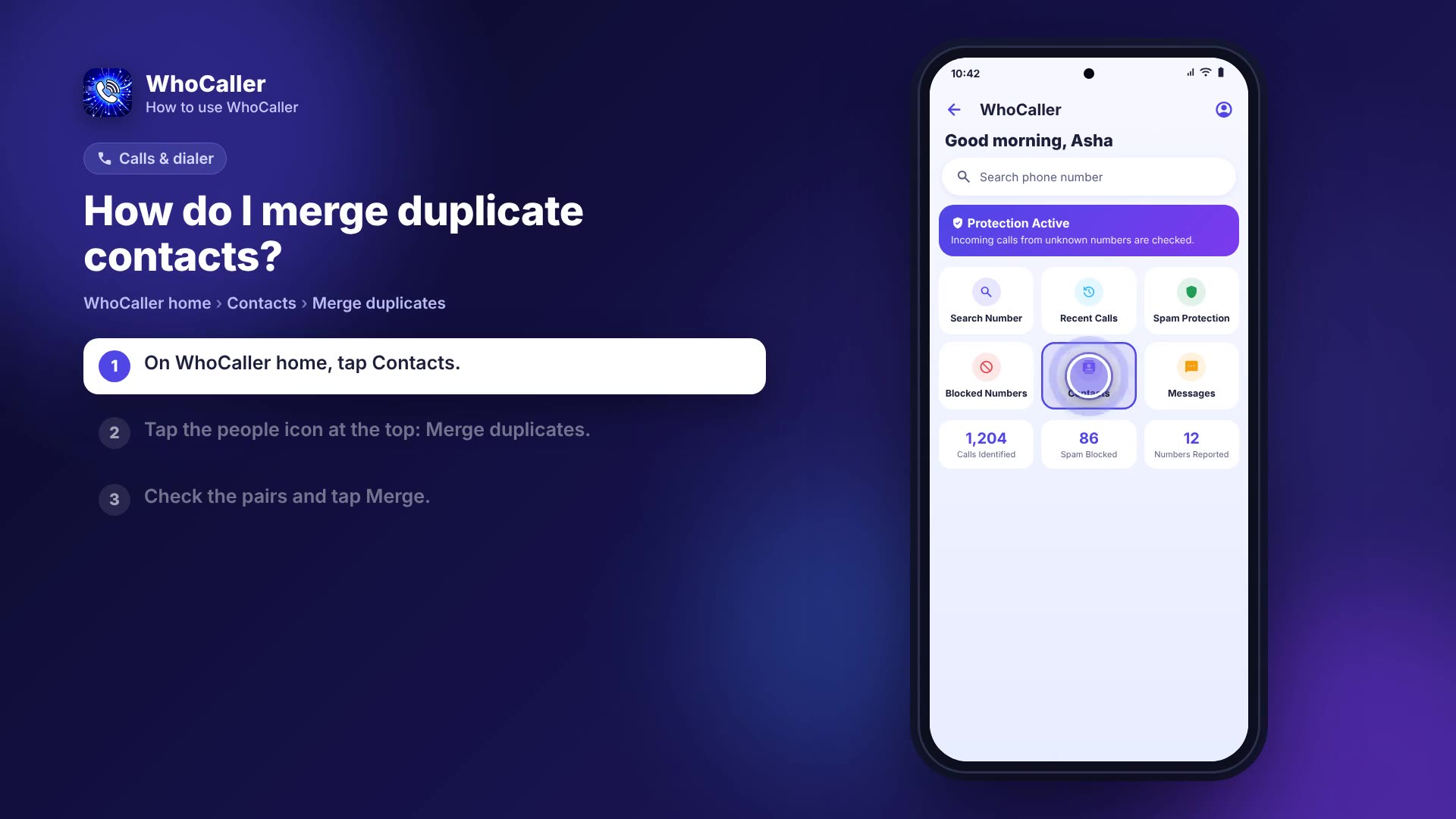 0:24
How do I merge duplicate contacts?
Open WhoCaller home › Contacts and tap the people icon at the top (Merge duplicates). Review each pair and merge.
See the steps →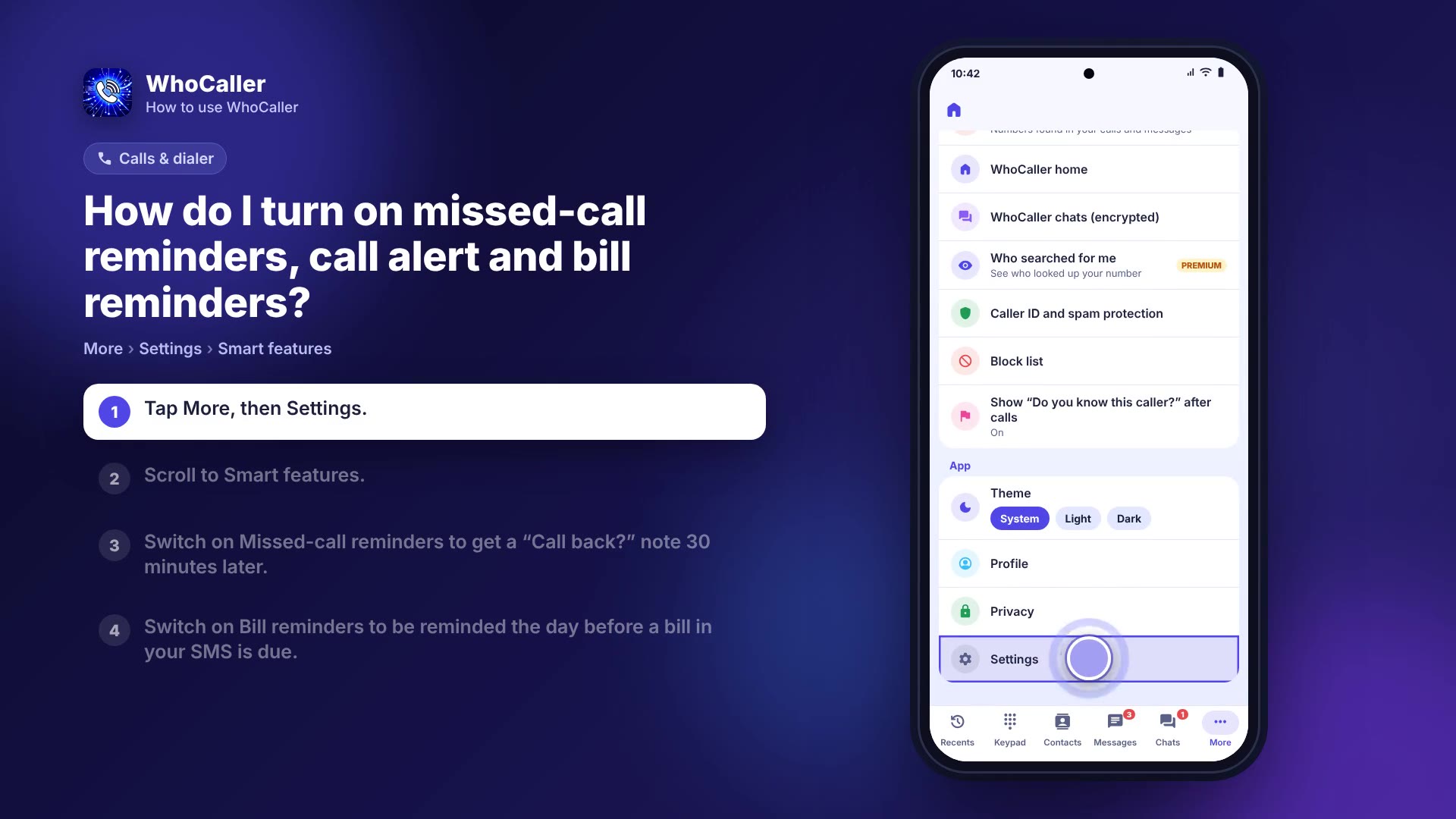 0:30
How do I turn on missed-call reminders, call alert and bill reminders?
Open More › Settings › Smart features and switch on the ones you want: Call alert, Ask for a call reason, Missed-call reminders, Look up copied numbers and Bill reminders.
See the steps →Messages (SMS)
 0:24
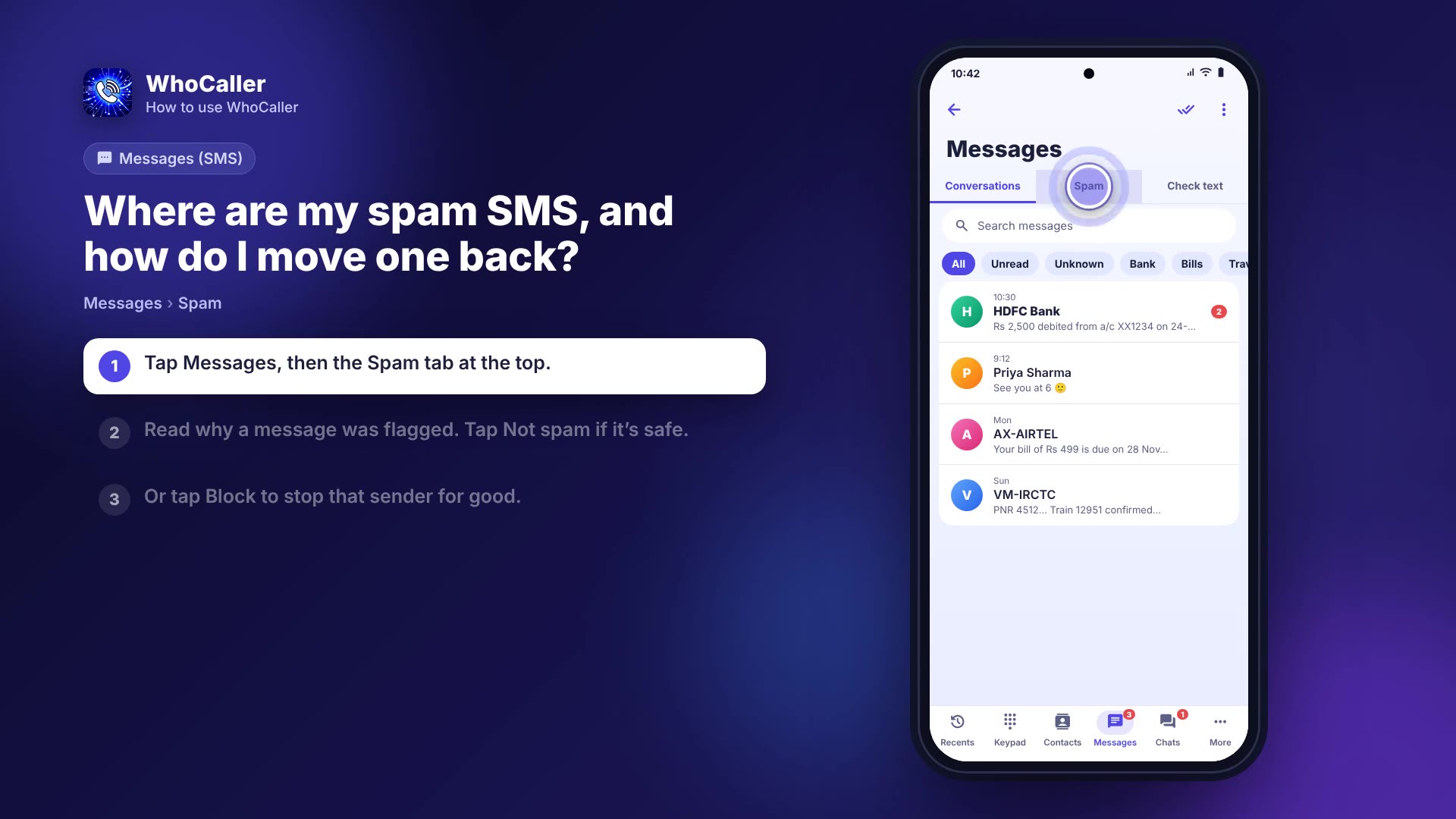
Where are my spam SMS, and how do I move one back?
Open Messages › Spam. Suspicious texts land here automatically. Tap Not spam to move one back, or Block to stop the sender.
See the steps →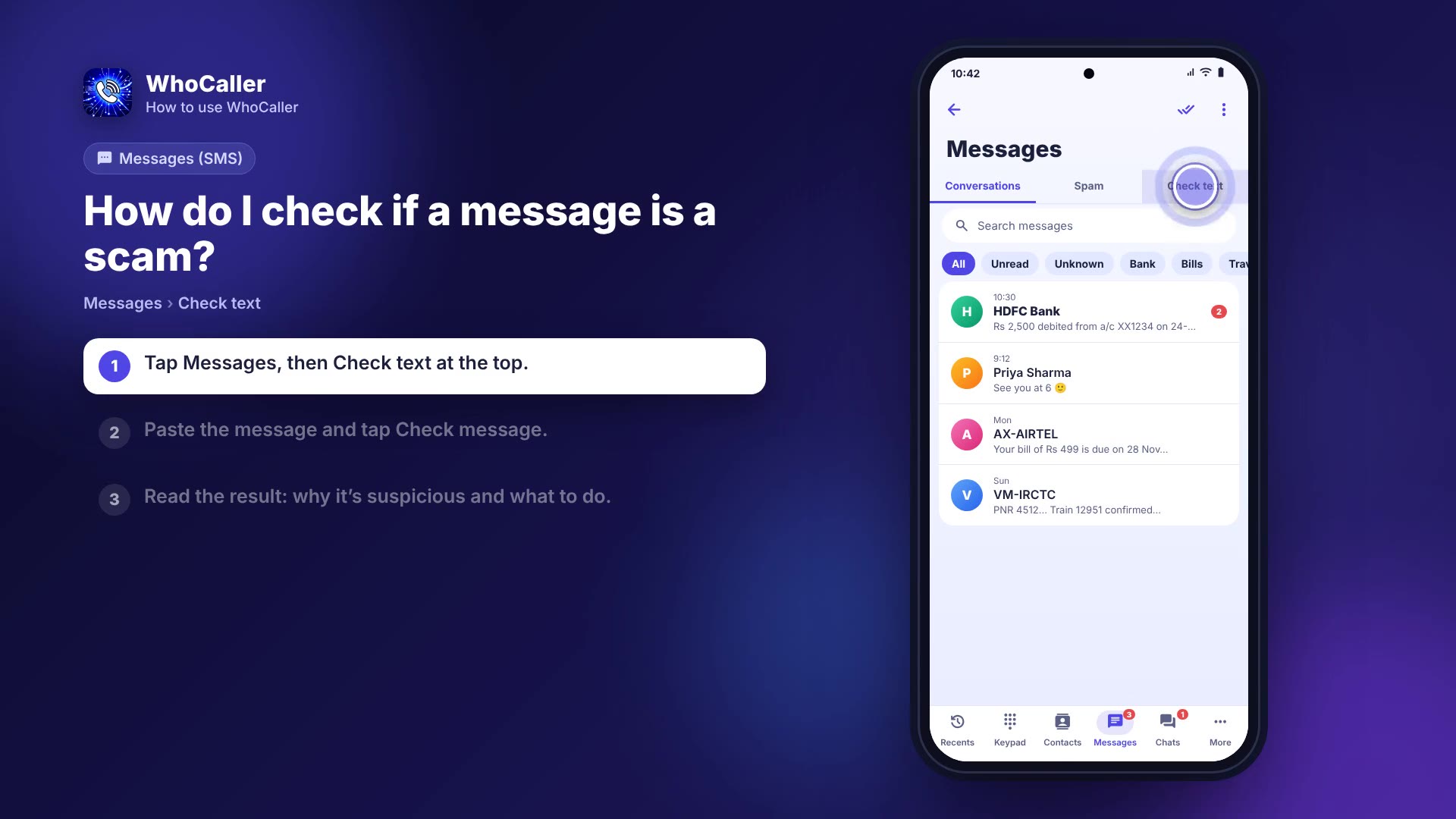 0:24
How do I check if a message is a scam?
Open Messages › Check text, paste the message and tap Check message. WhoCaller explains the warning signs. The check happens on your phone.
See the steps →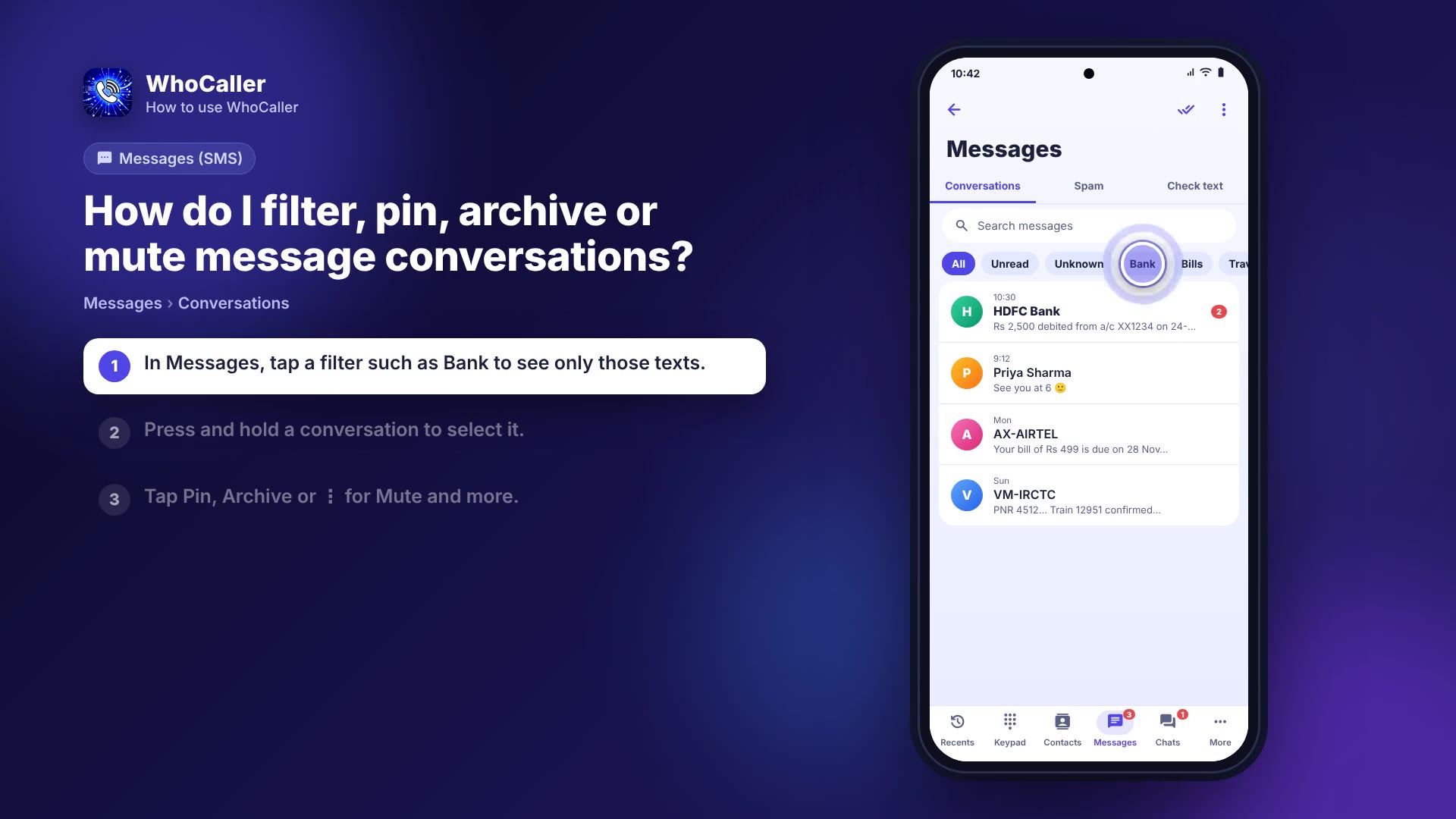 0:25
How do I filter, pin, archive or mute message conversations?
In Messages, use the filters (Unread, Unknown, Bank, Bills, Travel). Long-press a conversation to pin, archive, mute or delete it.
See the steps →Scam Shield
 0:26
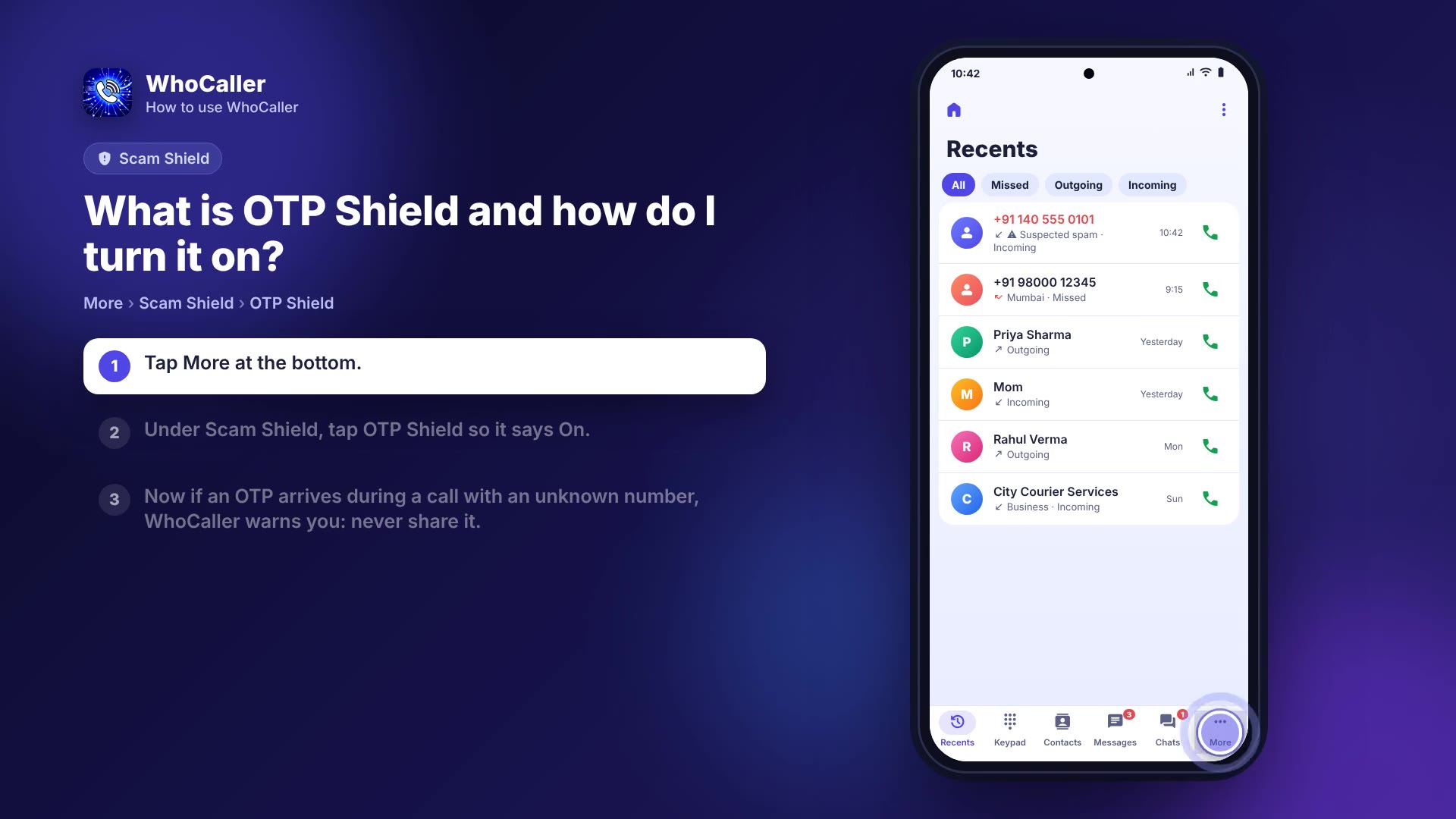
What is OTP Shield and how do I turn it on?
OTP Shield warns you if an OTP arrives while you’re on a call with an unknown number, because scammers ask for it. Turn it on in More › Scam Shield › OTP Shield.
See the steps →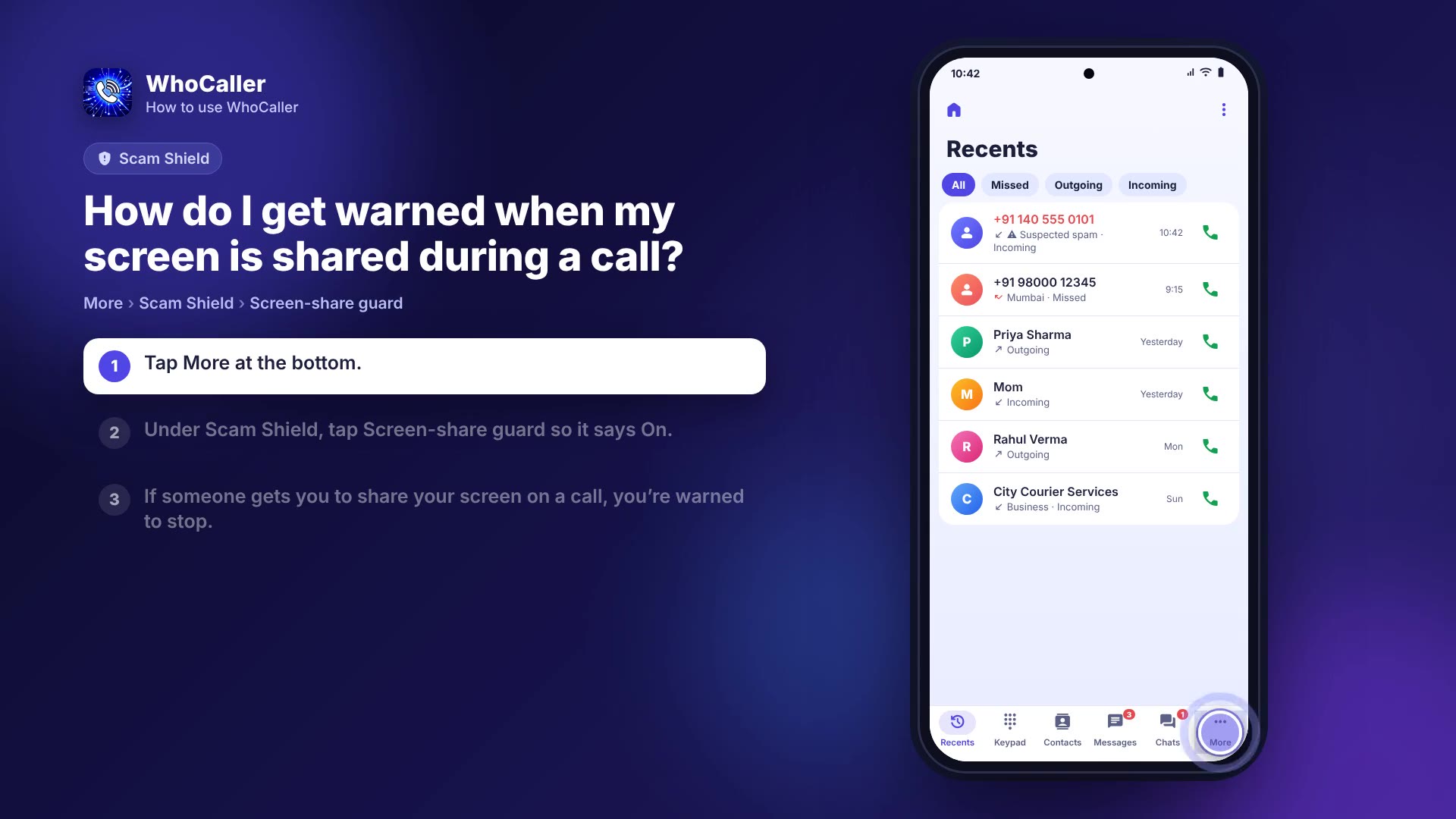 0:25
How do I get warned when my screen is shared during a call?
Turn on More › Scam Shield › Screen-share guard. WhoCaller warns you if your screen is being shared during a call, a common bank-fraud trick.
See the steps →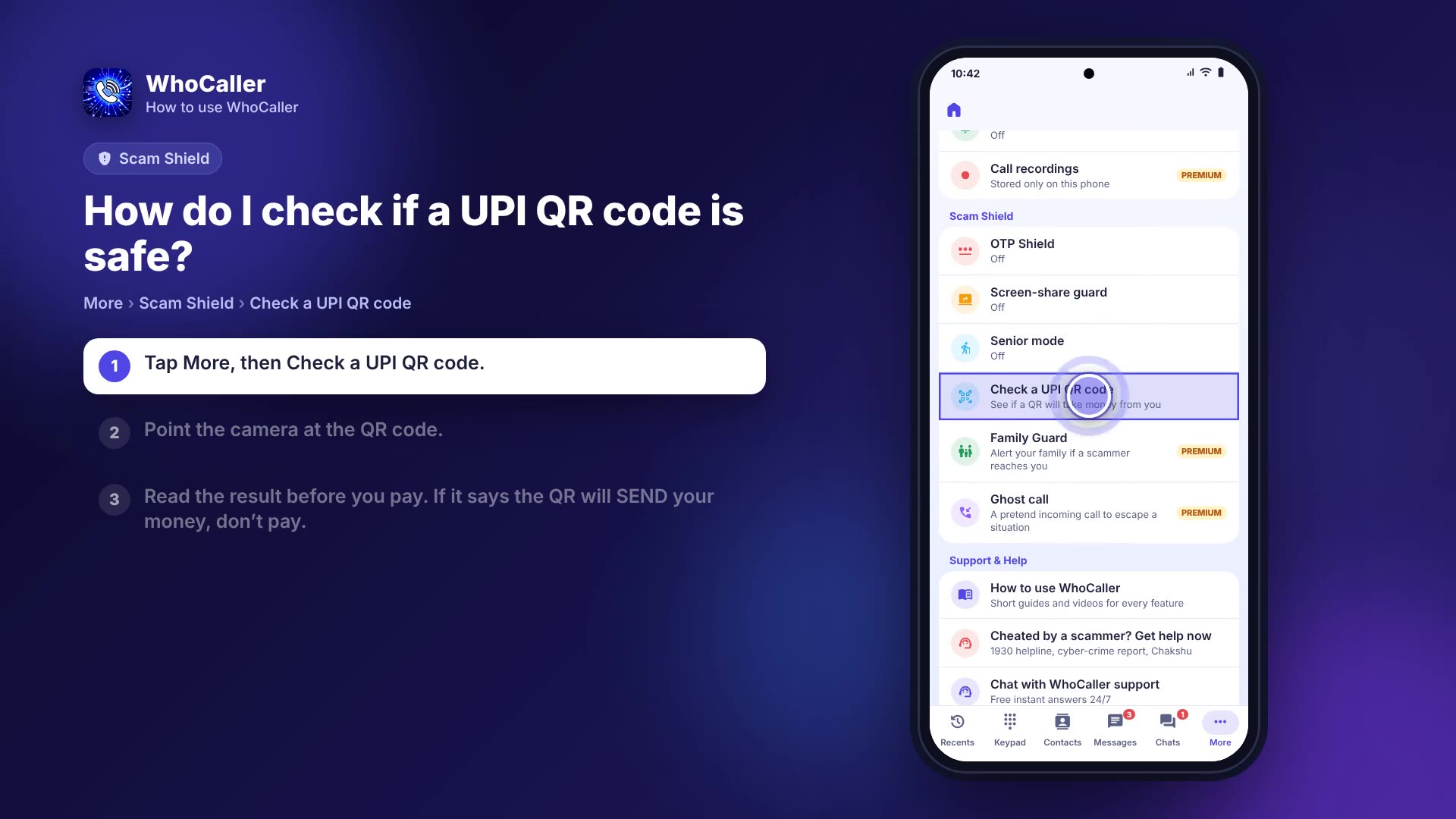 0:24
How do I check if a UPI QR code is safe?
Open More › Scam Shield › Check a UPI QR code and scan it. WhoCaller tells you if the QR will take money from you instead of paying you.
See the steps →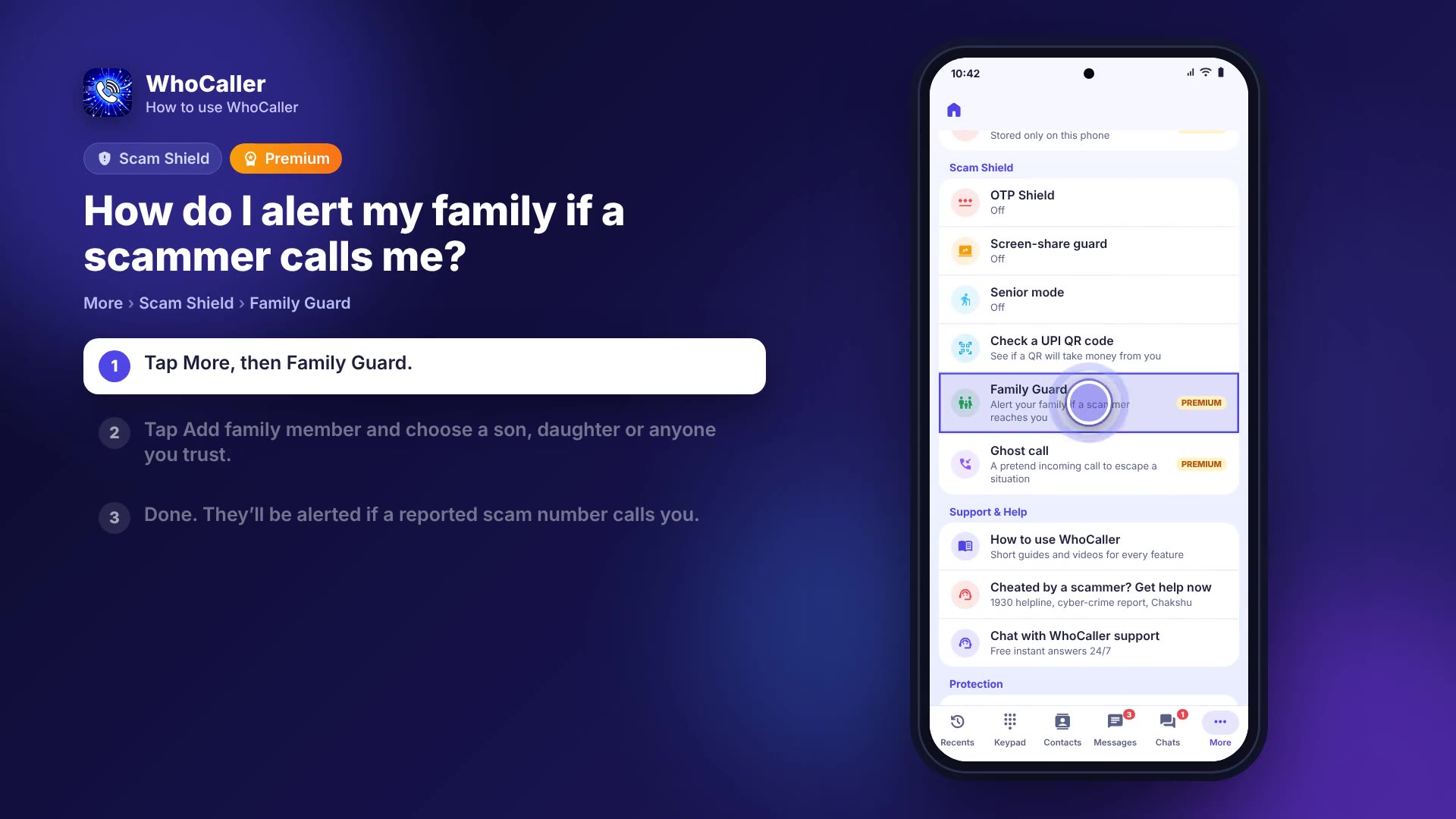 0:25
How do I alert my family if a scammer calls me? Premium
Open More › Scam Shield › Family Guard (Premium) and add up to 5 family members. They get an alert when a reported scam number calls this phone.
See the steps →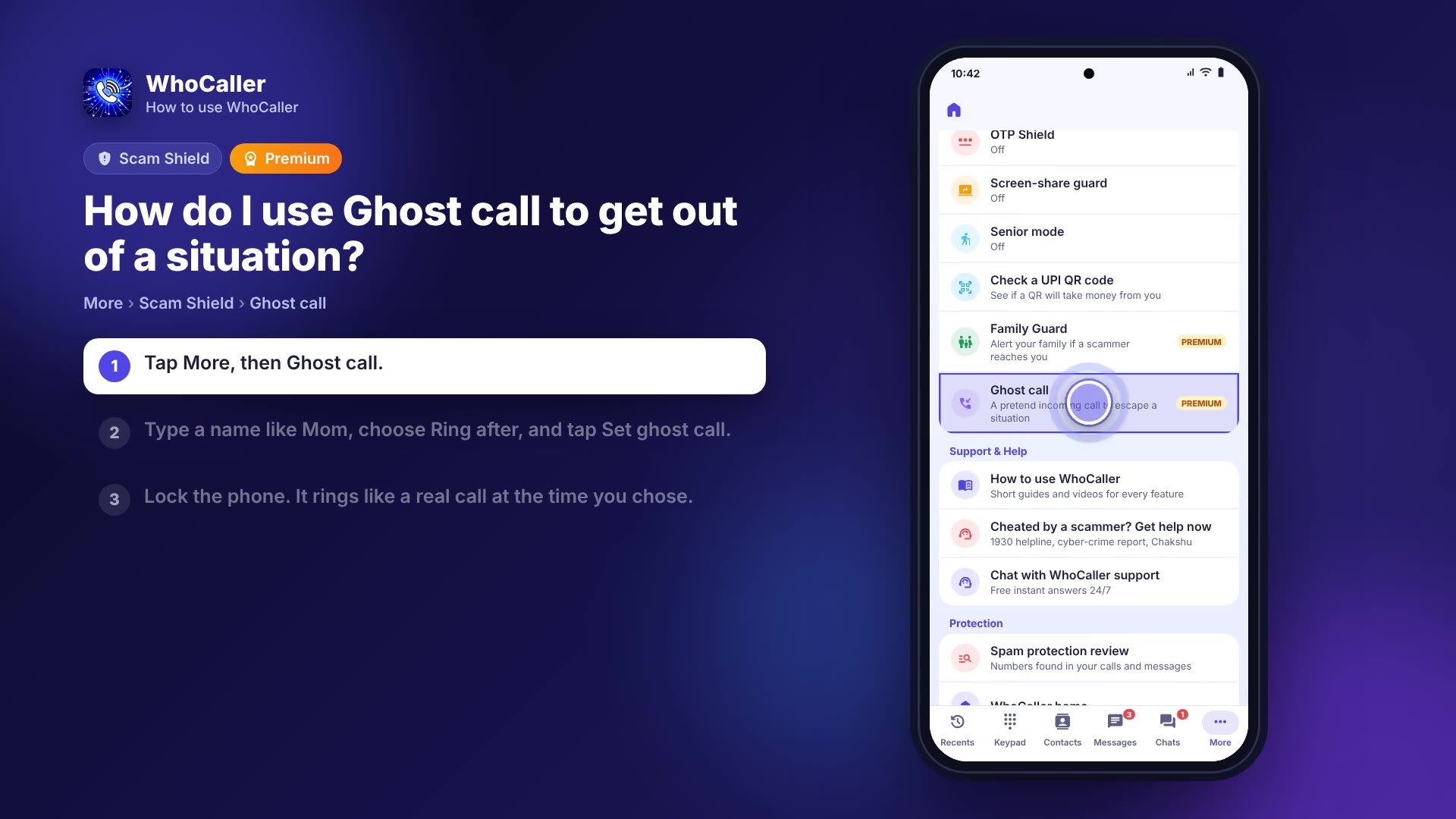 0:25
How do I use Ghost call to get out of a situation? Premium
Open More › Scam Shield › Ghost call (Premium), type a caller name, choose when it should ring and tap Set ghost call. Nothing is dialled.
See the steps →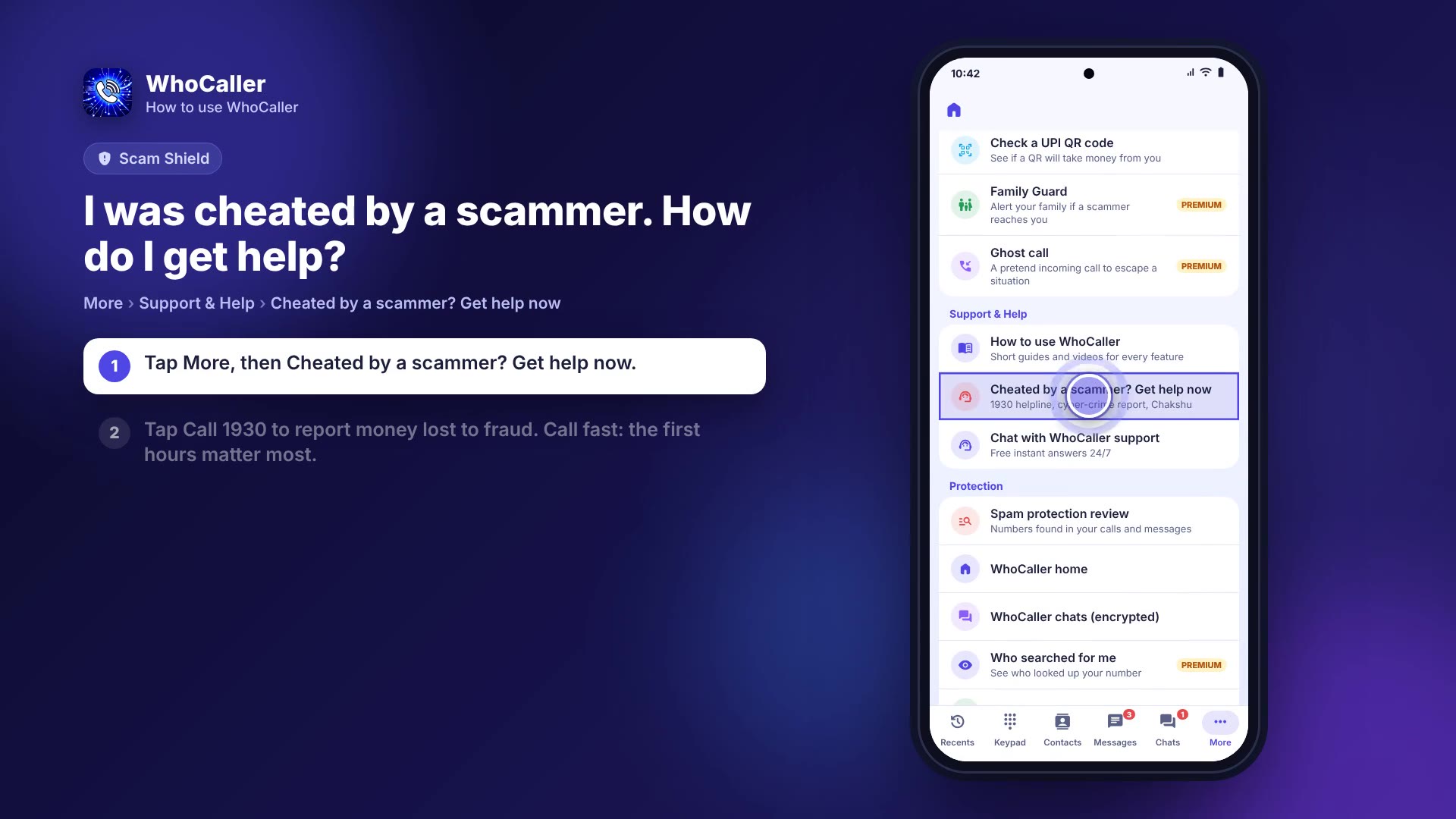 0:20
I was cheated by a scammer. How do I get help?
Open More › Support & Help › Cheated by a scammer? Get help now. Call the 1930 cyber-fraud helpline or report it online straight away.
See the steps →Chat & video calls
 0:29
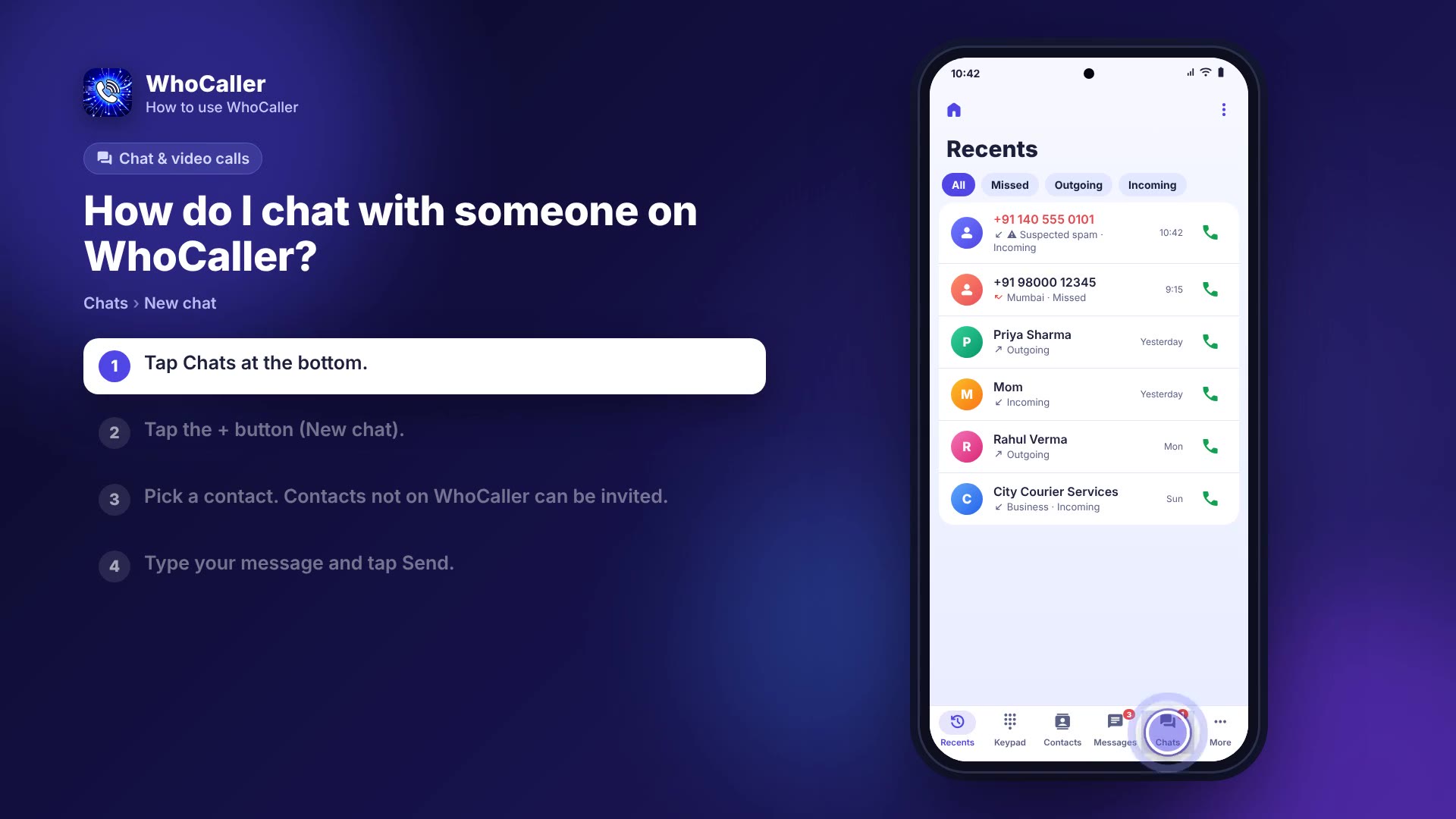
How do I chat with someone on WhoCaller?
Open the Chats tab, tap + (New chat) and pick a contact who uses WhoCaller. Chats are end-to-end encrypted.
See the steps →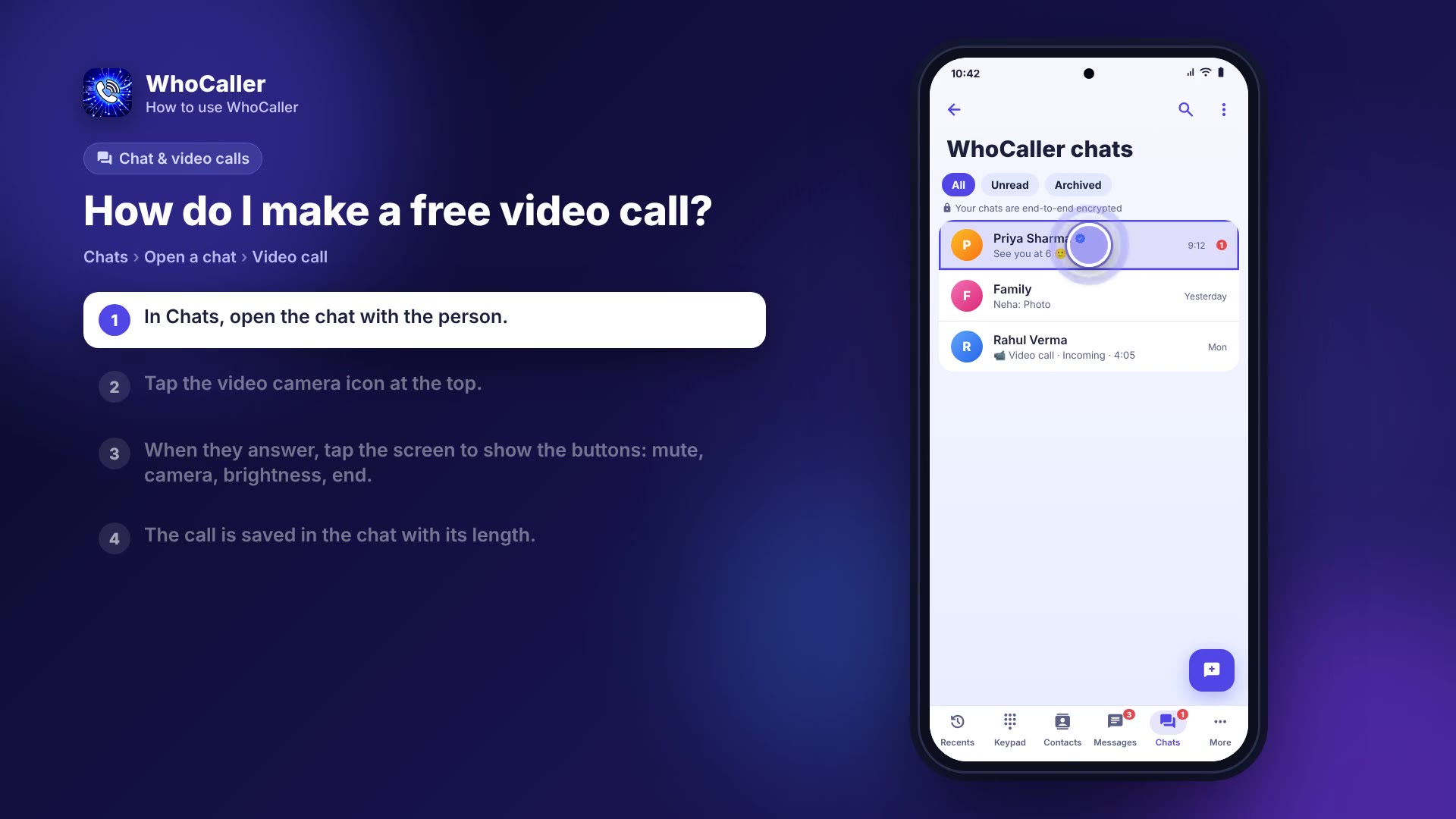 0:30
How do I make a free video call?
Open a chat with a WhoCaller user and tap the video camera icon at the top. During the call you can switch camera, mute, change brightness and turn the phone sideways.
See the steps →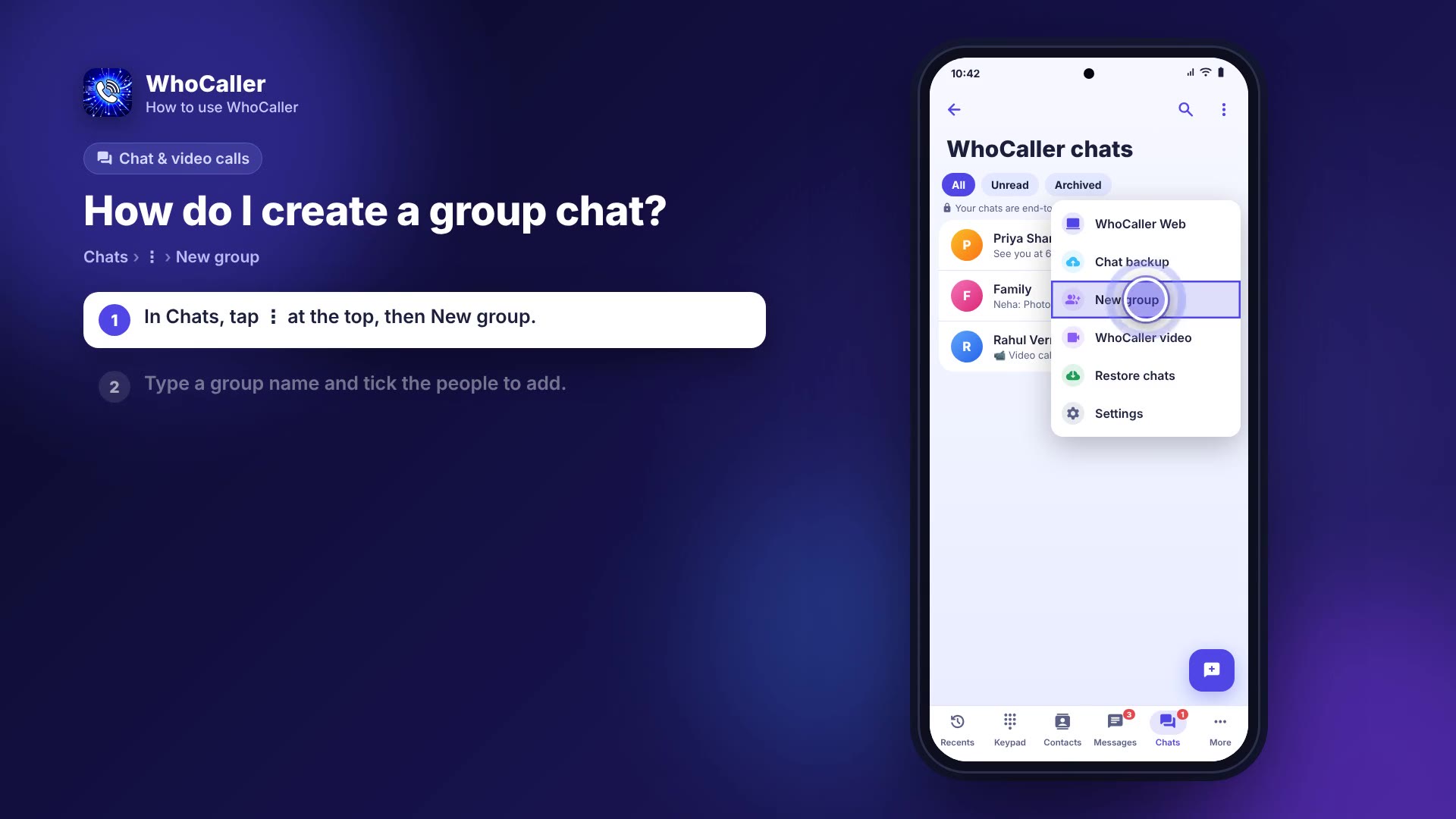 0:19
How do I create a group chat?
In Chats, tap ⋮ › New group, pick the people, type a group name and tap Create.
See the steps →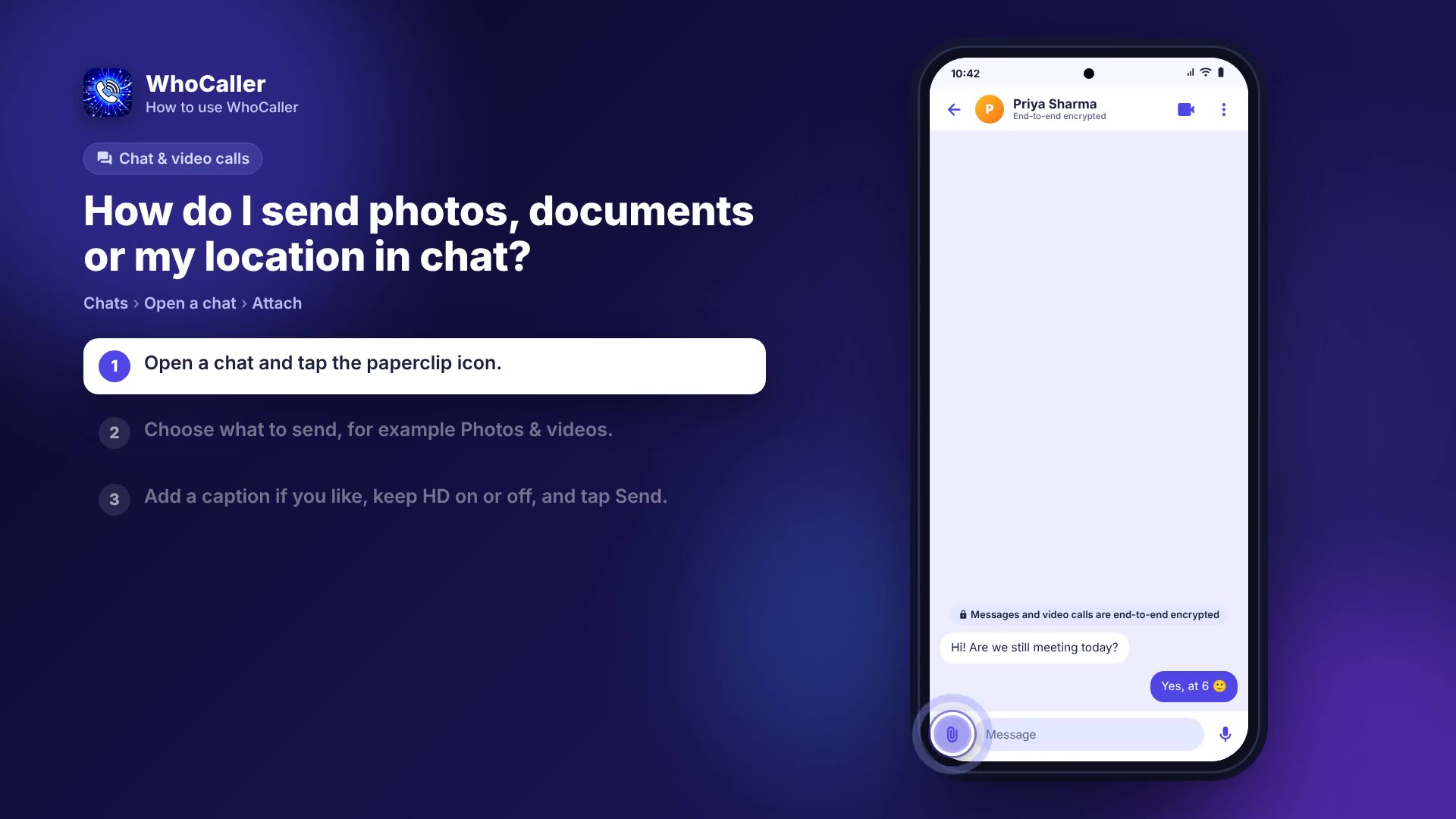 0:24
How do I send photos, documents or my location in chat?
In a chat tap the attach (paperclip) icon and choose Photos & videos, Camera, Document, Audio or Location. You can also share live location for 15 minutes to 8 hours.
See the steps →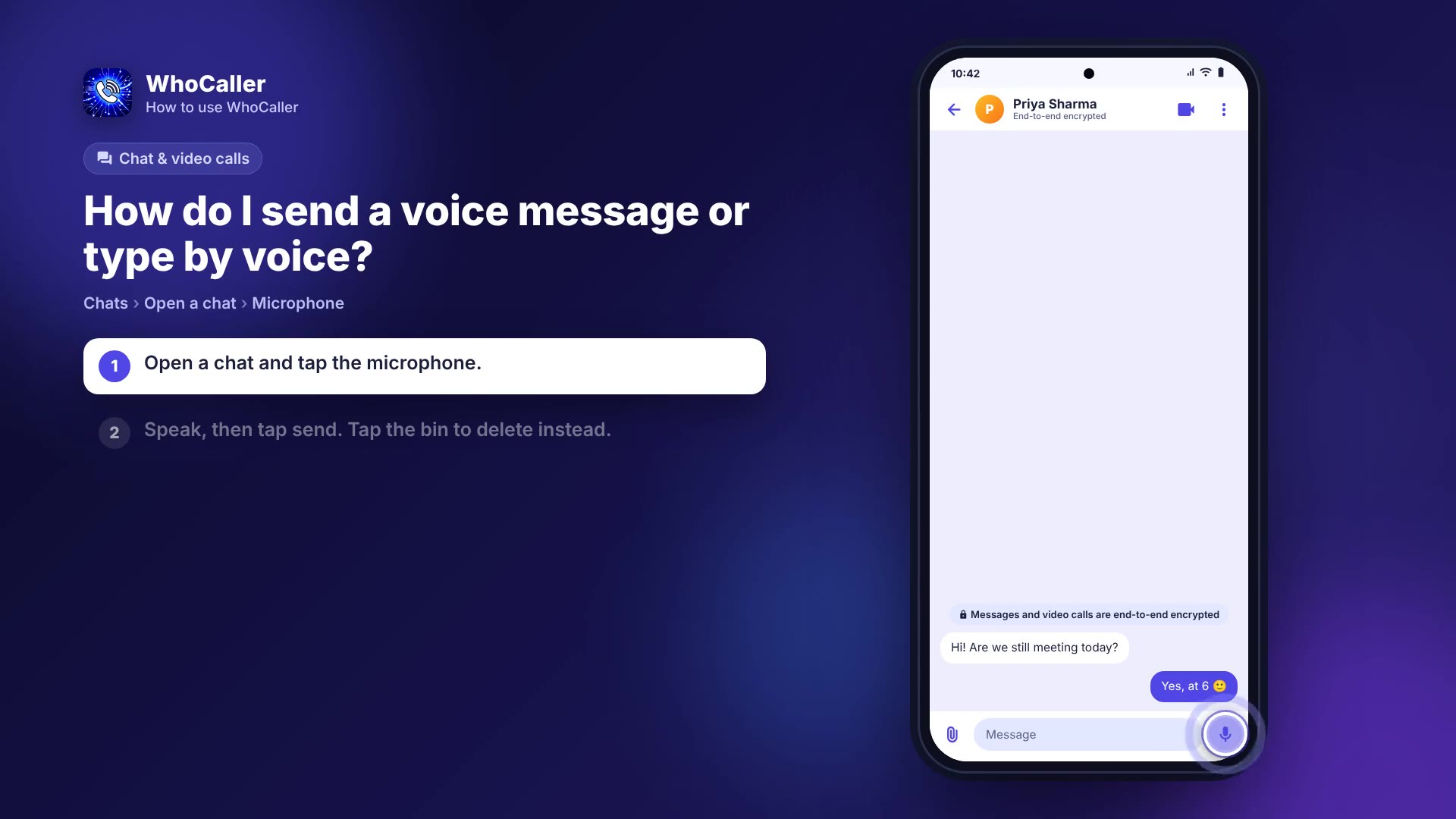 0:19
How do I send a voice message or type by voice?
In a chat, tap the microphone to record a voice message and tap send when done. Use Voice typing to speak and turn your words into text.
See the steps →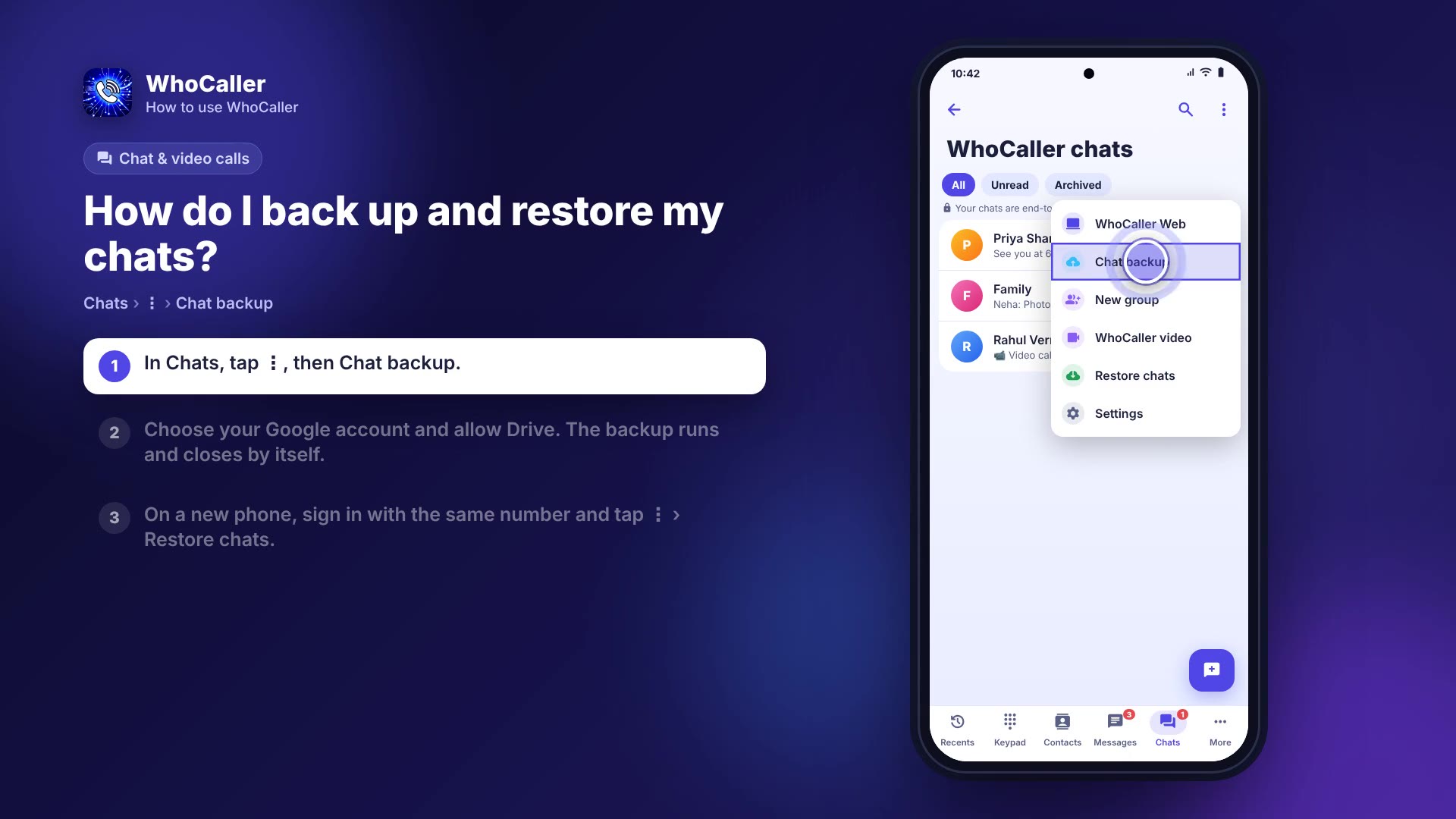 0:26
How do I back up and restore my chats?
In Chats, tap ⋮ › Chat backup to save chats to your own Google Drive. On a new phone, tap ⋮ › Restore chats.
See the steps →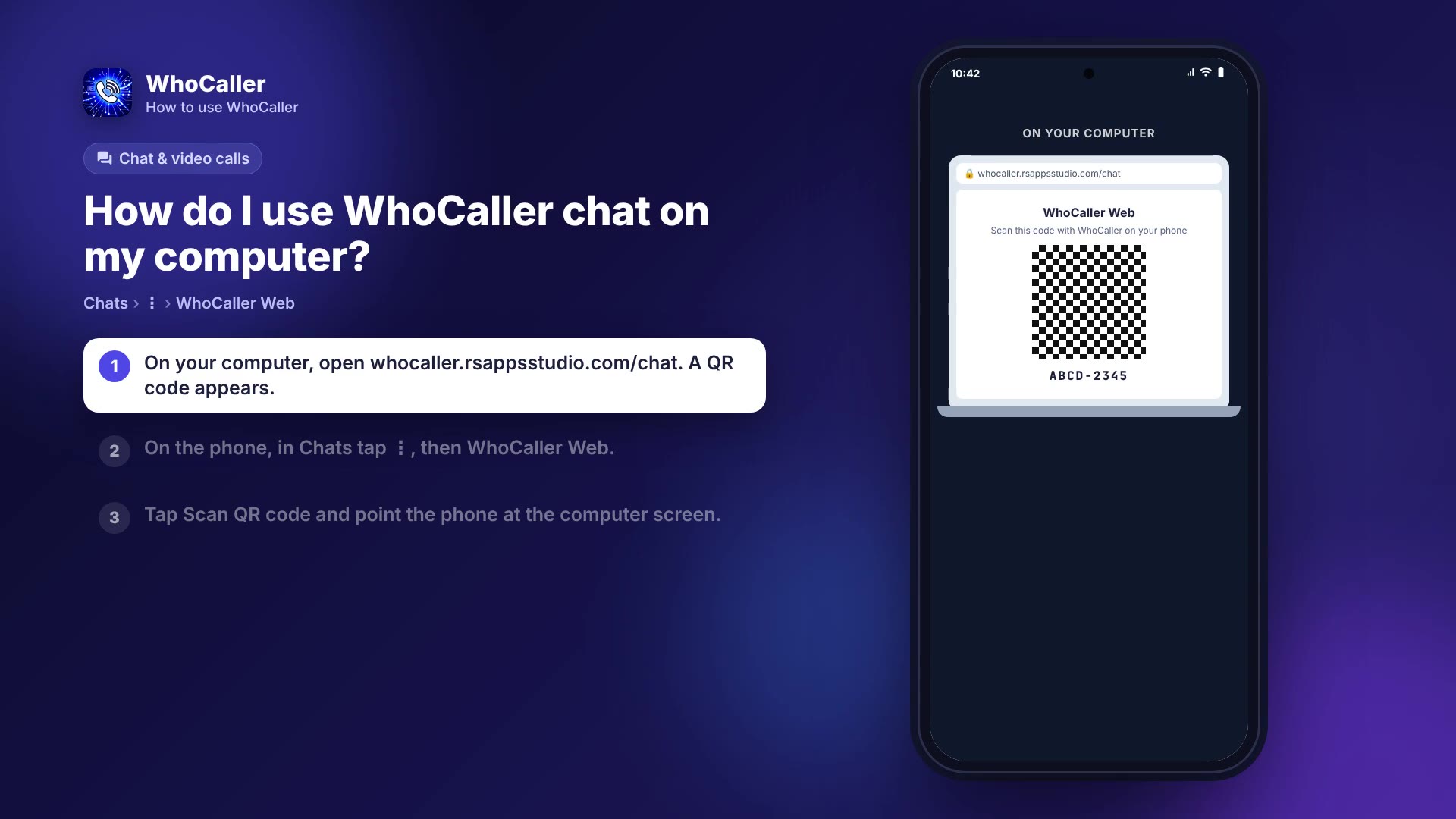 0:25
How do I use WhoCaller chat on my computer?
On the computer open whocaller.rsappsstudio.com/chat. On the phone, in Chats tap ⋮ › WhoCaller Web › Scan QR code and scan the code on the screen.
See the steps →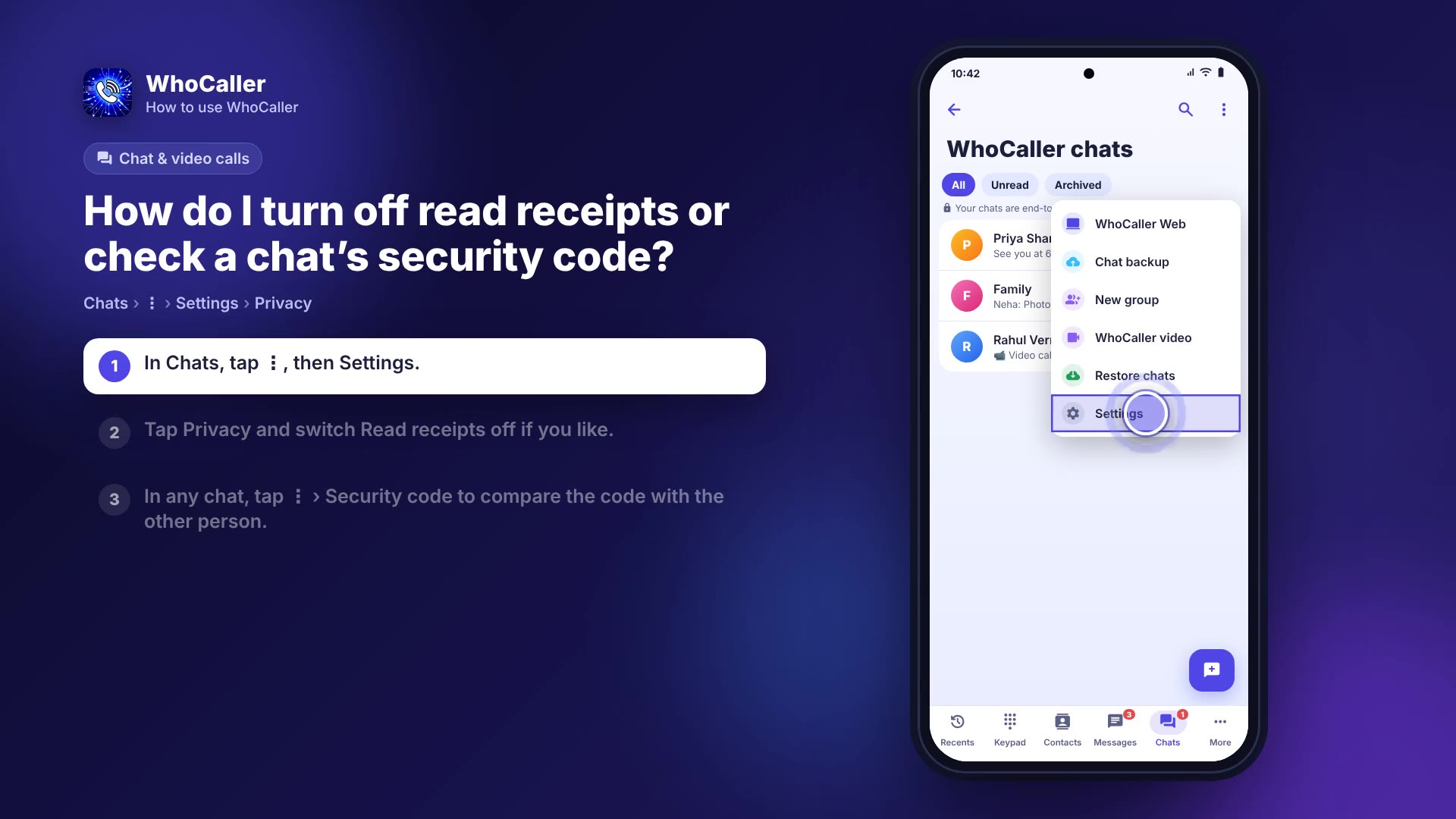 0:25
How do I turn off read receipts or check a chat’s security code?
In Chats, tap ⋮ › Settings › Privacy › Read receipts. To check encryption, open a chat, tap ⋮ › Security code and compare it with the other phone.
See the steps →Premium, privacy & help
 0:26
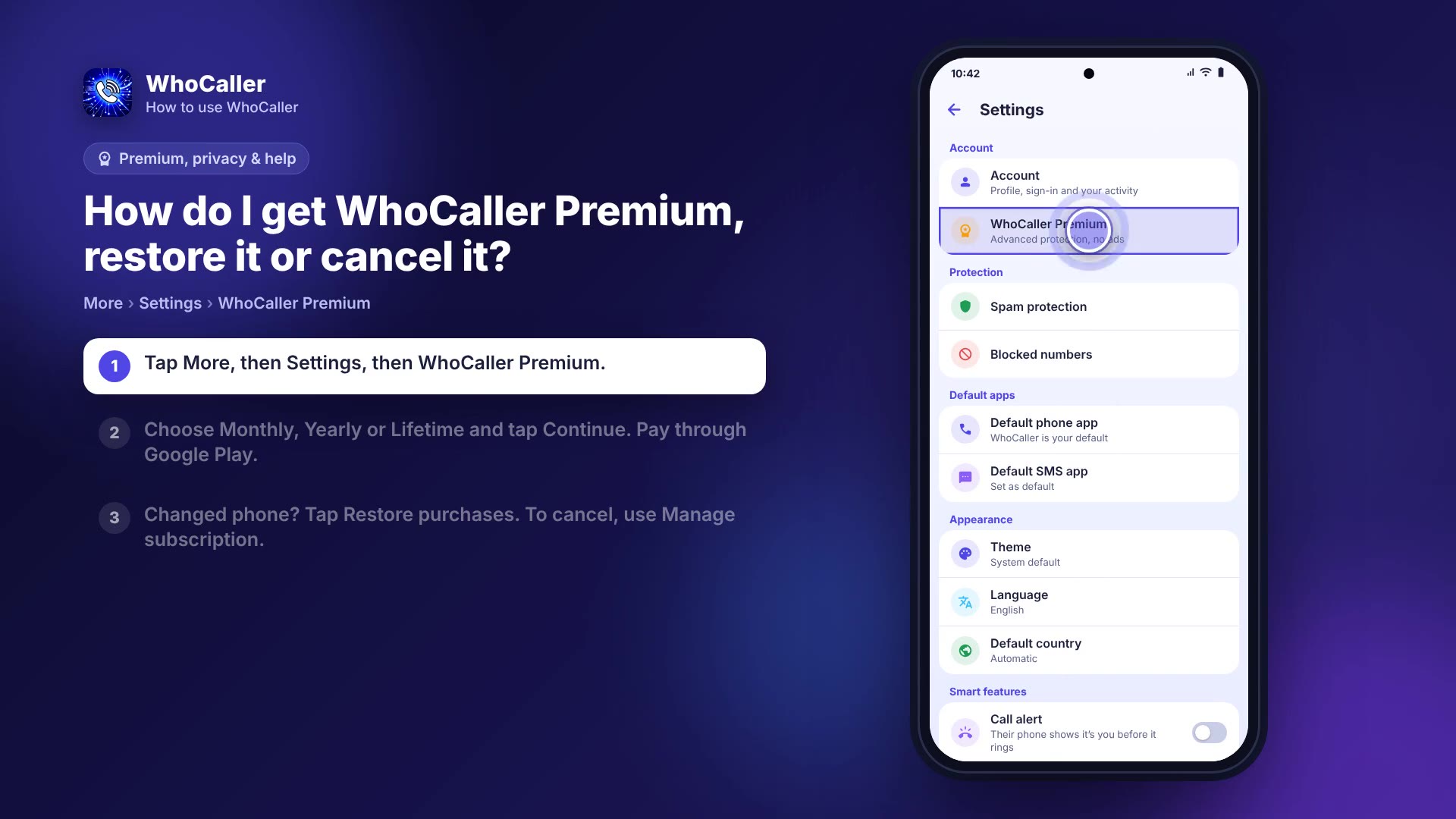
How do I get WhoCaller Premium, restore it or cancel it?
Open More › Settings › WhoCaller Premium and pick Monthly, Yearly or Lifetime. Tap Restore purchases on a new phone. Cancel anytime in Google Play › Subscriptions.
See the steps →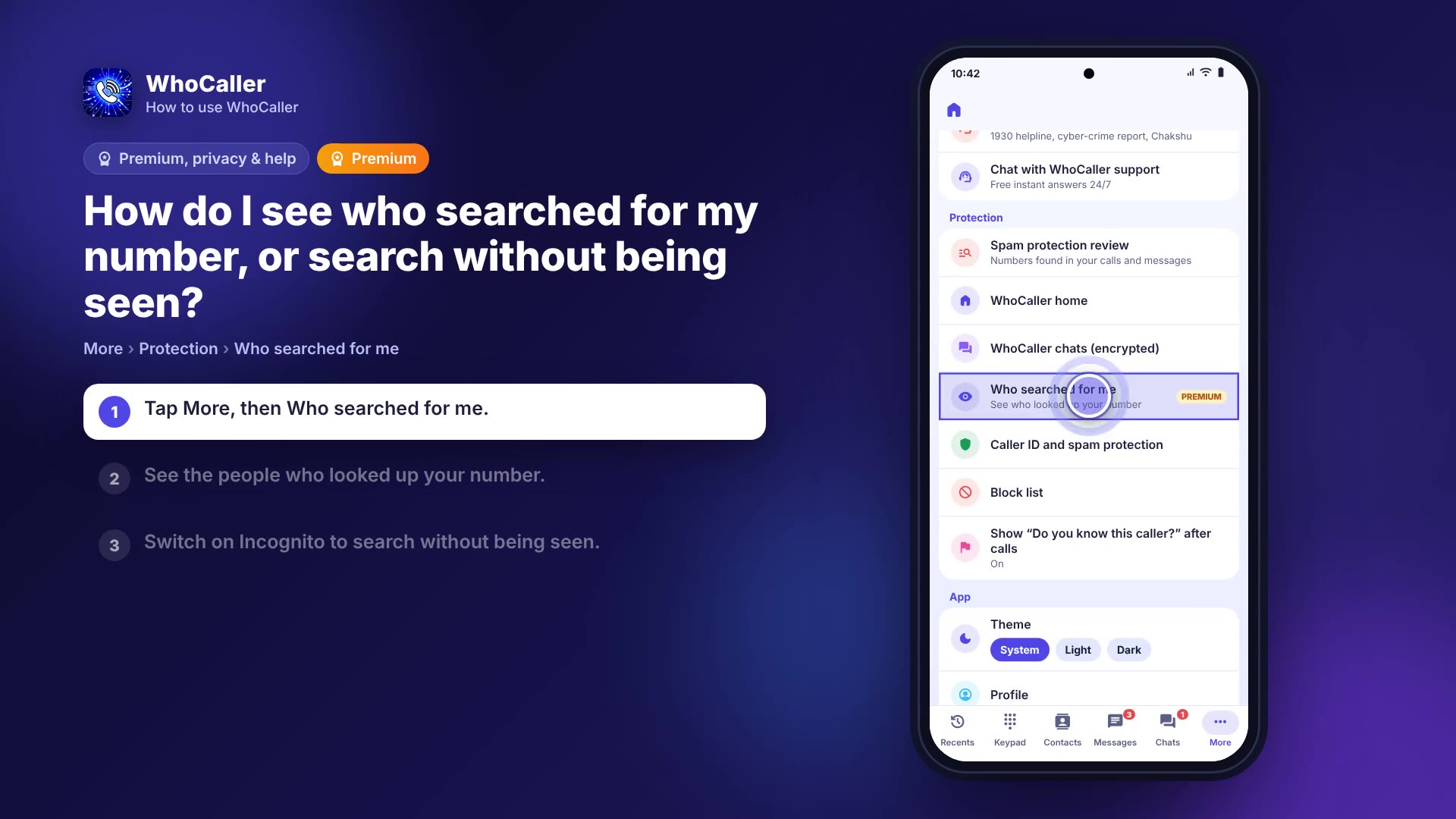 0:23
How do I see who searched for my number, or search without being seen? Premium
Open More › Who searched for me (Premium). Switch on Incognito there to look up numbers without appearing in other people’s list.
See the steps →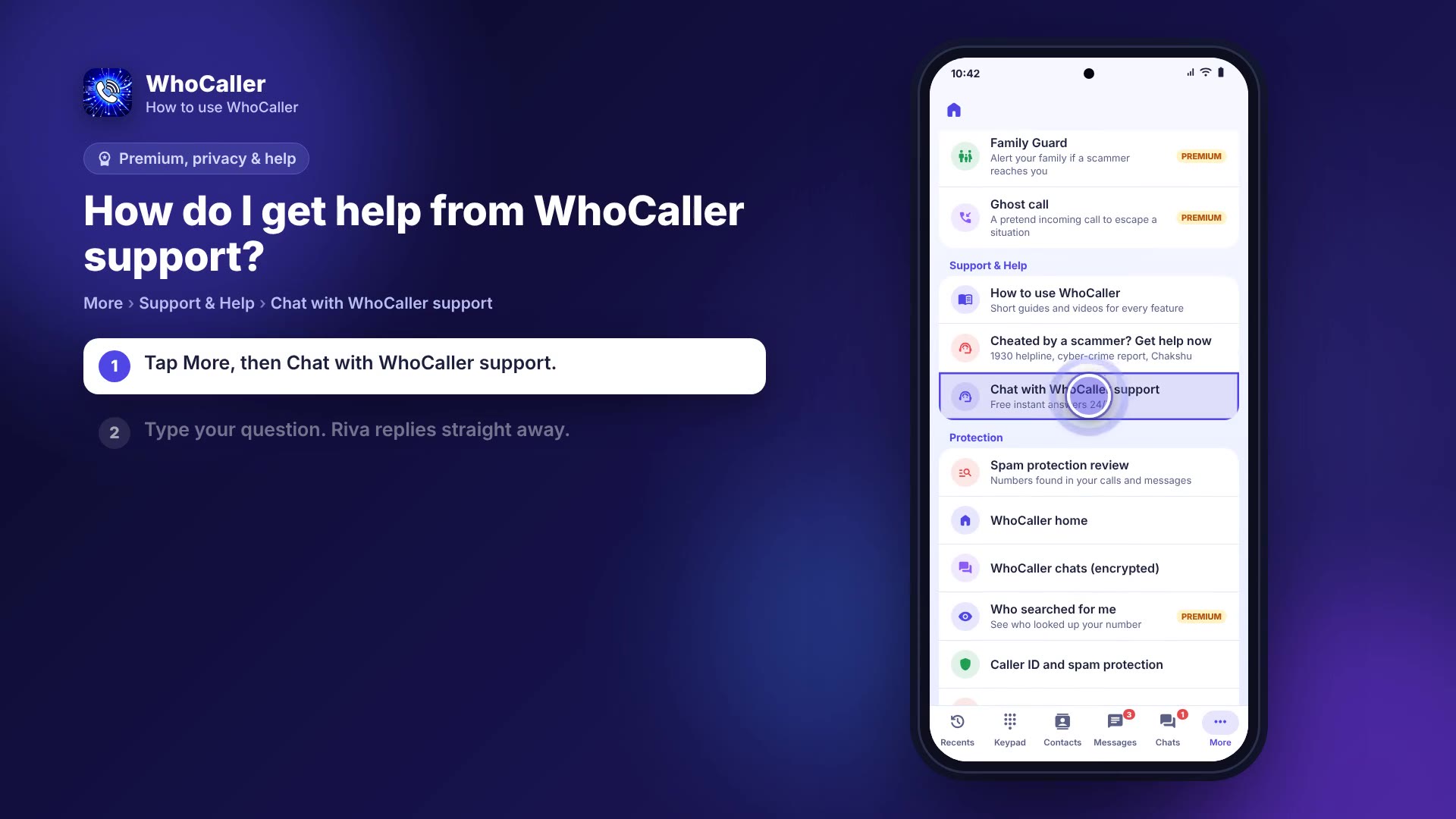 0:19
How do I get help from WhoCaller support?
Open More › Chat with WhoCaller support. Riva, the assistant, answers instantly 24/7. Premium users can also chat with a person.
See the steps →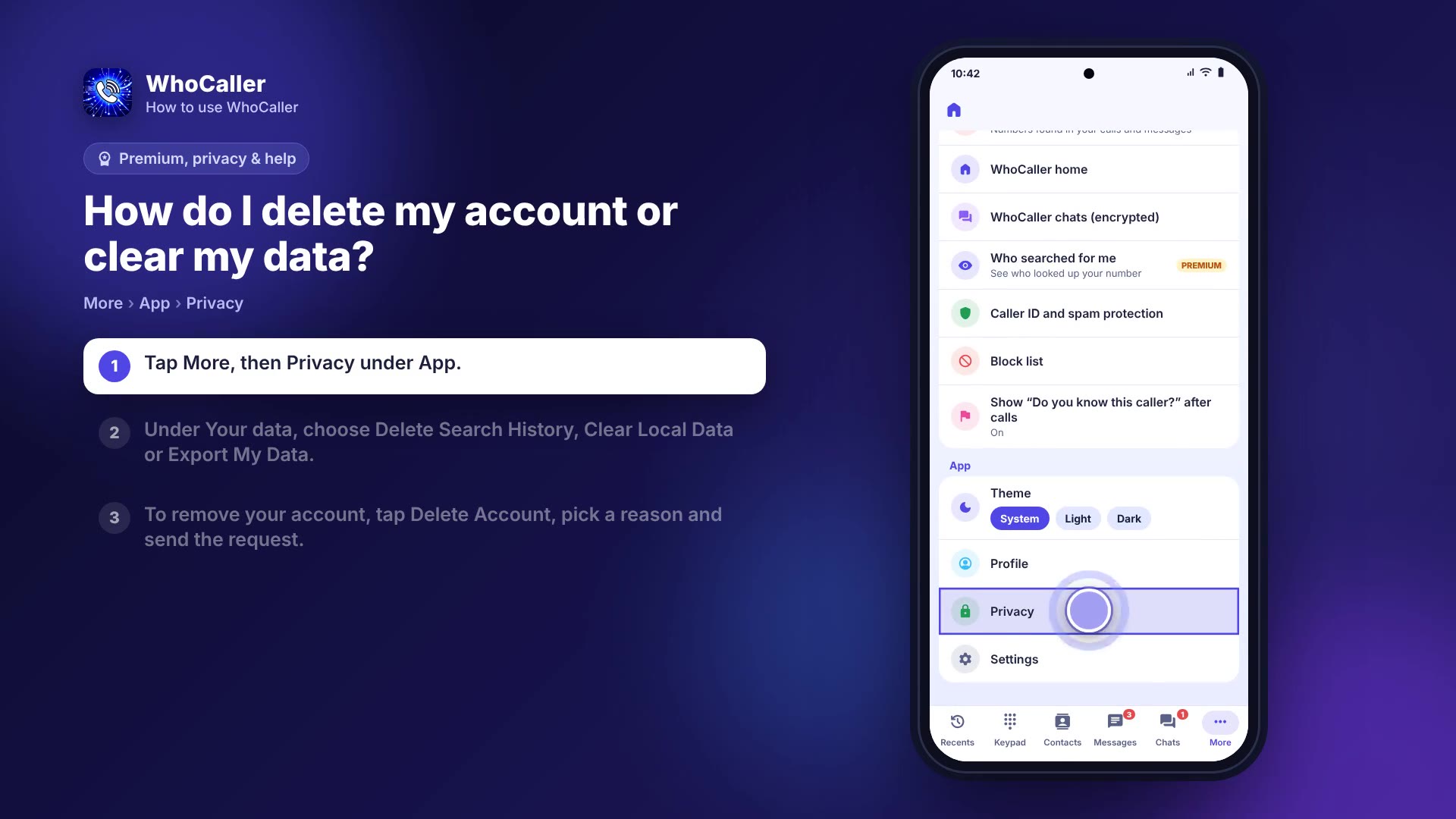 0:26
How do I delete my account or clear my data?
Open More › Privacy. Use Delete Search History or Clear Local Data for this phone, Export My Data for a copy, and Delete Account to remove your account (done within 7 days).
See the steps →No guide matches that. Try other words, or ask support.
Get WhoCaller free
Free on Google Play. Android 8.0 or newer.