 WhoCaller
Chat & video calls
How do I make a free video call?
Open a chat with a WhoCaller user and tap the video camera icon at the top. During the call you can switch camera, mute, change brightness and turn the phone sideways.
Where to find it
Chats›Open a chat›Video call
Steps
- In Chats, open the chat with the person.
- Tap the video camera icon at the top.
- When they answer, tap the screen to show the buttons: mute, camera, brightness, end.
- The call is saved in the chat with its length.
← How do I chat with someone on WhoCaller?How do I create a group chat? →
Chat & video calls
More guides like this
 0:29
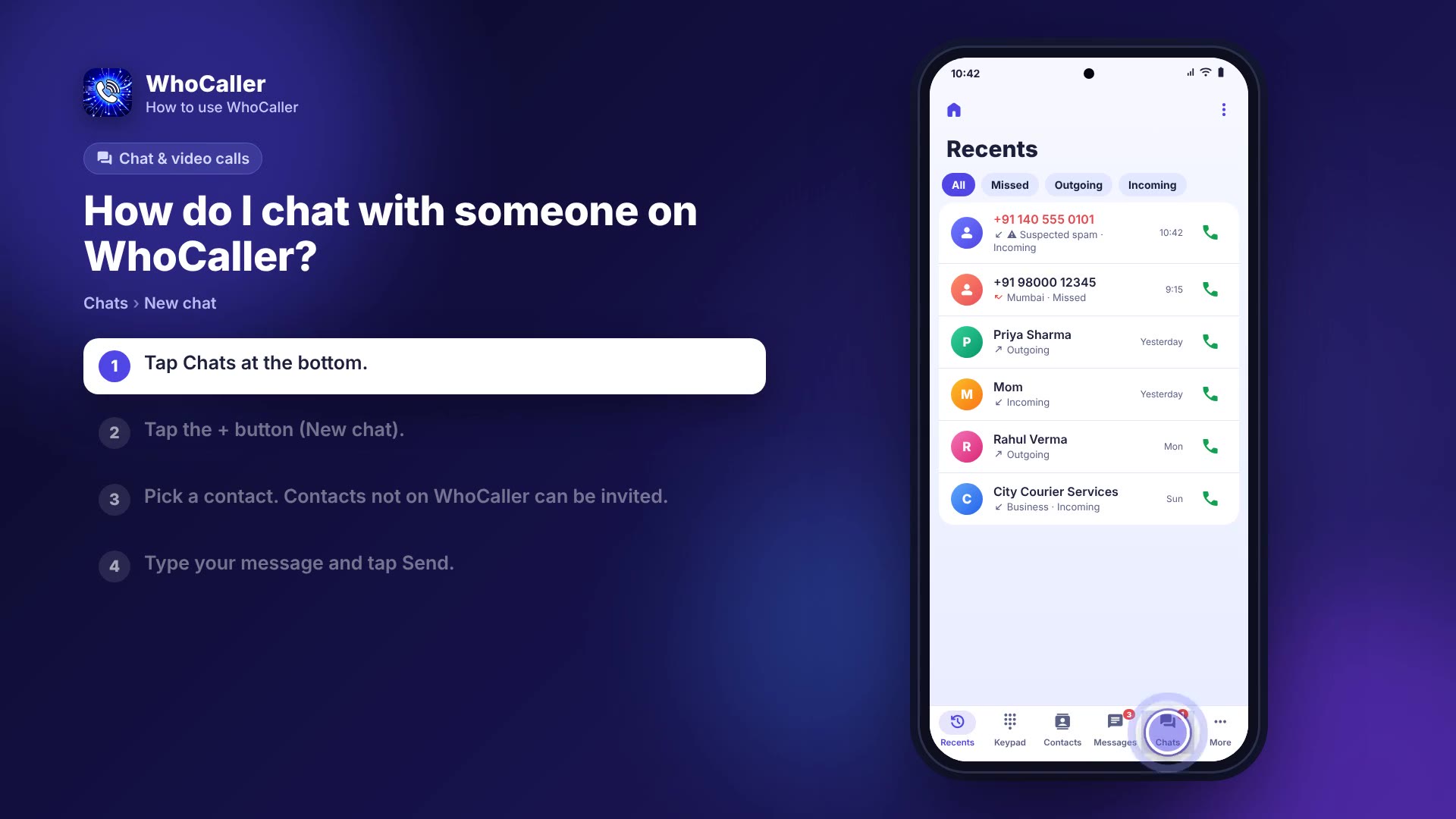
How do I chat with someone on WhoCaller?
Open the Chats tab, tap + (New chat) and pick a contact who uses WhoCaller. Chats are end-to-end encrypted.
See the steps →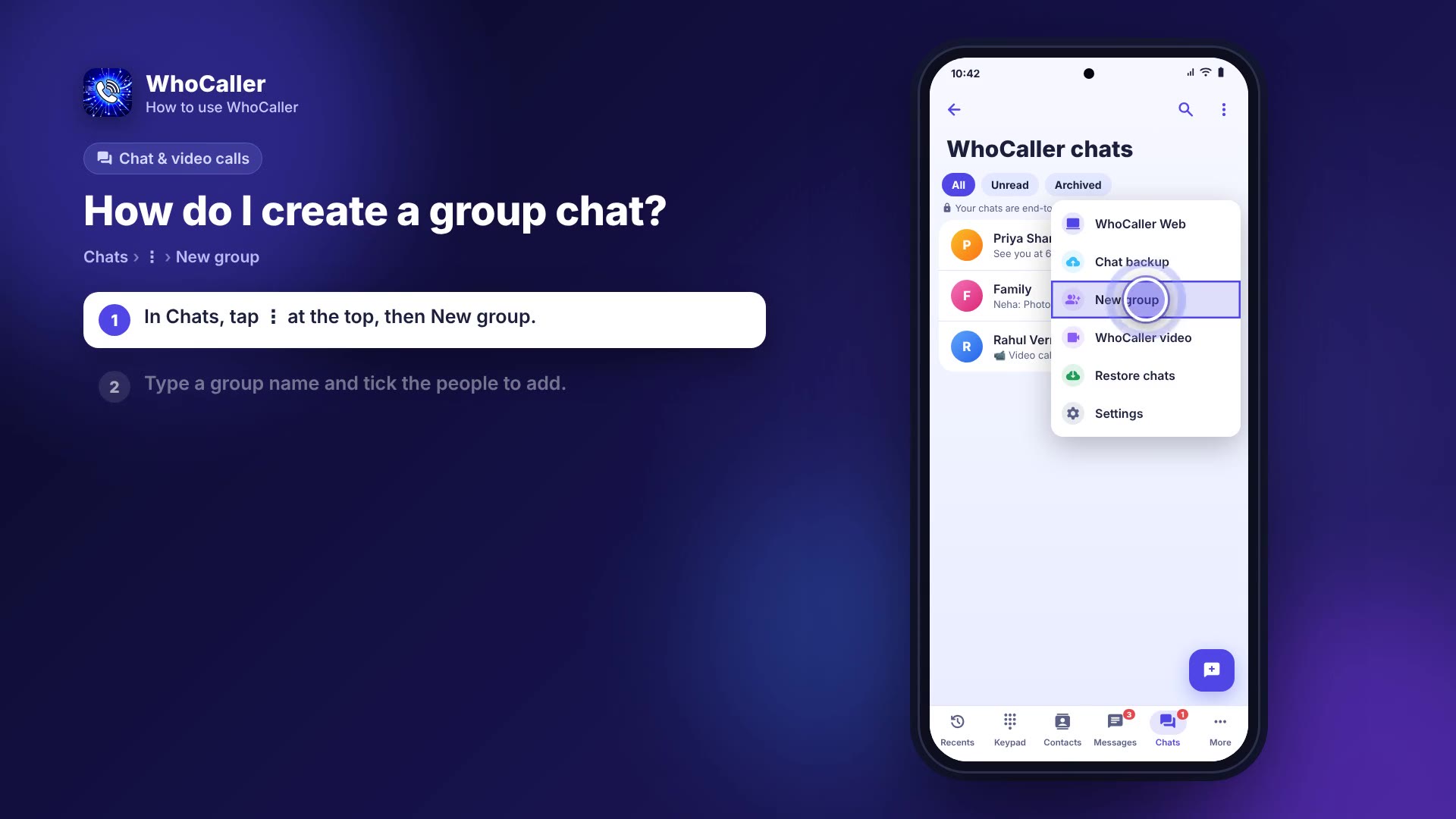 0:19
How do I create a group chat?
In Chats, tap ⋮ › New group, pick the people, type a group name and tap Create.
See the steps →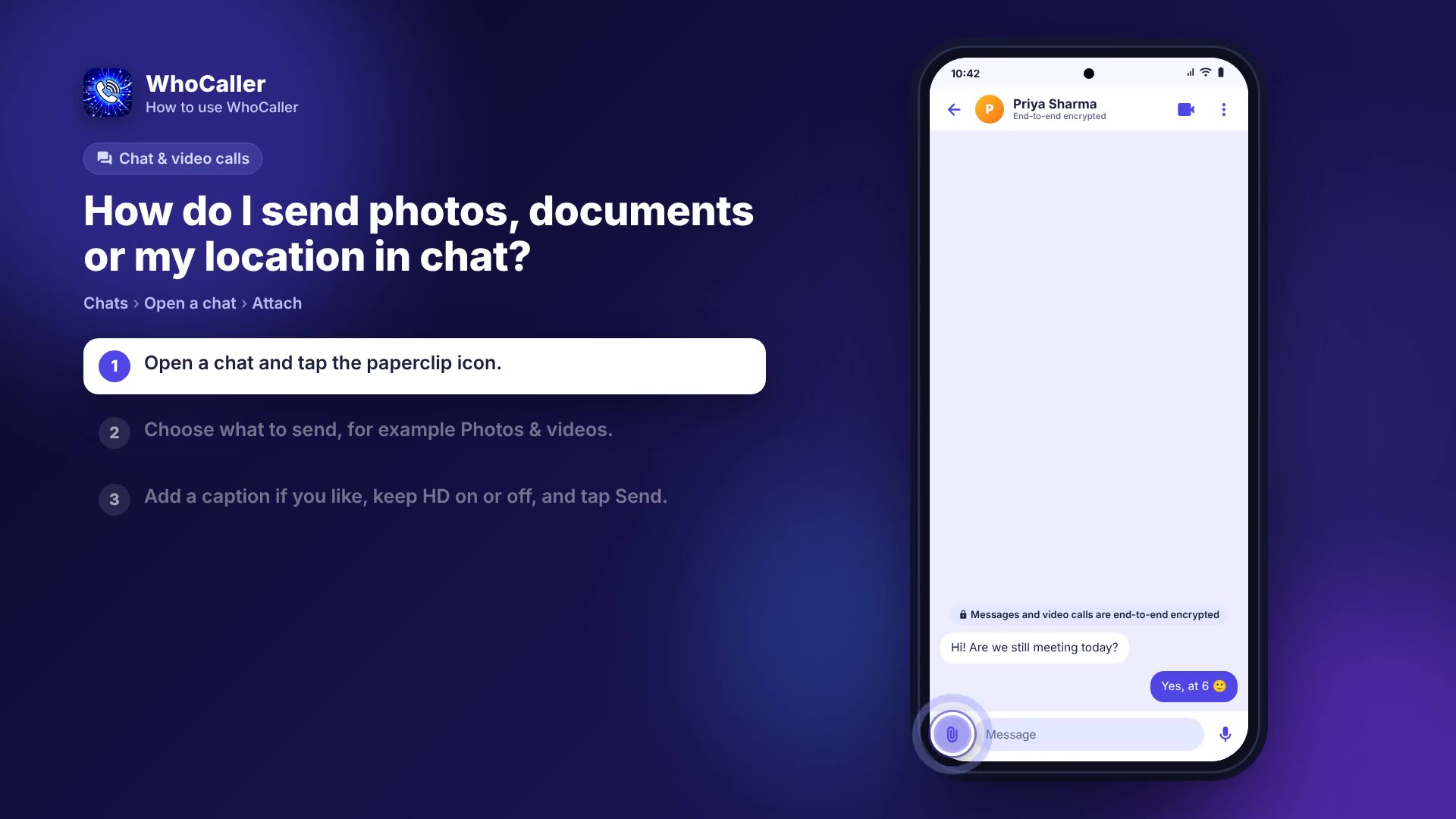 0:24
How do I send photos, documents or my location in chat?
In a chat tap the attach (paperclip) icon and choose Photos & videos, Camera, Document, Audio or Location. You can also share live location for 15 minutes to 8 hours.
See the steps →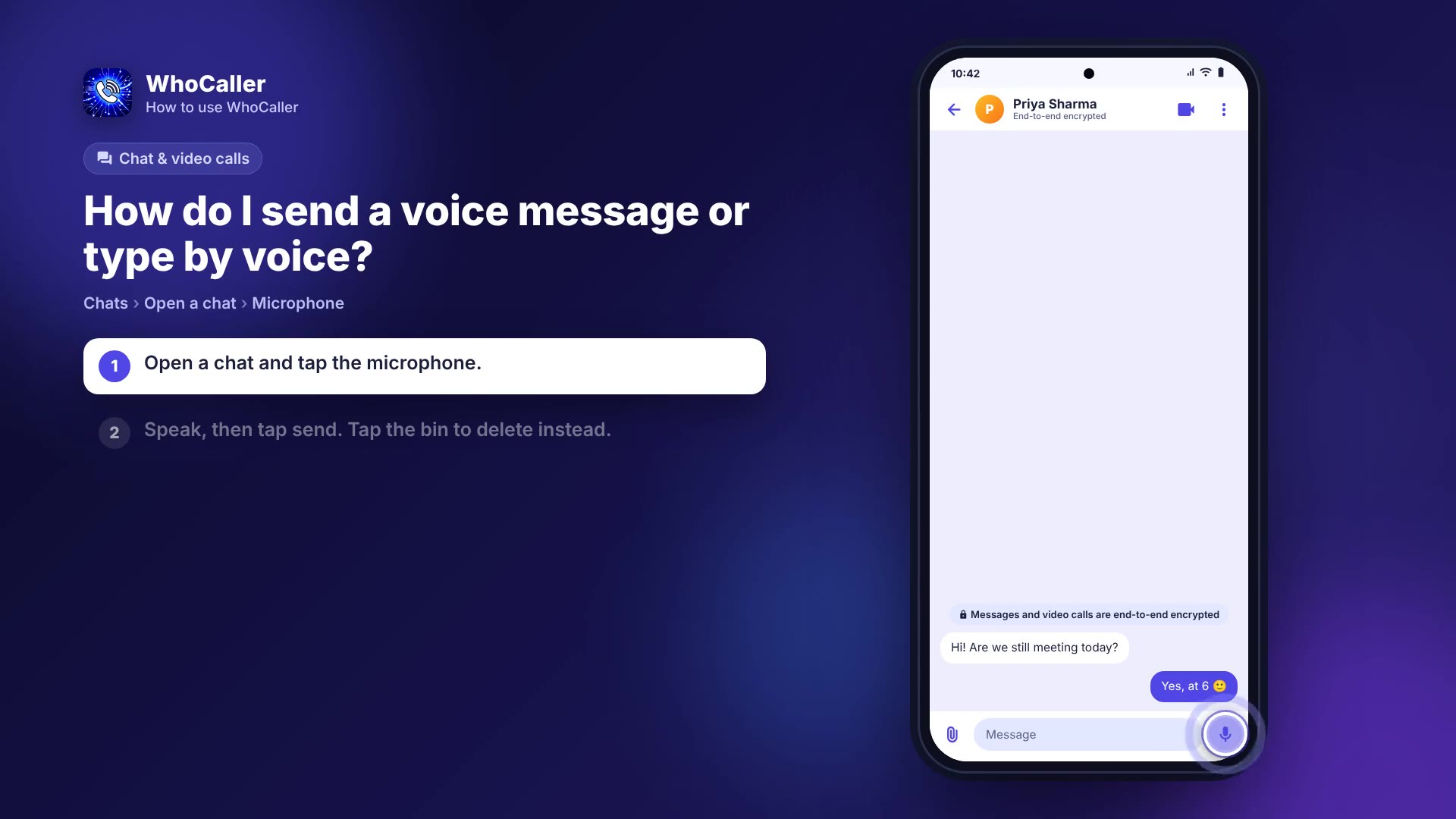 0:19
How do I send a voice message or type by voice?
In a chat, tap the microphone to record a voice message and tap send when done. Use Voice typing to speak and turn your words into text.
See the steps →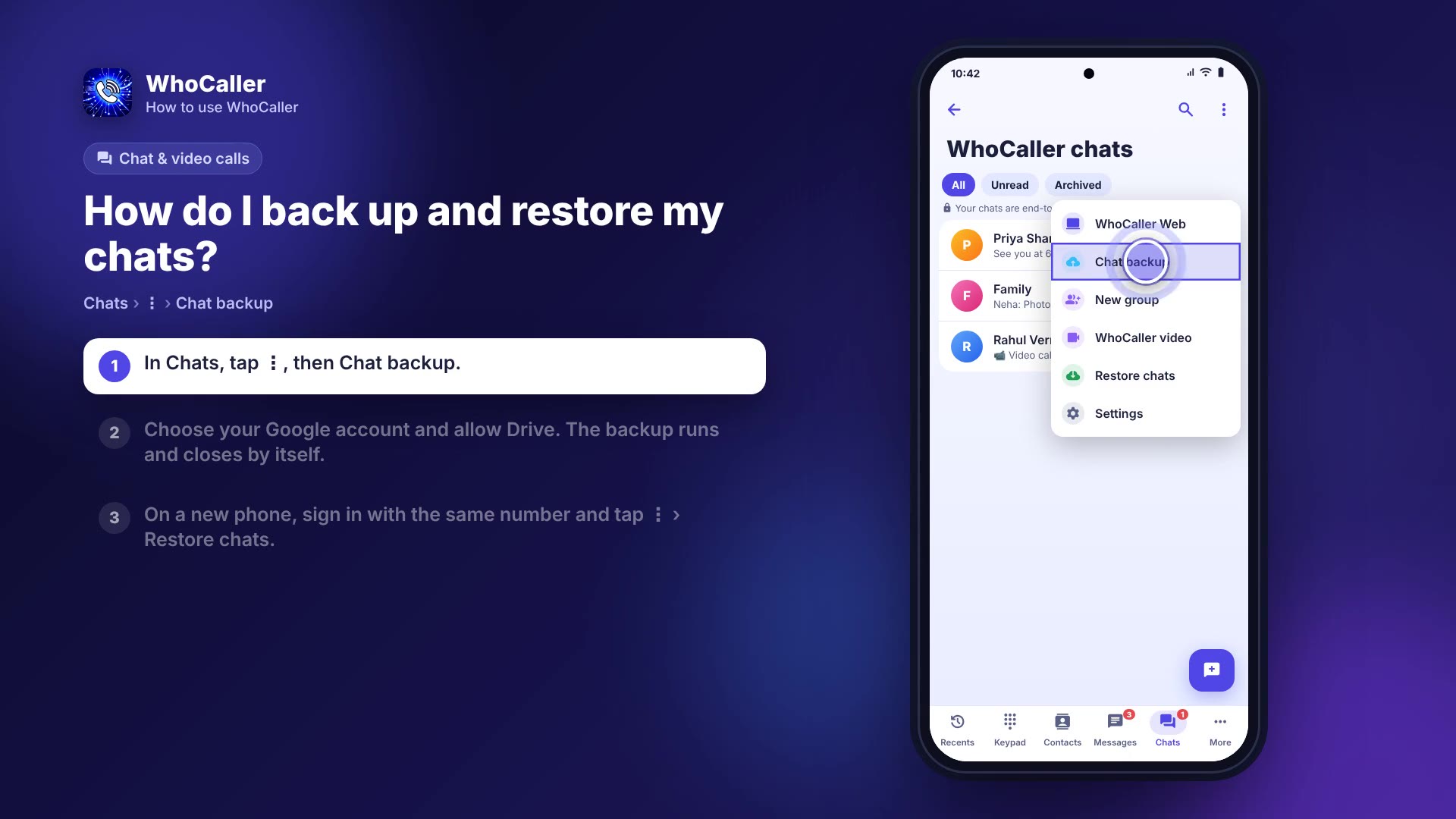 0:26
How do I back up and restore my chats?
In Chats, tap ⋮ › Chat backup to save chats to your own Google Drive. On a new phone, tap ⋮ › Restore chats.
See the steps →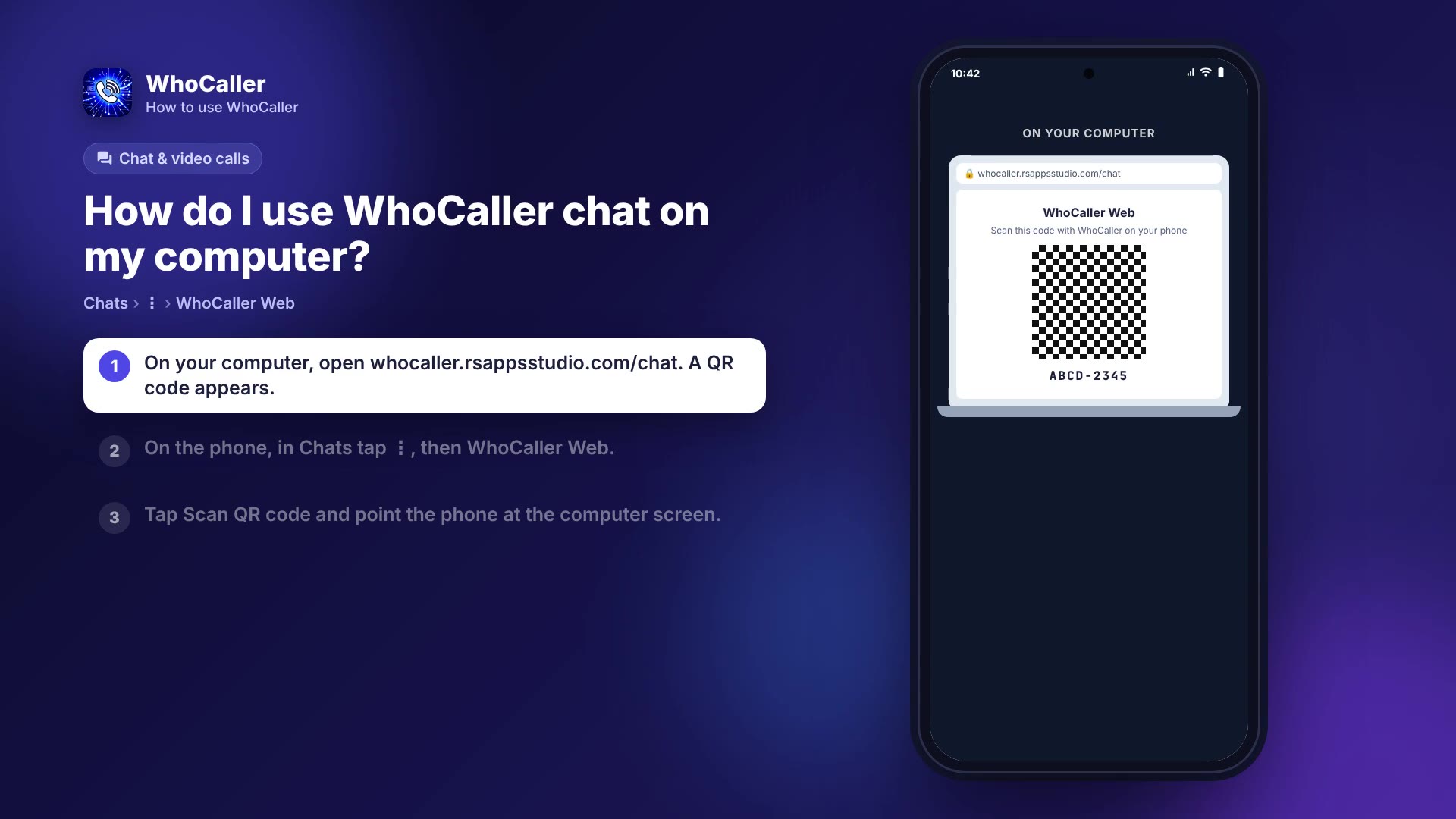 0:25
How do I use WhoCaller chat on my computer?
On the computer open whocaller.rsappsstudio.com/chat. On the phone, in Chats tap ⋮ › WhoCaller Web › Scan QR code and scan the code on the screen.
See the steps →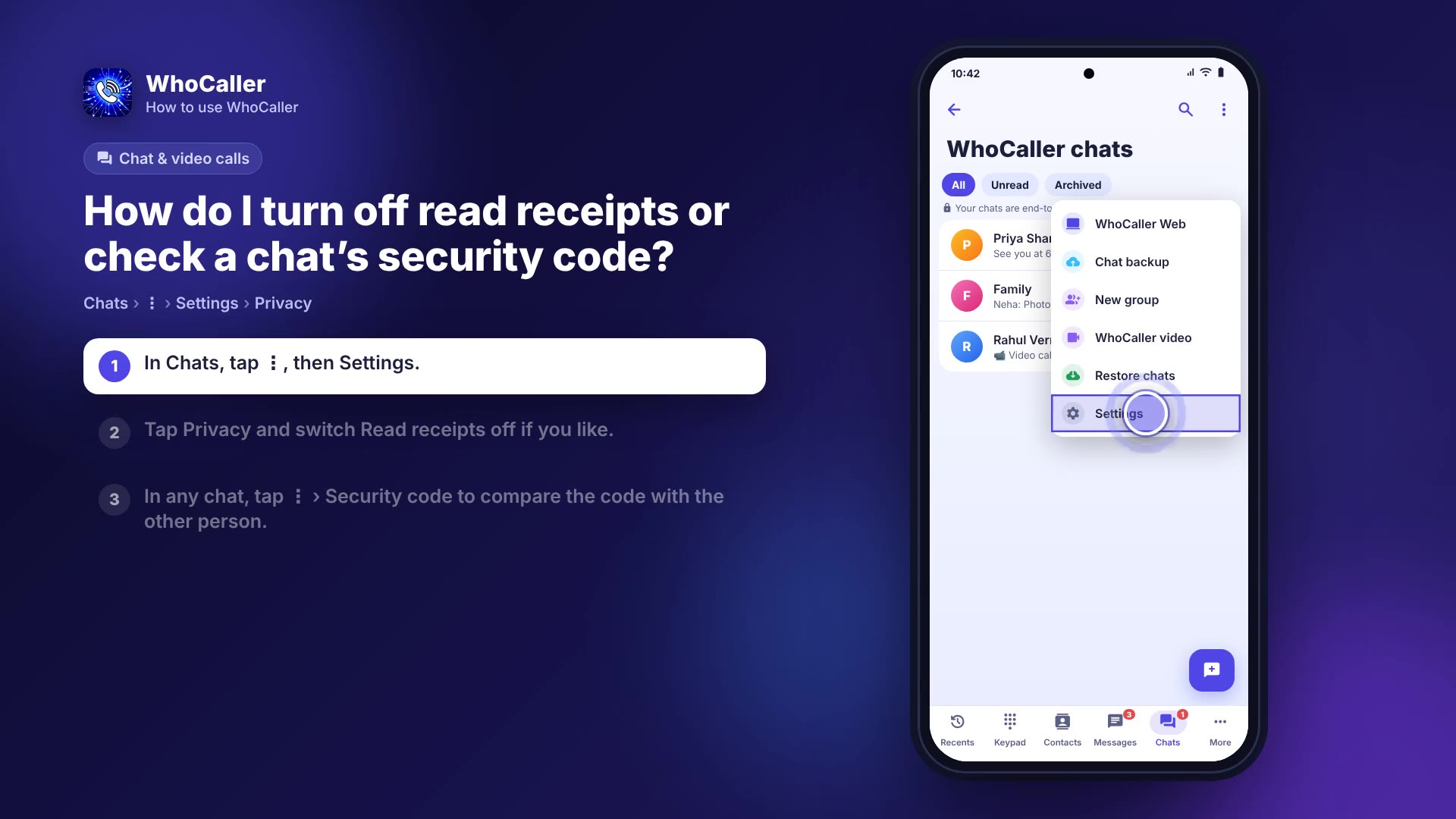 0:25
How do I turn off read receipts or check a chat’s security code?
In Chats, tap ⋮ › Settings › Privacy › Read receipts. To check encryption, open a chat, tap ⋮ › Security code and compare it with the other phone.
See the steps →Get WhoCaller free
Free on Google Play. Android 8.0 or newer.