 WhoCaller
Messages (SMS)
How do I filter, pin, archive or mute message conversations?
In Messages, use the filters (Unread, Unknown, Bank, Bills, Travel). Long-press a conversation to pin, archive, mute or delete it.
Where to find it
Messages›Conversations
Steps
- In Messages, tap a filter such as Bank to see only those texts.
- Press and hold a conversation to select it.
- Tap Pin, Archive or ⋮ for Mute and more.
← How do I check if a message is a scam?What is OTP Shield and how do I turn it on? →
Messages (SMS)
More guides like this
 0:24
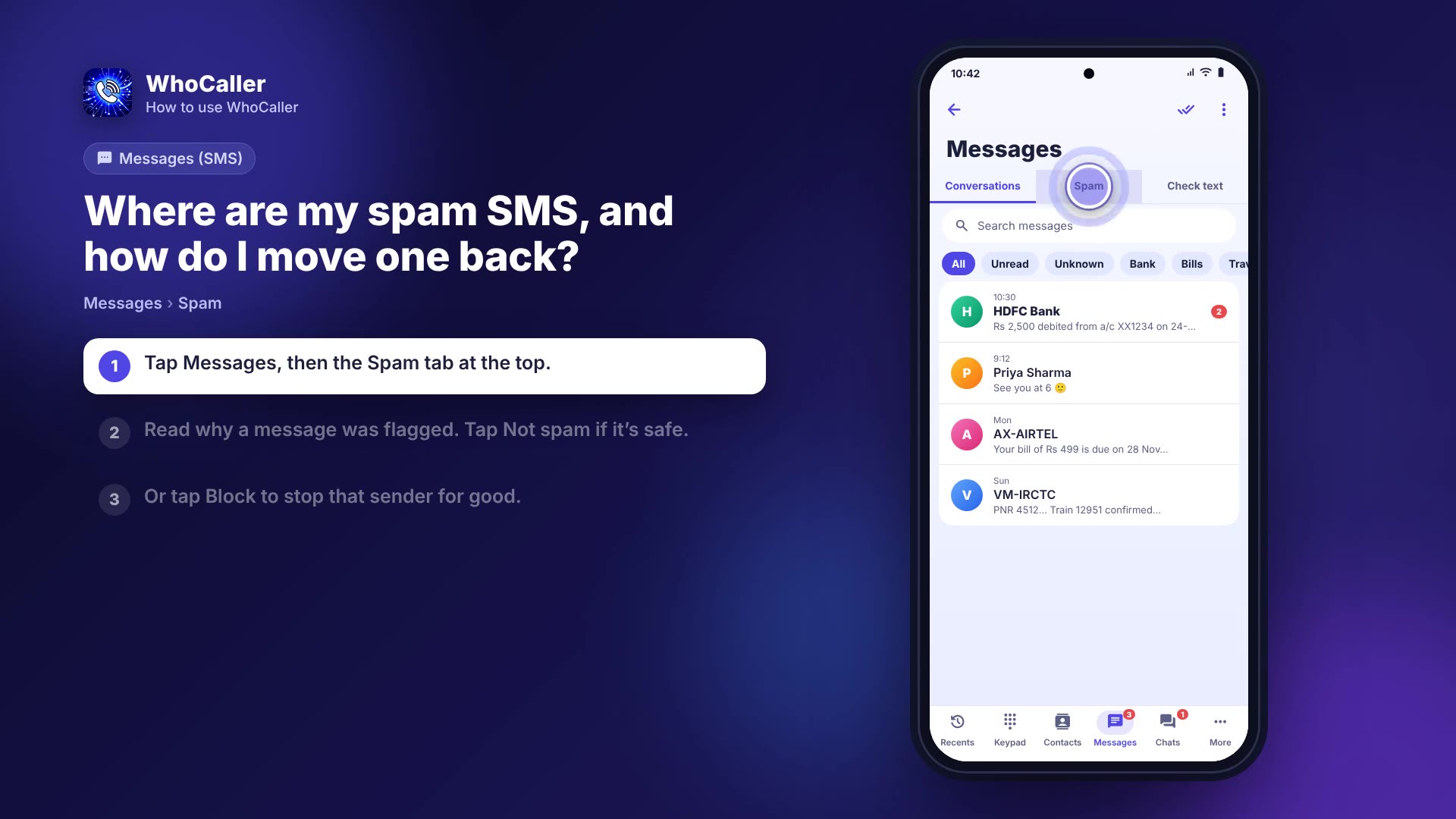
Where are my spam SMS, and how do I move one back?
Open Messages › Spam. Suspicious texts land here automatically. Tap Not spam to move one back, or Block to stop the sender.
See the steps →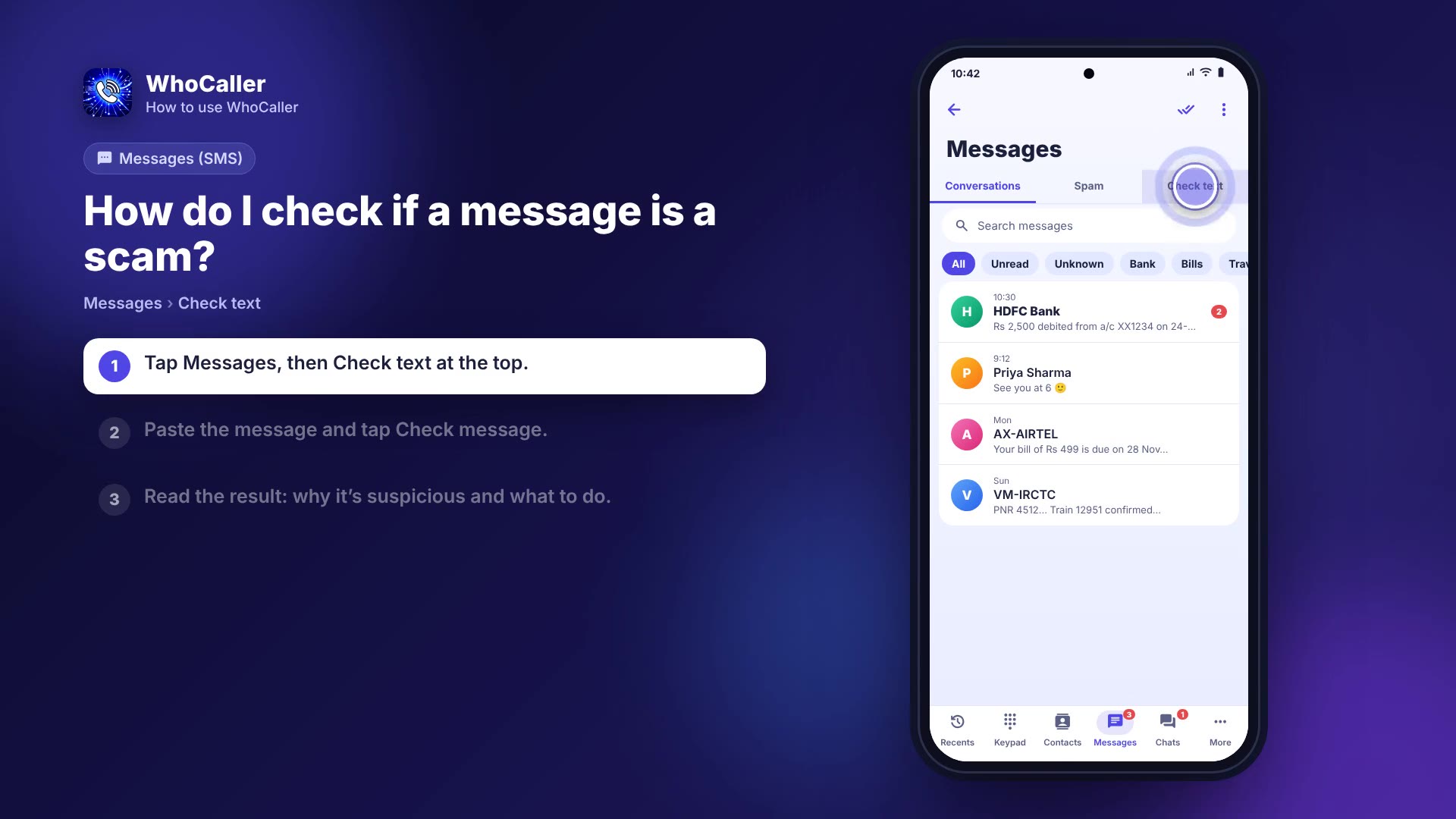 0:24
How do I check if a message is a scam?
Open Messages › Check text, paste the message and tap Check message. WhoCaller explains the warning signs. The check happens on your phone.
See the steps →Get WhoCaller free
Free on Google Play. Android 8.0 or newer.